Typesetting Square Roots
Introduction
In Writing Math in LaTeX, we have already covered math mode, subscripts and superscripts, and the \frac command for building fractions. This fourth lesson out of seven means we are well past the halfway mark, and each new tool we pick up makes the previous ones more powerful. Today we turn to square roots and nth roots, learning how the \sqrt command wraps a radical sign around any expression — including fractions, exponents, and other nested elements you already know how to write.
Why Roots Need a Special Command
The radical symbol is one of the most distinctive shapes in mathematical notation. Unlike a simple operator such as or , a root sign must stretch and scale to fully cover the expression inside it. In handwriting, we draw a horizontal bar that extends over the entire contents, but replicating this in plain text is nearly impossible.
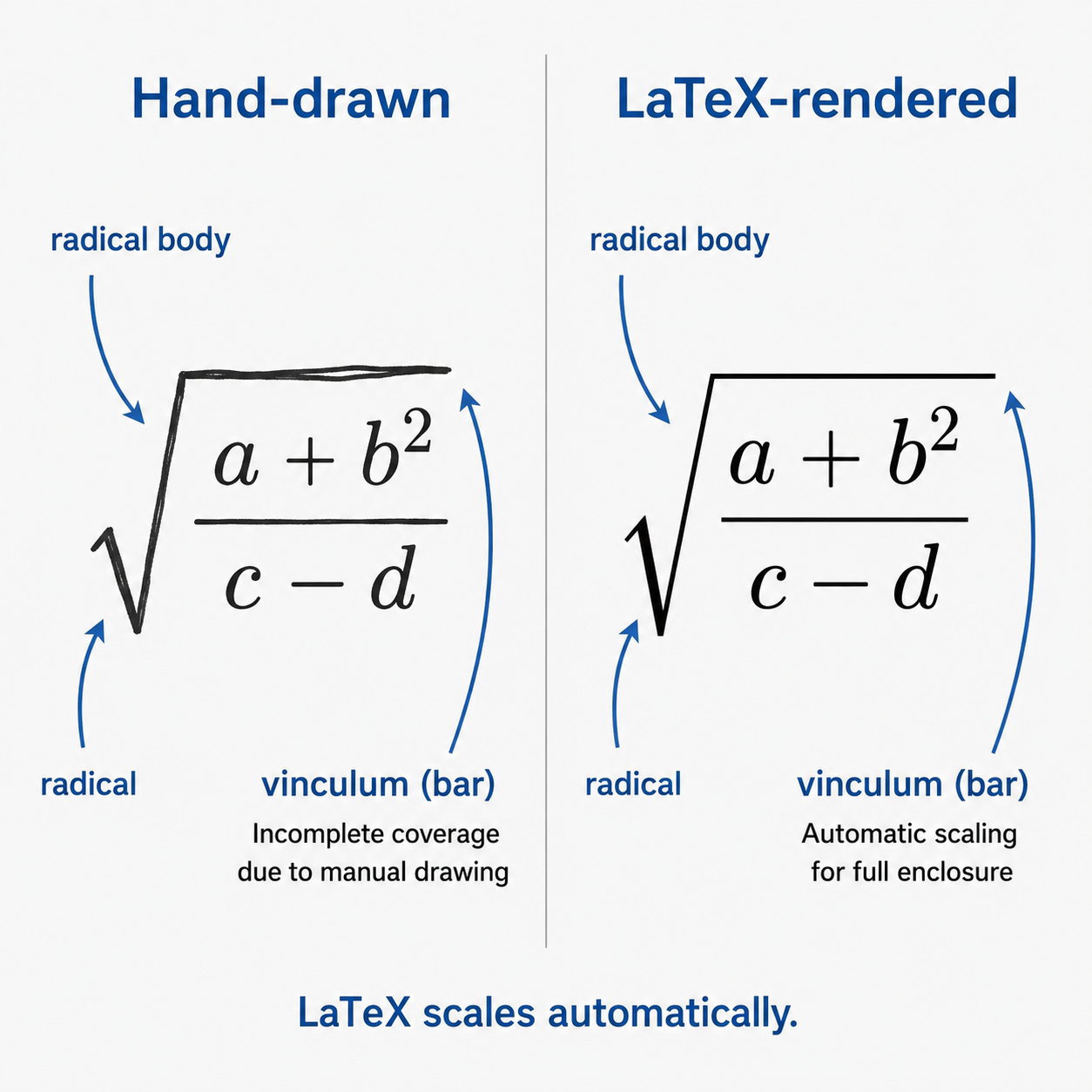
LaTeX handles all of this automatically. No matter how wide or tall the expression under the radical becomes, the root symbol adjusts to fit. This is exactly the kind of detail that makes LaTeX ideal for technical writing.
The \sqrt Command
The \sqrt command takes a single required argument in curly braces, and LaTeX wraps a radical sign around it.
For example, to write the square root of 2 in display mode:
This produces:
The expression inside the braces can be anything valid in math mode. Here are a few more examples:
| LaTeX Code | Output |
|---|---|
$\sqrt{x}$ | |
$\sqrt{a + b}$ | |
$\sqrt{x^2 + y^2}$ |
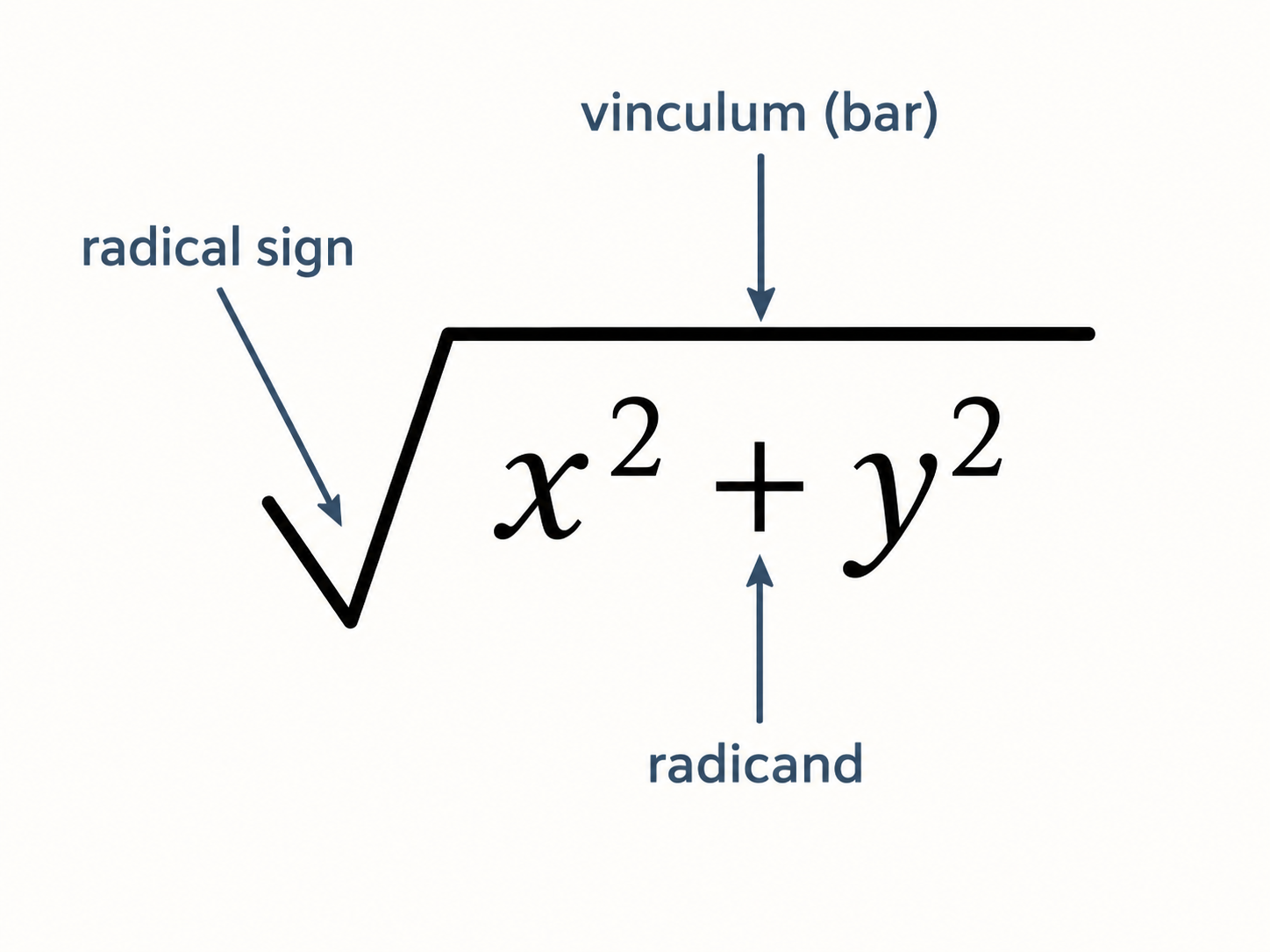
Notice that when the expression inside the braces is longer, the horizontal bar (called the vinculum) stretches to cover everything. When the expression is taller — for instance when it contains a fraction — the radical grows vertically as well.
Nth Roots
Sometimes we need cube roots, fourth roots, or roots of any other index. The \sqrt command handles this with an optional argument in square brackets, placed before the curly braces.
As you may recall from the first course, optional arguments in LaTeX go inside square brackets [...], while required arguments go inside curly braces {...}. Here, the optional argument specifies the small index number that appears in the crook of the radical. For example:
This renders as:
We can use any value for the index:
| LaTeX Code | Output | Meaning |
|---|---|---|
$\sqrt[3]{x}$ | Cube root of | |
$\sqrt[4]{16}$ | Fourth root of 16 | |
$\sqrt[n]{a}$ | General nth root of |
When we omit the optional argument entirely, LaTeX assumes a square root — by far the most common case.
Nesting Expressions Inside Roots
One of the strengths of LaTeX is that commands compose naturally. We can place fractions, superscripts, subscripts, or any combination inside a \sqrt. For instance, to write the square root of a fraction:
This gives us:
The radical symbol automatically scales to enclose the entire fraction, bar and all — no extra sizing commands needed.
We can also pair nth roots with fractions. For example:
Just as we practiced brace management with nested fractions in the previous lesson, the same principle applies here. Build from the outside in: start with \sqrt{}, then fill in the contents. If those contents include a \frac, write its braces next, and continue inward from there.
Roots in Compound Expressions
In real formulas, roots appear alongside other terms. We can freely mix \sqrt with fractions, exponents, subscripts, and arithmetic operators. Consider the distance formula from coordinate geometry:
This single expression uses subscripts (, ), superscripts (), parentheses, and a square root all at once. Each piece works exactly as we learned in earlier lessons; the \sqrt simply wraps around the entire sum.
Here is another example that places a root inside a fraction:
This is the famous golden ratio, approximately 1.618. The root sits comfortably inside the numerator while the fraction provides the overall structure. Commands in LaTeX nest in any order — roots inside fractions, fractions inside roots, or both at once. (The symbol \varphi is a Greek letter we will cover in a later lesson; for now, treat it as just a name for this constant.)
Common Mistakes to Avoid
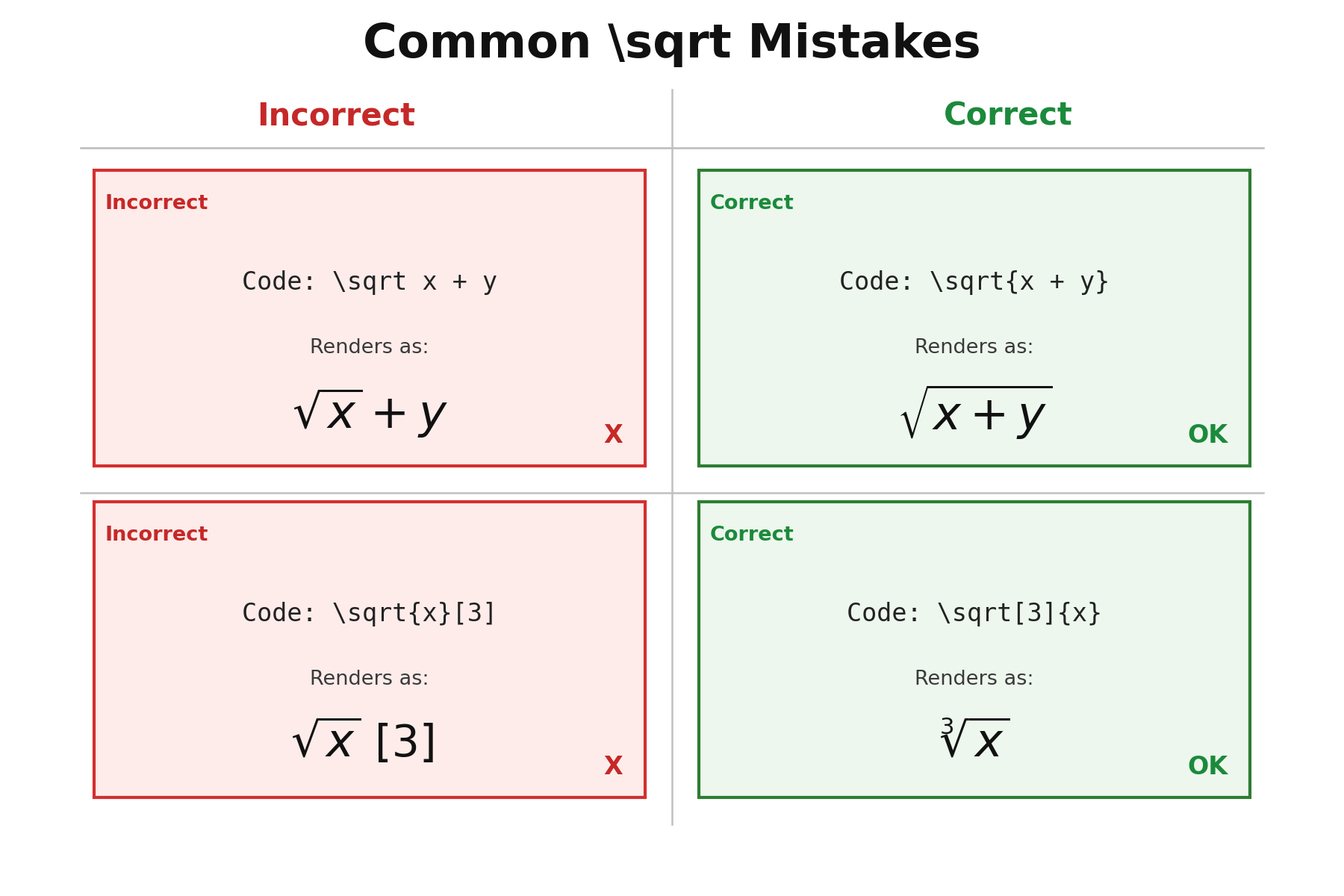
A few small errors come up frequently when working with roots:
- Forgetting curly braces: Writing
\sqrt x + yinstead of\sqrt{x + y}. Without braces, LaTeX only captures the first token after the command, so you get instead of . - Misplacing the optional argument: The root index must come in square brackets before the curly braces. Writing
\sqrt{x}[3]will not produce a cube root; it will render a square root of followed by a literal[3]. - Overly complex expressions under one radical: If the expression inside a root becomes very long, consider using display mode or introducing intermediate variables to keep things readable.
Conclusion and Next Steps
In this lesson, we learned how to typeset square roots with \sqrt{...} and nth roots with \sqrt[n]{...}. We saw how LaTeX automatically scales the radical to fit whatever is inside — whether that is a single variable, a fraction, or an expression filled with subscripts and superscripts. We also combined roots with other notation to build real formulas like the distance formula and the golden ratio.
Head to the practice exercises to try these ideas yourself. You will start by writing basic square and nth roots, then nest a fraction inside a radical, and finish by assembling a complete compound expression from scratch. In the next lesson, we will explore standard math functions like , , and , adding yet another essential piece to your LaTeX toolkit.
