Standard Math Functions
Introduction
Welcome back to Writing Math in LaTeX! This is lesson five of seven, which means we are in the home stretch of the course. So far, we have covered math mode, subscripts and superscripts, fractions with \frac, and roots with \sqrt. Each of those tools helped us reproduce the visual structure of mathematical notation. Today we tackle something different — not a new shape or layout, but a naming convention: how to typeset standard function names like , , , , and so they look the way they should in any published math document.
Variables vs. Function Names
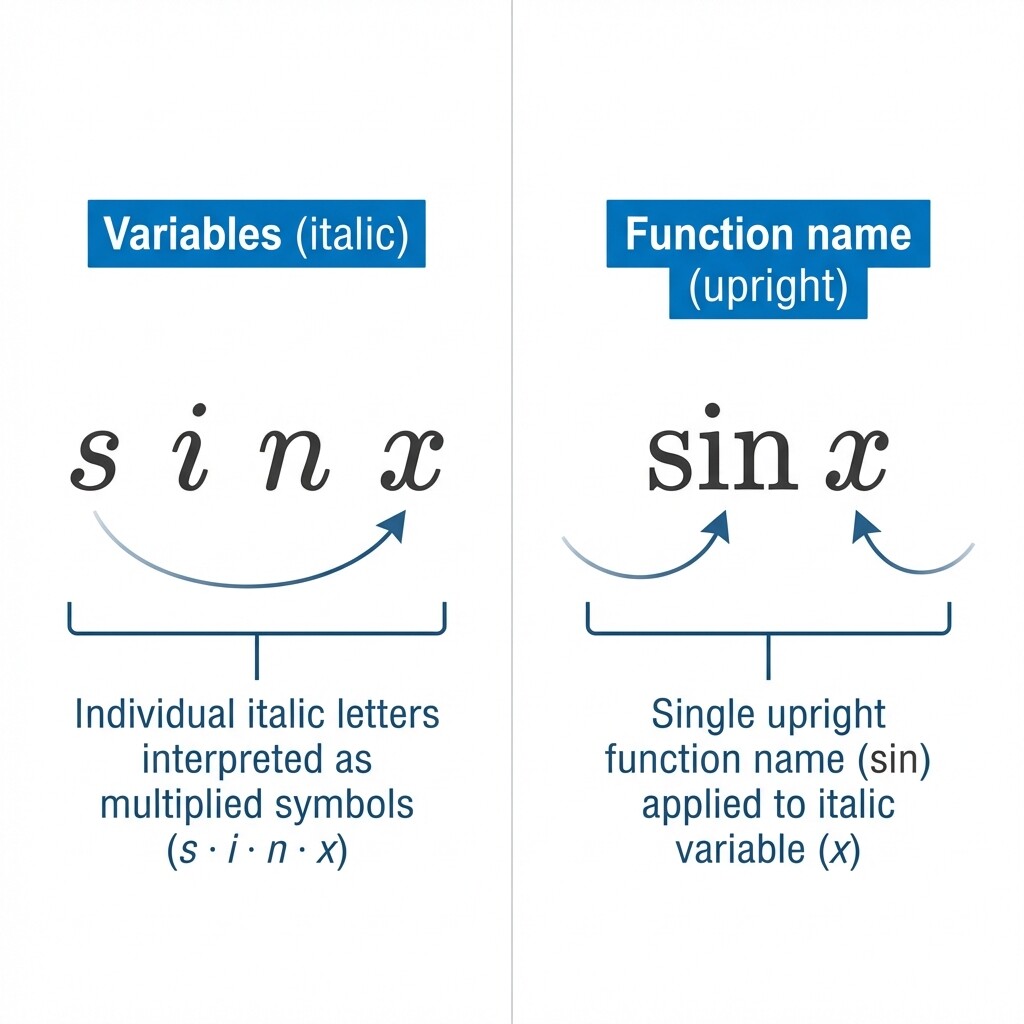
Before we look at any LaTeX commands, it helps to understand a key typographic rule. In mathematics, variables are written in italic type (, , ), while function names are written in upright (roman) type (, , ). This distinction is not just decorative — it tells the reader at a glance whether a group of letters represents a single named function or a product of separate variables.
When we write by hand, the intent is obvious from context. But in a typeset textbook, journal article, or homework assignment, readers rely on italics and upright type to parse expressions quickly and without ambiguity. Getting this detail right is part of what separates polished mathematical documents from rough drafts.
The Problem with Raw Letters in Math Mode
Let us see what happens when we type the letters sin directly in math mode without any special command:
LaTeX treats each letter as a separate italic variable, producing . This looks like four variables multiplied together — definitely not what we mean. Now compare that with the correct approach:
This produces , where "sin" appears in upright roman type and a small amount of space separates it from . The difference is unmistakable: one reads as a function applied to a variable, the other as a string of multiplied unknowns.
| LaTeX Code | Output | How It Reads |
|---|---|---|
$sin x$ | Product of variables , , , | |
$\sin x$ | Sine function applied to |
The backslash command \sin does two things for us: it sets the letters in upright type and adds appropriate spacing around the function name. Both of these details would be tedious to handle manually, so the dedicated command is always the right choice.
Common Function Commands
LaTeX provides built-in commands for all the standard mathematical functions you are likely to encounter. Here are the most common ones:
| Command | Output | Description |
|---|---|---|
\sin | Sine | |
\cos | Cosine | |
\tan | Tangent | |
\log | Logarithm | |
\ln | Natural logarithm | |
\exp | Exponential function | |
\lim | Limit | |
\min | Minimum | |
\max | Maximum |
Each of these works the same way: type the command, then follow it with the argument or expression. No curly braces are needed around the function name itself because the command is the name. For example:
These produce , , and respectively. Notice that we can use parentheses when we want to make the function's argument explicit, as in , or omit them when convention allows, as in . Both styles are common in mathematical writing.
Combining Functions with Subscripts and Superscripts
The underscore _ and caret ^ that we learned in Lesson 2 work naturally with function commands. A common example is a logarithm with a specified base:
This produces , where the 2 sits as a subscript to indicate base-2 logarithm. For a base with more than one character, we group with curly braces as usual: $\log_{10}(x)$ gives .
Superscripts are equally straightforward. In trigonometry, we frequently write a squared function like this:
This gives , meaning . The superscript attaches directly to the function name rather than to the variable that follows. You can combine both a subscript and a superscript on the same function if the notation calls for it — the syntax stays consistent with what you already know.
Limits and Subscript Placement
The \lim command deserves a closer look because its subscript behaves differently depending on the math mode.
To write a meaningful limit, we need two more commands that we will preview here: \to produces the arrow (read as "approaches"), and \infty produces the infinity symbol . Both belong to the broader family of mathematical symbols we will explore in the final lesson of this course, but they show up so often in limits that it makes sense to introduce them now. Consider this expression:
In inline mode, the subscript appears to the side: . This keeps the line height compact within a paragraph. But when we switch to display mode:
the subscript moves directly below the function name:
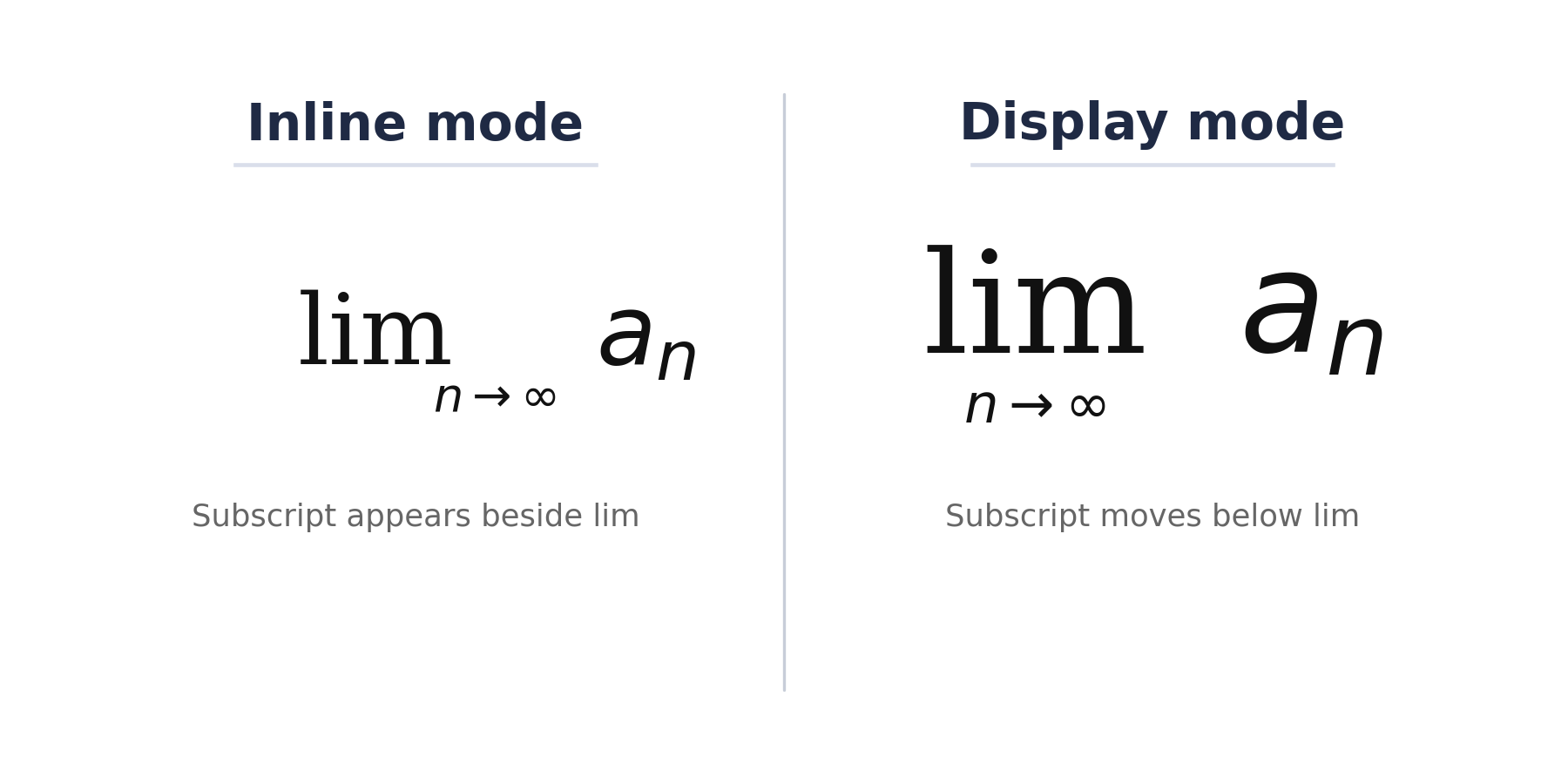
This same below-positioning behavior applies to \min and \max in display mode as well. LaTeX handles the placement automatically — we simply write the subscript with _{} and let the mode determine where it lands. This is a good example of how LaTeX adapts the same source code to different contexts so our documents always look right.
Functions in Real Formulas
Now let us combine function commands with the notation we have practiced throughout this course. One of the most famous identities in trigonometry is the Pythagorean identity, which uses \sin, \cos, superscripts, and a Greek letter:
Here, \sin^2 places the exponent on the function name, and \theta (which we will study in detail in the next lesson) produces the Greek letter. Every piece works together seamlessly.
For another example, consider the change-of-base formula for logarithms:
Pythagorean Identity
| Element | Role |
|---|---|
| , | Upright function names |
| Superscript on the function name | |
| Greek letter |
Change-of-Base Formula
| Element | Role |
|---|---|
| Subscript specifying the base | |
| Upright function name |
This expression mixes \log with a subscript, \ln inside a \frac, and parentheses — all in one line. As we have seen throughout this course, LaTeX commands nest freely, so a function command works inside a fraction just as easily as on its own.
Conclusion and Next Steps
In this lesson, we learned that LaTeX provides dedicated commands like \sin, \cos, \log, \ln, and \lim to typeset standard function names in upright roman type. This keeps function names visually distinct from italic variables — a core convention in mathematical writing. We also saw how these commands combine naturally with subscripts, superscripts, and fractions to build real formulas such as the Pythagorean identity and the change-of-base formula.
Head to the exercises to put these ideas into practice. You will start by comparing raw letters against proper function commands, then build expressions with \log and \lim using subscripts, and finish by assembling a complete trigonometric identity from scratch. In the next lesson, we will explore Greek letters, giving us access to the full alphabet of mathematical symbols.
