Subscripts and Superscripts
Introduction
Welcome back to Writing Math in LaTeX! In the previous lesson, you learned how to enter math mode with $...$ for inline expressions and \[...\] for display expressions. That was the essential first step, and now — in this second lesson of the course — we are ready to build on that foundation. Here, you will learn how to create subscripts and superscripts, two of the most frequently used elements in mathematical and scientific writing. By the end, you will know exactly how to position notation above and below a base character with confidence.
The Role of Subscripts and Superscripts
Before we look at any syntax, let's appreciate just how often subscripts and superscripts show up in real-world notation. Superscripts give us exponents like in algebra and powers like in scientific notation, while subscripts let us label related variables like for initial velocity in physics. You will find them in chemistry (), in sequences (), and across virtually every technical discipline.
In a plain text editor, representing these would be clumsy — something like x_0 or x^2 rendered literally on screen. LaTeX solves this elegantly with just two special characters: the underscore for subscripts and the caret for superscripts. Let's see how each one works.
Writing Subscripts with the Underscore
To create a subscript in math mode, place an underscore character (_) right after the base element, followed by the subscript content. For example:
This produces , where the letter n appears slightly below and to the right of x. The underscore tells LaTeX: "take what comes next and set it as a subscript." Here are a few more examples:
$a_1$renders as$T_i$renders as$v_0$renders as (a common notation for initial velocity)
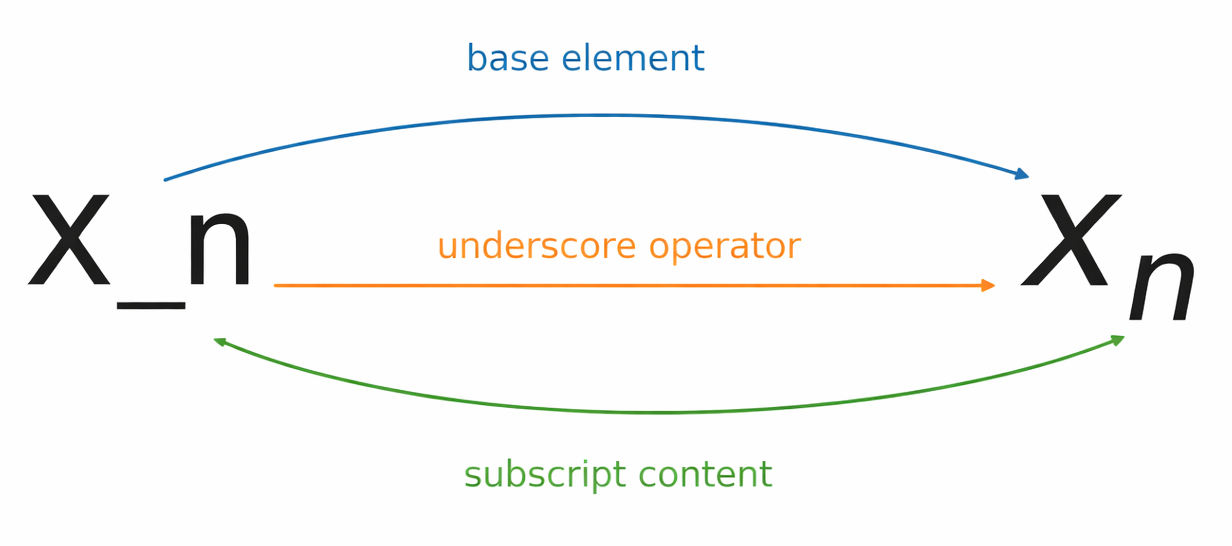
Notice that in each case, the single character immediately after _ becomes the subscript. We will see shortly what happens when we need more than one character in that position.
Writing Superscripts with the Caret
Superscripts work the same way, but instead of an underscore we use the caret character (^). Placing ^ after a base element raises the next character:
This gives us . The caret tells LaTeX to set what follows as a superscript — the standard way to write exponents, powers, and similar raised notation. A few more examples:
$a^3$renders as$e^x$renders as$2^k$renders as
So far, both _ and ^ feel straightforward with single characters. But there is one essential detail we need to address next: what happens when the subscript or superscript contains more than one character?
Grouping Multi-character Expressions with Braces
Here is one of the most common mistakes new LaTeX writers make. Suppose we want to write x raised to the power of 10. It might seem natural to type:
However, LaTeX only raises the first character after ^, producing — an with a superscript 1 followed by a regular-sized 0. That is clearly not what we intended.
The fix is to wrap multi-character subscripts or superscripts in curly braces {}. Braces tell LaTeX to treat everything inside them as a single group:
Now LaTeX correctly renders . The same rule applies to subscripts:
| LaTeX Input | Result | Correct? |
|---|---|---|
$a_12$ | No — only "1" is subscripted | |
$a_{12}$ | Yes — "12" is fully subscripted |
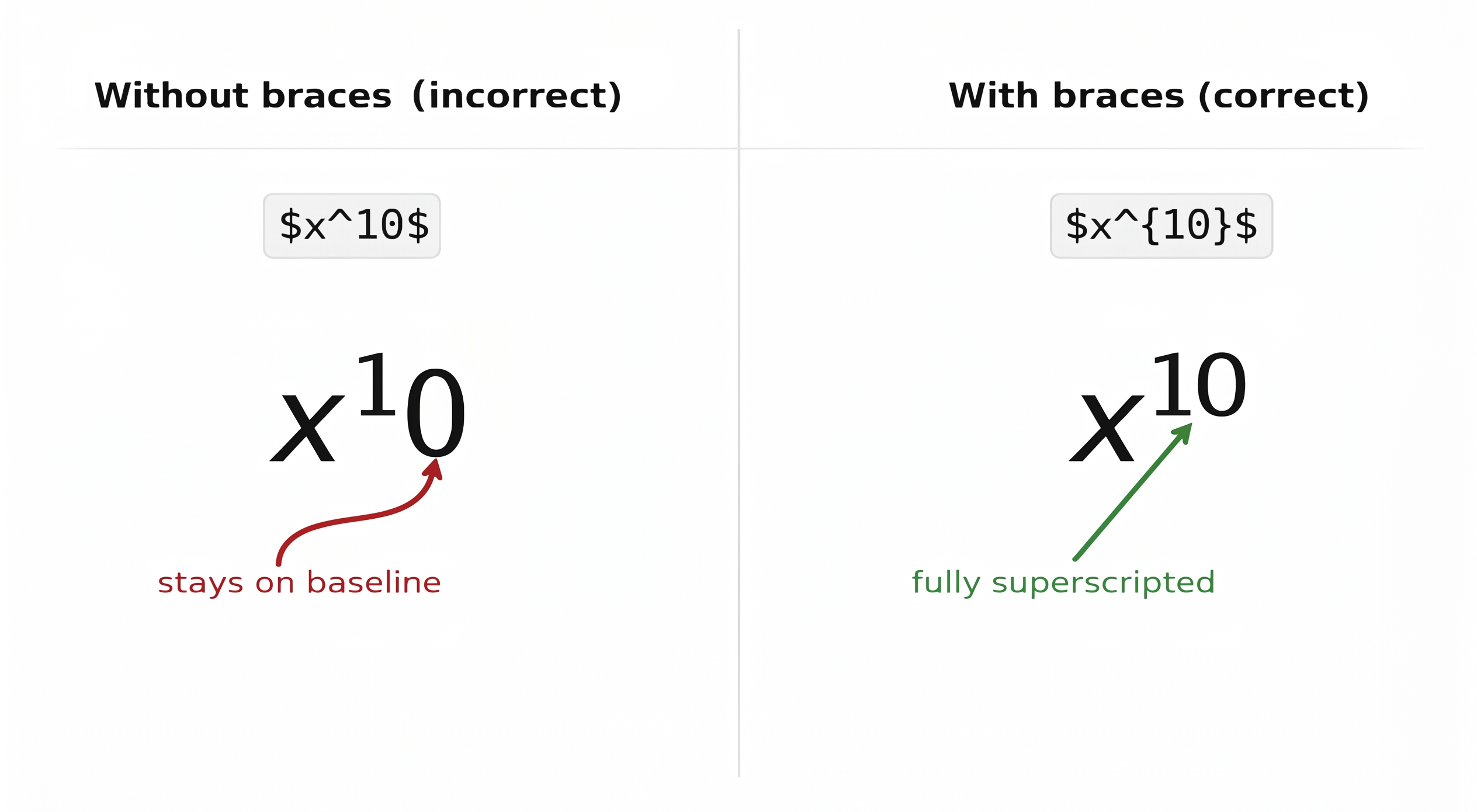
Braces are not just for numbers. Any time the subscript or superscript contains more than a single character, you need them. For instance, $e^{2x}$ produces , and $v_{max}$ produces .
A helpful habit: some writers use braces even for single characters, like $x^{2}$. This is perfectly valid and can help prevent mistakes as your expressions grow more complex.
Combining Subscripts and Superscripts
In many real-world formulas, a single base element carries both a subscript and a superscript at the same time. LaTeX handles this naturally — simply attach both _ and ^ to the same base:
This renders as , with the subscript 1 and superscript 2 neatly arranged around x. The order does not matter: $x^2_1$ produces the exact same output. LaTeX recognizes that both belong to the same base regardless of which you write first.
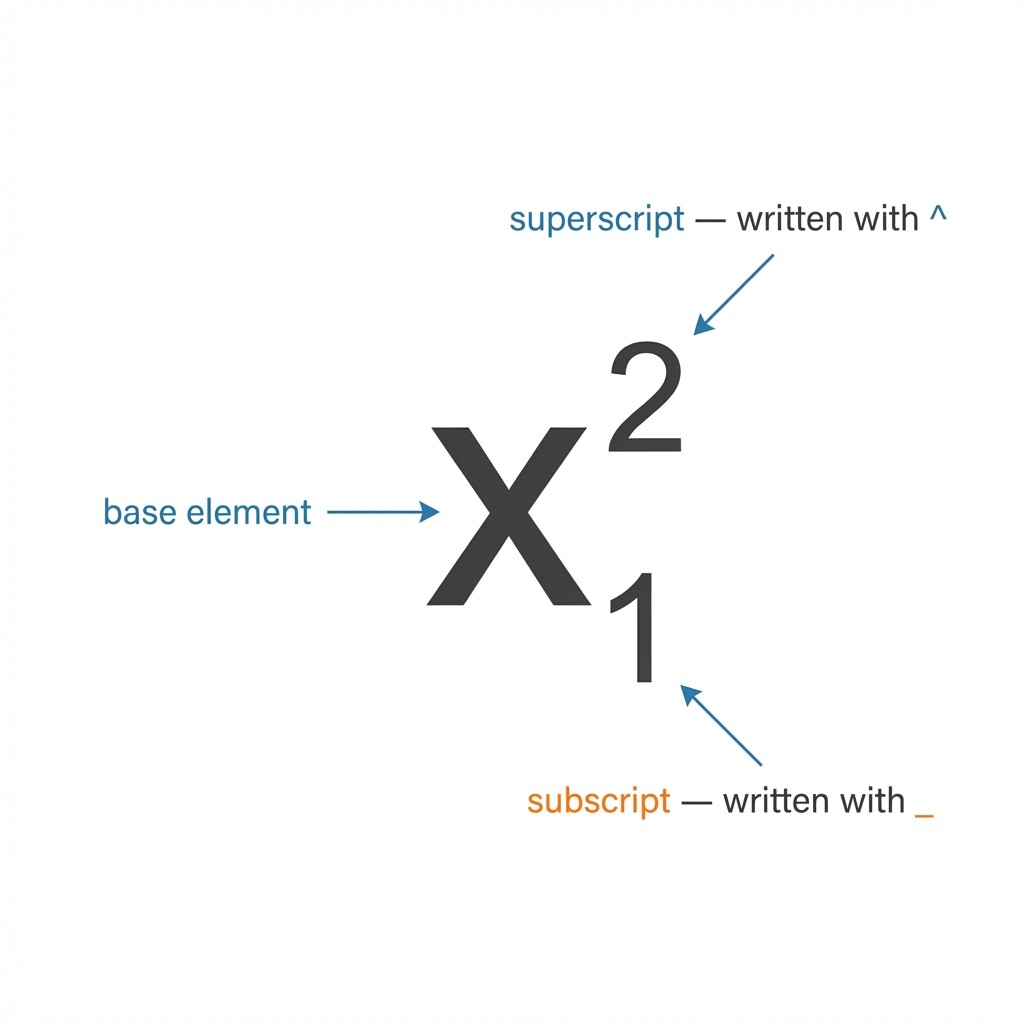
When either part has multiple characters, use braces just as before. For example, $a_n^{k+1}$ produces . Let's look at a slightly more involved example from physics. The change in kinetic energy can be written as:
This renders as:
Don't worry about the \frac command here — we will cover fractions in the very next lesson. For now, focus on the subscripts and superscripts: uses a subscript to label the type of energy, while and each carry both a subscript (f for final, i for initial) and a superscript (for squaring). Combining subscripts and superscripts like this is something you will do often in technical documents.
Quick Reference
Here is a compact summary of the rules covered in this lesson:
| Syntax | Purpose | Example Input | Rendered |
|---|---|---|---|
_ | Subscript (single char) | $x_n$ | |
^ | Superscript (single char) | $x^2$ | |
_{...} | Subscript (multi-char) | $a_{12}$ | |
^{...} | Superscript (multi-char) | $x^{10}$ | |
_{}^{} | Both on same base | $x_1^2$ |
Remember: braces are required whenever the subscript or superscript contains more than one character. When in doubt, add braces — it never hurts.
Conclusion and Next Steps
In this lesson, you learned how to use the underscore (_) for subscripts and the caret (^) for superscripts in LaTeX math mode. You saw that curly braces {} are essential for grouping multi-character content, and that both a subscript and a superscript can be attached to the same base element in either order. These two small characters will appear in nearly every mathematical expression you write going forward.
Now it is time to put this knowledge into action. Head over to the practice exercises, where you will write subscripts, superscripts, and combined expressions step by step — including a real physics formula that ties everything together. In the next lesson, we will tackle fractions, giving you yet another essential building block for typesetting math.
