In the previous lesson, you learned how to eliminate jagged edges from your ray-traced images using antialiasing with random sampling. Your ray tracer now produces smooth, clean edges by shooting multiple rays per pixel and averaging the results. This was a significant step forward in image quality, but if you look at your rendered images, you'll notice they still lack a certain realism. The surfaces appear flat and uniform, almost as if they're made of perfectly smooth plastic or painted with a single coat of paint.
The problem isn't with the antialiasing or the geometry. The issue is that our current ray tracer doesn't simulate how light actually behaves when it hits real-world surfaces. Right now, when a ray hits a sphere, we simply calculate a color based on the surface normal and return it. There's no simulation of light bouncing off the surface, no interaction between different objects in the scene, and no sense of how materials absorb or reflect light. In the real world, light doesn't just hit a surface and stop. It bounces, scatters, and interacts with multiple surfaces before reaching your eye or a camera.
In this lesson, we're going to transform your ray tracer into something much more powerful: a path tracer that simulates realistic light behavior. Specifically, we'll implement diffuse materials using the Lambertian reflection model. This will allow us to create surfaces that look matte and realistic, like chalk, unpolished wood, or fabric. More importantly, we'll make light bounce around the scene, gathering color from multiple surfaces just as it does in reality. By the end of this lesson, your rendered images will have a depth and realism that come from proper light transport simulation.
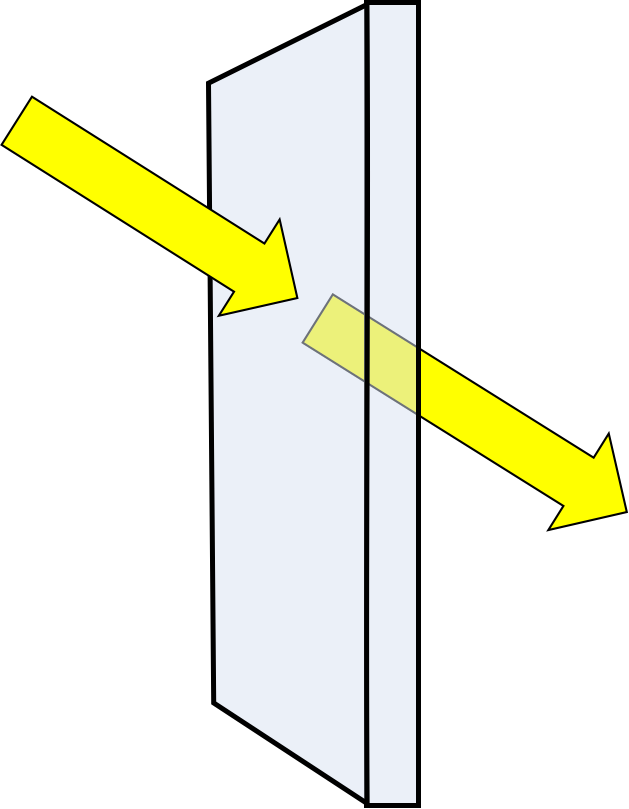
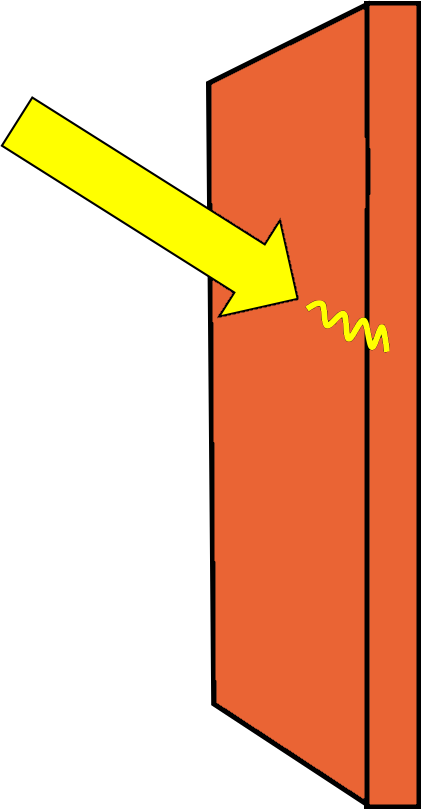
To understand what we're about to implement, we need to think about how light actually behaves in the real world. When light hits a surface, several things can happen depending on the material properties. The light might be absorbed and converted to heat, it might pass through the material if it's transparent, or it might be reflected back into the environment. For most everyday objects, the light is partially absorbed and partially reflected.
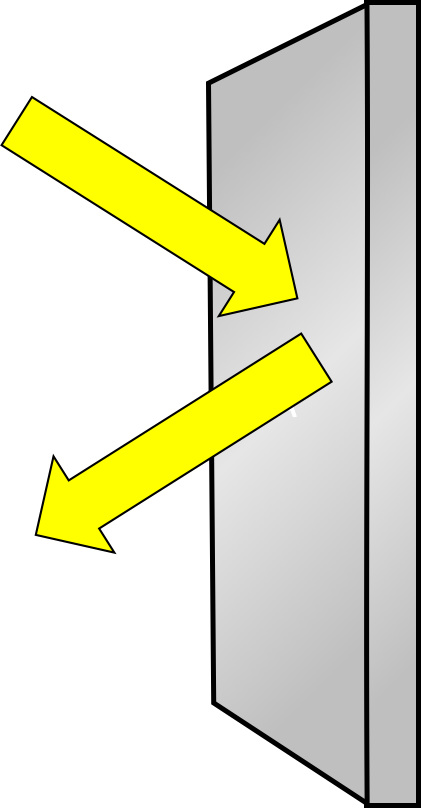
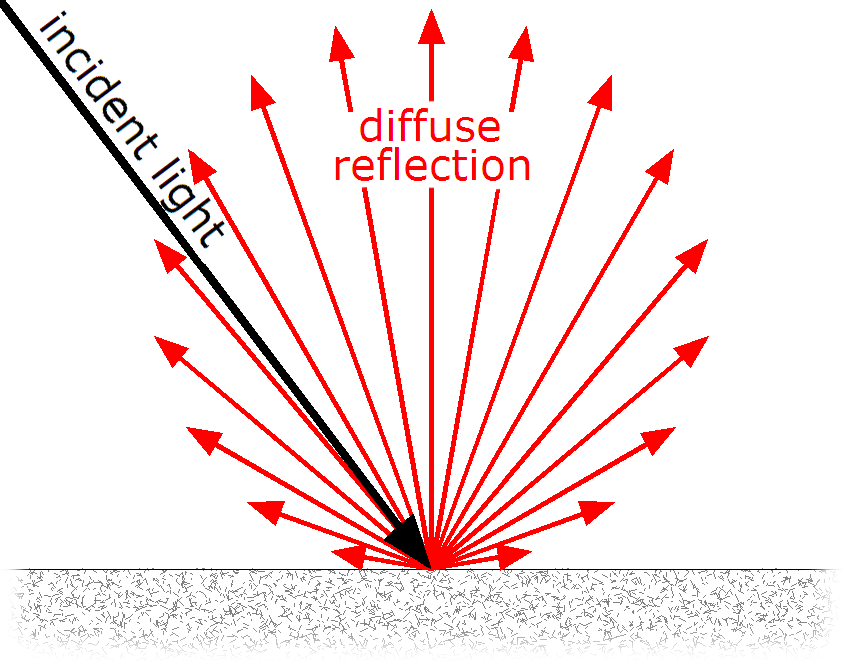
The key distinction we need to understand is between two types of reflection: diffuse and specular. When light hits a perfectly smooth, mirror-like surface, it reflects in a single direction determined by the angle of incidence. This is called specular reflection, and it's what creates the sharp, bright highlights you see on polished metal or glass. However, most surfaces in the real world aren't perfectly smooth at a microscopic level. They have tiny irregularities, bumps, and imperfections that cause incoming light to scatter in many different directions. This is called diffuse reflection.
Think about the difference between a polished marble countertop and a piece of chalk. When you shine a flashlight on the marble, you see a bright spot where the light reflects directly back at you. The marble has a strong specular component. But when you shine the same flashlight on chalk, the light seems to spread out evenly across the surface with no bright spot. The chalk is a diffuse material. The microscopic structure of the chalk causes light to bounce in random directions, and this random scattering is what gives it that characteristic matte appearance.
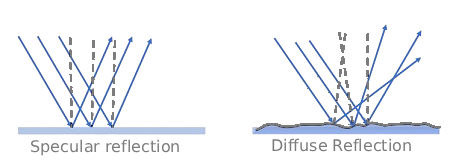
For diffuse materials, the scattered light doesn't all go in the same direction. Instead, each incoming ray of light bounces off in a random direction. However, this randomness isn't completely uniform. There's a higher probability that the light will scatter in directions closer to the surface normal (the direction perpendicular to the surface) than in directions parallel to the surface. This makes intuitive sense: light is more likely to bounce back up from a surface than to skim along it.
Now that we understand diffuse reflection conceptually, let's look at the mathematical model we'll use to simulate it: the Lambertian reflection model. This model is named after Johann Heinrich Lambert, an eighteenth-century mathematician and physicist who studied the properties of light reflection. A Lambertian surface is an idealized matte surface that reflects light uniformly in all directions according to a specific probability distribution.
The key characteristic of a Lambertian surface is that its apparent brightness remains constant regardless of the viewing angle. If you look at a piece of chalk straight on or from an angle, it appears equally bright (though you see less of its surface area from an angle). This is different from a glossy surface, where the brightness changes dramatically depending on your viewing angle relative to the light source. This property makes Lambertian surfaces perfect for modeling everyday matte materials like unpolished wood, fabric, paper, and many types of stone.
The Lambertian model works by scattering incoming light rays in random directions around the surface normal. When a ray hits a Lambertian surface, we generate a new scattered ray that goes off in a random direction. However, this direction isn't completely random. It follows what's called a cosine-weighted distribution, meaning directions closer to the surface normal are more likely than directions parallel to the surface. In practice, we can achieve this distribution by generating a random point on a unit sphere and adding it to the surface normal. This gives us a scatter direction that naturally follows the correct probability distribution.

The other crucial component of the Lambertian model is the albedo. The albedo is a value between zero and one (or a color with components between zero and one) that represents what fraction of the incoming light is reflected versus absorbed. An albedo of one means the surface reflects all incoming light (like fresh snow), while an albedo of zero means it absorbs all light (like a perfect black surface). Most real materials have albedos somewhere in between. For colored materials, the albedo is different for each color channel. A red surface might have an albedo of 0.8 for red light, but only 0.1 for green and blue light, which is why it appears red.
When we implement Lambertian materials, we'll need to generate random unit vectors for the scatter directions. A unit vector is simply a vector with length one, and we need it to be random so that light scatters in different directions for different rays. We'll use a helper function that generates a random point inside a unit sphere and then normalizes it to get a random direction. This randomness is what creates the realistic appearance of matte surfaces and also contributes to the natural-looking noise in our antialiased images.
To add materials to our ray tracer, we need to create a flexible system that can handle different types of materials. We'll start by defining an abstract base class called material that establishes the interface all materials must follow. Then we'll implement our first concrete material class: lambertian.
Let's create a new header file called material.h. At the top of this file, we'll include the necessary headers and define our abstract material class:
The material class is abstract, meaning you can't create instances of it directly. It exists only to define the interface that all concrete materials must implement. The key function is scatter, which is declared as a pure virtual function (indicated by = 0). This function takes an incoming ray, information about where it hit a surface, and produces two outputs: an attenuation color and a scattered ray.
The scatter function returns a boolean value that indicates whether the ray was scattered or absorbed. If it returns true, the ray bounced off the surface and we should continue tracing it. If it returns false, the ray was completely absorbed and we should stop tracing. The attenuation parameter is an output that tells us how much the light intensity should be reduced. This is where the material's color comes into play. The scattered parameter is another output that gives us the new ray direction after bouncing off the surface.
Now that we have a material system, we need to modify our ray_color function to actually use it. This is where we transform our simple ray tracer into a recursive path tracer. The key insight is that when a ray hits a surface, we don't just return a color immediately. Instead, we ask the material to scatter the ray, then recursively trace that scattered ray to see what color it picks up. This process continues until the ray either escapes the scene or we reach a maximum recursion depth.
Let's look at the new implementation of ray_color:
The function now takes an additional parameter: depth. This tracks how many times the ray has bounced so far. The first thing we do is check if we've exceeded our maximum depth. If depth is zero or negative, we return black. This prevents infinite recursion and also simulates the fact that after many bounces, the light contribution becomes negligible. In the real world, light doesn't bounce forever. Each bounce absorbs some energy, and eventually, there's not enough light left to matter.
When we detect a hit, we now do something different than before. Instead of immediately calculating and returning a color, we ask the material to scatter the ray. We call rec.mat->scatter(), passing in the incoming ray and the hit record, and receiving back an attenuation color and a scattered ray. The material pointer rec.mat was set when we created the sphere, which we'll see shortly.
If the material successfully scatters the ray (indicated by returning true), we recursively call with the scattered ray and a reduced depth. This is the crucial step that makes light bounce around the scene. The recursive call will trace the scattered ray, potentially hitting other objects and scattering again, until it either escapes the scene or reaches the maximum depth.
Now let's see how all these pieces fit together in a complete scene. We need to modify our hit_record structure to include a material pointer, update our sphere class to store and use materials, and create a scene with different materials.
First, let's update the hit_record structure in hittable.h:
We've added a std::shared_ptr<material> member called mat. This is a smart pointer that will hold a reference to the material of the surface that was hit. Using a shared pointer allows multiple objects to reference the same material without worrying about memory management.
Next, we need to update the sphere class in sphere.h to store a material and set it in the hit record:
In this lesson, you upgraded your ray tracer to a path tracer that simulates realistic diffuse materials using the Lambertian reflection model. You learned that real-world surfaces scatter light in random directions, with a preference for directions near the surface normal, and that the albedo controls how much light is reflected versus absorbed, determining the material’s color.
You implemented an abstract material class with a scatter function, then created a lambertian material that scatters rays randomly and returns its albedo as attenuation. The ray_color function became recursive, tracing scattered rays and accumulating color through multiple bounces, limited by a maximum depth to prevent infinite recursion.
You updated the hit_record and sphere classes to support materials, and built a scene with spheres using different Lambertian albedos. This allowed you to observe realistic effects like color bleeding and matte shading. In the next practices, you’ll experiment with different albedos and recursion depths to see their impact on realism and performance.