Principal Component Analysis in R
Introduction
Welcome to this lesson on Principal Component Analysis (PCA), a powerful technique widely applied in data analysis and machine learning to reduce high-dimensional data into lower dimensions, effectively simplifying the dataset while still retaining the relevant information. In this lesson, we'll look at how we can prepare our data, how to apply PCA using R, how to understand the percentage of variance explained by each principal component (explained variance ratio), and finally, how to visualize the results of our PCA.
Preparing the Data
Before moving forward, let's first apply what we've learned to a dataset to standardize the data:
PCA with R
Next, we apply PCA, a technique that first computes the covariance matrix of the data, followed by finding its eigenvectors and eigenvalues. The eigenvectors corresponding to the largest eigenvalues are then used to project the data into an -dimensional subspace.
Let's perform PCA and explore the key outputs from the prcomp() function:
The main components of the prcomp output are:
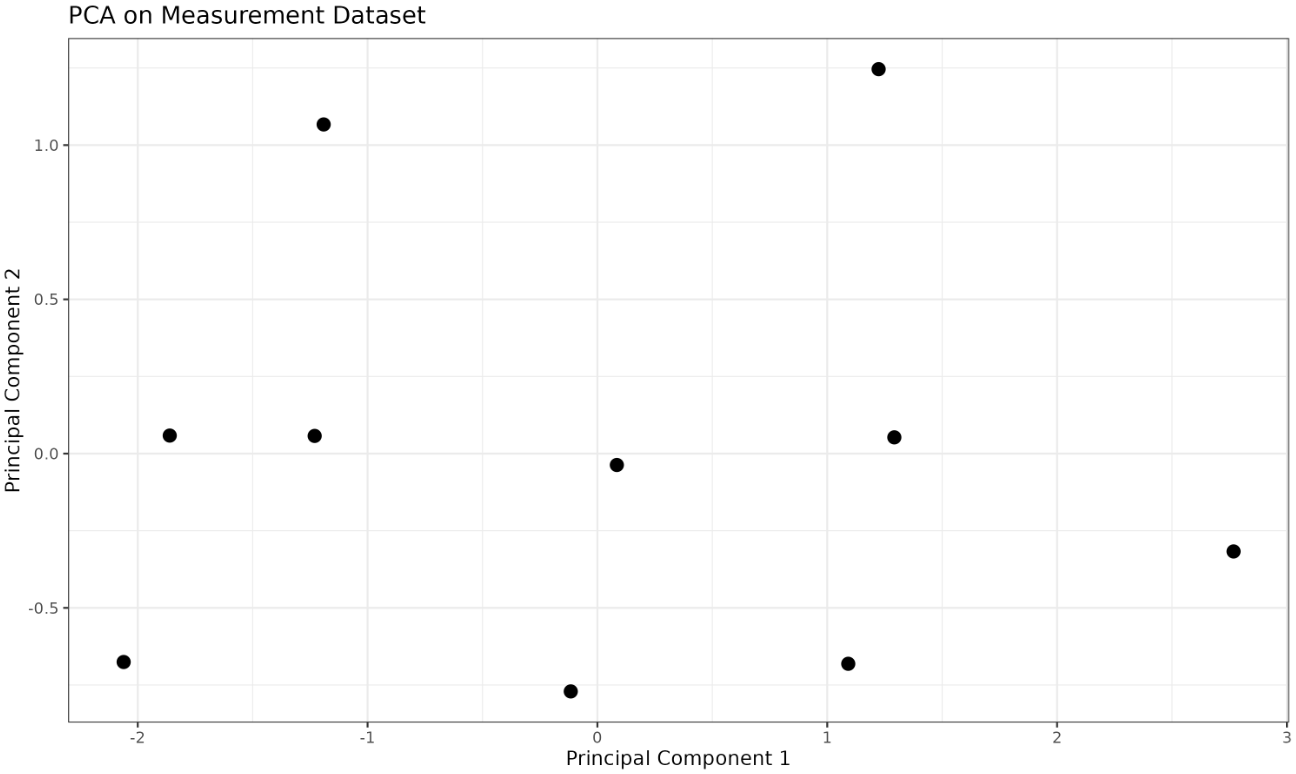
pca_result$sdev: The standard deviations of the principal components (i.e., the square roots of the eigenvalues).pca_result$rotation: The matrix of variable loadings (eigenvectors), showing how each original variable contributes to each principal component.pca_result$x: The principal component scores, i.e., the coordinates of the data in the new principal component space.pca_result$centerandpca_result$scale: The centering and scaling applied to the original data (here, both areNULLbecause we already scaled the data).
Let's inspect these outputs:
pca_result$sdevtells you how much variance each principal component captures (higher values mean more variance).pca_result$rotationshows the weights (loadings) for each original variable in each principal component.pca_result$xcontains the transformed data in the new coordinate system.