Welcome back to Document Structure and Layout! In the previous lesson, you learned how to organize a LaTeX document into sections, subsections, and subsubsections with automatic numbering. That heading hierarchy is exactly the foundation we need for this second lesson, because now we will use it to generate a table of contents directly from those headings.
By the end of this lesson, you will know how to produce a table of contents with a single command, understand why LaTeX needs more than one compilation pass to build it, and control which headings appear in it using starred section variants.
Open any textbook or lengthy report and one of the first things you see is a table of contents — a list of every major heading paired with its page number. This simple navigation aid lets readers jump straight to the part they need instead of scrolling or flipping through pages.
In a word processor, you might build this list by hand, typing each heading title and page number yourself. The obvious problem is that every time you edit the document, the page numbers can shift and the list goes stale. LaTeX solves this by generating the table of contents automatically from the sectioning commands you already have in your document. You write your headings once, and LaTeX keeps the table of contents synchronized for you.
Producing a table of contents in LaTeX requires just one command: \tableofcontents. You place it in the document body at the point where you want the list to appear — typically right after \begin{document} and before your first section:
When this document is fully compiled, LaTeX reads every \section and \subsection heading, collects their titles and page numbers, and places a formatted list at the location of \tableofcontents. The output looks something like this:
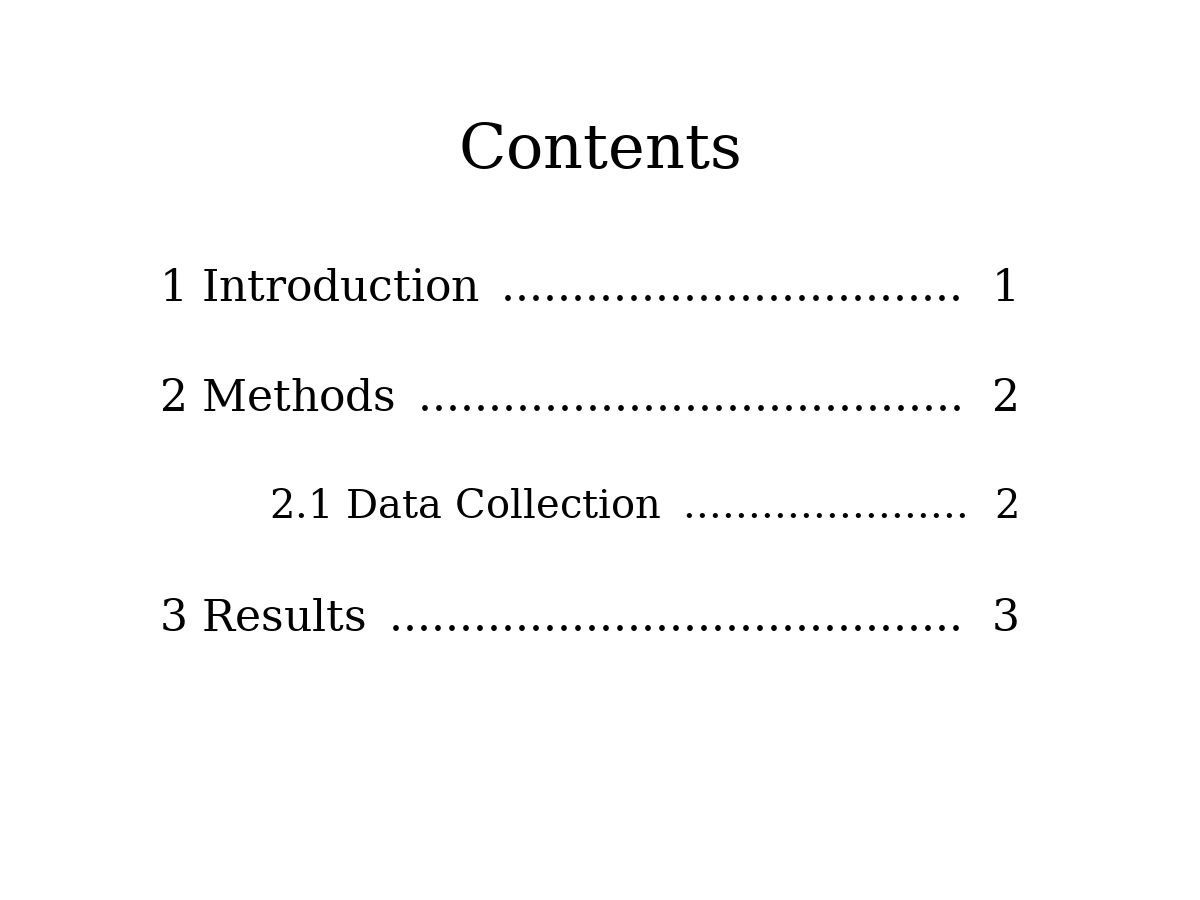
Notice that you did not type any of those entries yourself. LaTeX pulled each title and page number directly from the heading commands in your source file.
There is one important detail that catches nearly every beginner: if you compile the document only once, the table of contents will be empty or outdated. This happens because of how LaTeX processes your file.
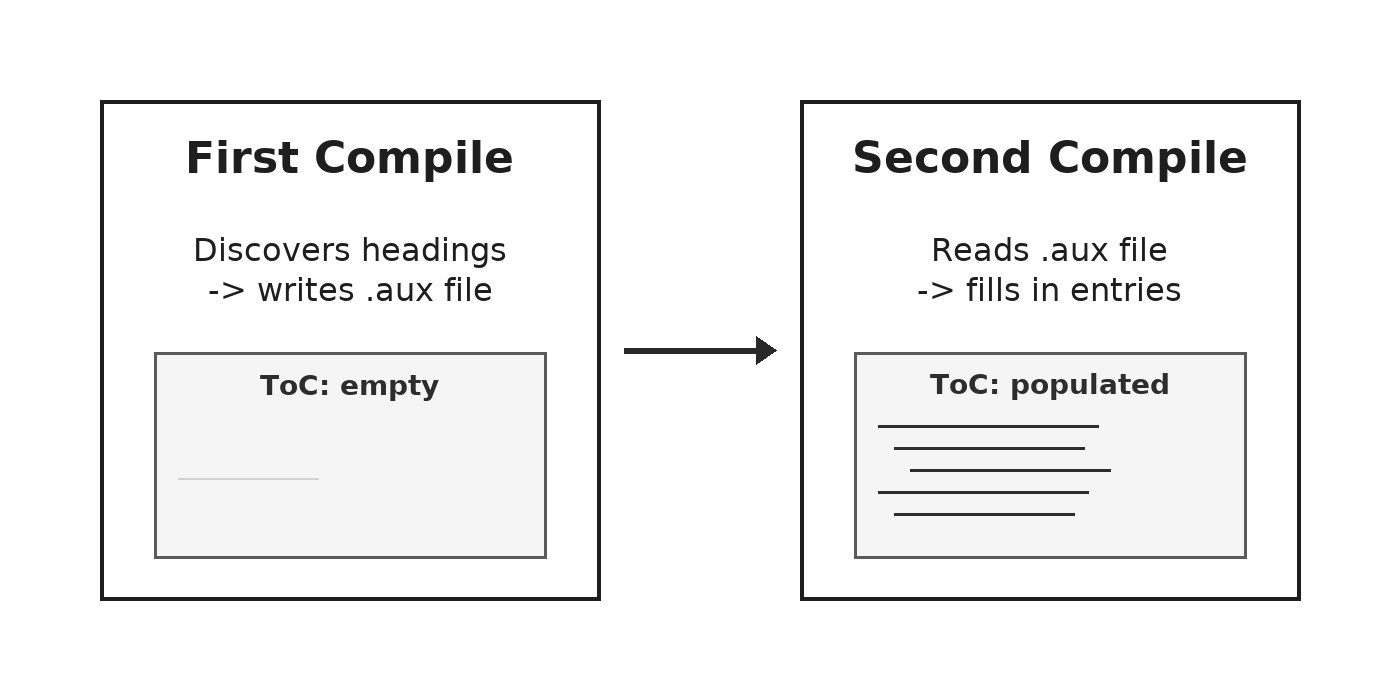
On the first pass, LaTeX reads through the entire document from top to bottom. When it encounters \tableofcontents near the top, it does not yet know what headings exist further down or which pages they will land on. It writes all of that information to a helper file (with an .aux extension) as it continues, but the table of contents itself remains blank.
On the second pass, LaTeX reads the helper file that was created during the first pass. Now it has every heading title and page number available, so it can fill in the table of contents correctly.
- First compile — LaTeX discovers all headings and records them; the table of contents appears empty.
- Second compile — LaTeX reads the recorded data and populates the table of contents with accurate titles and page numbers.
A helpful way to remember this: the first pass collects information, and the second pass displays it. If you ever add or remove sections later, you will need to compile twice again so the table of contents reflects the changes.
Sometimes you want a heading to appear in the document body but not in the table of contents. A common example is a preface, acknowledgments section, or an appendix note that does not need a table of contents entry.
LaTeX makes this easy with starred variants of the sectioning commands. As you learned in the previous lesson, commands like \section{} produce numbered headings. Adding an asterisk right after the command name creates the starred version — \section*{} — which behaves differently in two ways:
- It removes the automatic number from the heading.
- It excludes the heading from the table of contents.
Here is a quick comparison:
The same pattern applies to \subsection*{} and \subsubsection*{}. Any starred heading will appear in the document text with its title formatted normally, but without a number and without a table of contents entry.
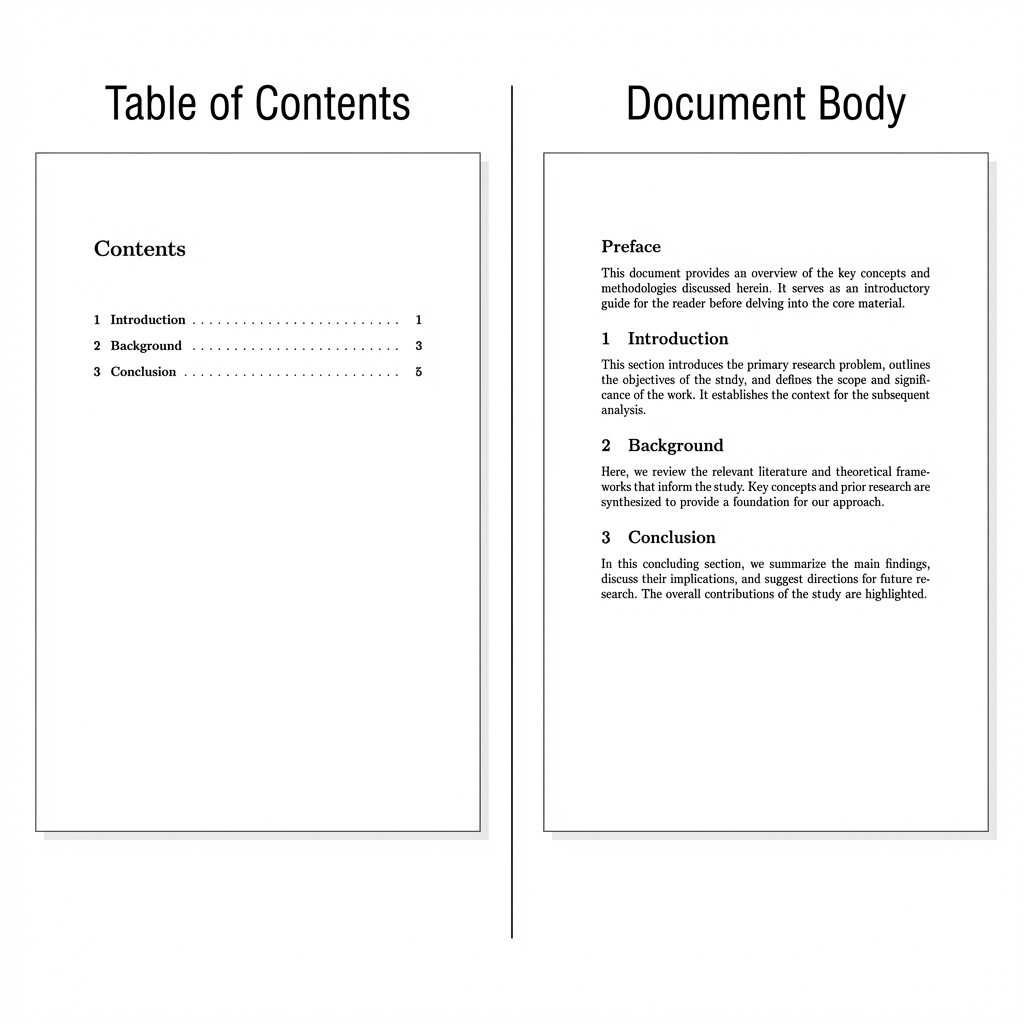
Let's see a concrete example. Suppose you are writing a report and want a "Preface" heading that shows up in the document but stays out of the table of contents:
After compiling twice, the table of contents lists only 1 Introduction, 2 Background, and 3 Conclusion. The "Preface" heading appears in the document body with no number and no corresponding entry in the table of contents. Also notice that the numbering of the regular sections is unaffected — the starred heading does not consume a number from LaTeX's internal counter.
This gives you precise control over what readers see when they scan the table of contents, while still allowing you to use headings freely throughout the document.
In this lesson, you learned three key ideas: the \tableofcontents command generates a navigable list from your existing heading structure, LaTeX requires two compilation passes to populate it correctly, and starred commands like \section*{} let you exclude specific headings from both numbering and the table of contents. Together, these tools give you full control over how your document's navigation guide is built.
Now it is time to put all of this into practice. In the upcoming exercises, you will place a table of contents in a real document, observe the two-pass compilation process firsthand, and use starred sections to fine-tune exactly which headings make the cut. Give each task a try to build confidence with these commands!