Understanding LaTeX Workflow
Introduction
Welcome to Your First LaTeX Document! This is the first lesson of the course, and you are right at the starting line. By the end of this course, you will be creating, compiling, and formatting basic LaTeX documents from plain text. In this opening lesson, we will explore what LaTeX is, how it differs from the word processors you may already know, and how the core workflow of turning source code into a finished document operates.
A Simple Analogy to Get Us Started
Before we dive into specifics, let's think about two ways to prepare a letter. In the first way, you sit at a desk and handwrite each line, choosing fonts and spacing visually as you go. In the second way, you type up the content and attach a note that says: "Make the title centered and bold, use 12-point font, set one-inch margins." A professional typesetter then follows your instructions and hands back a polished page.
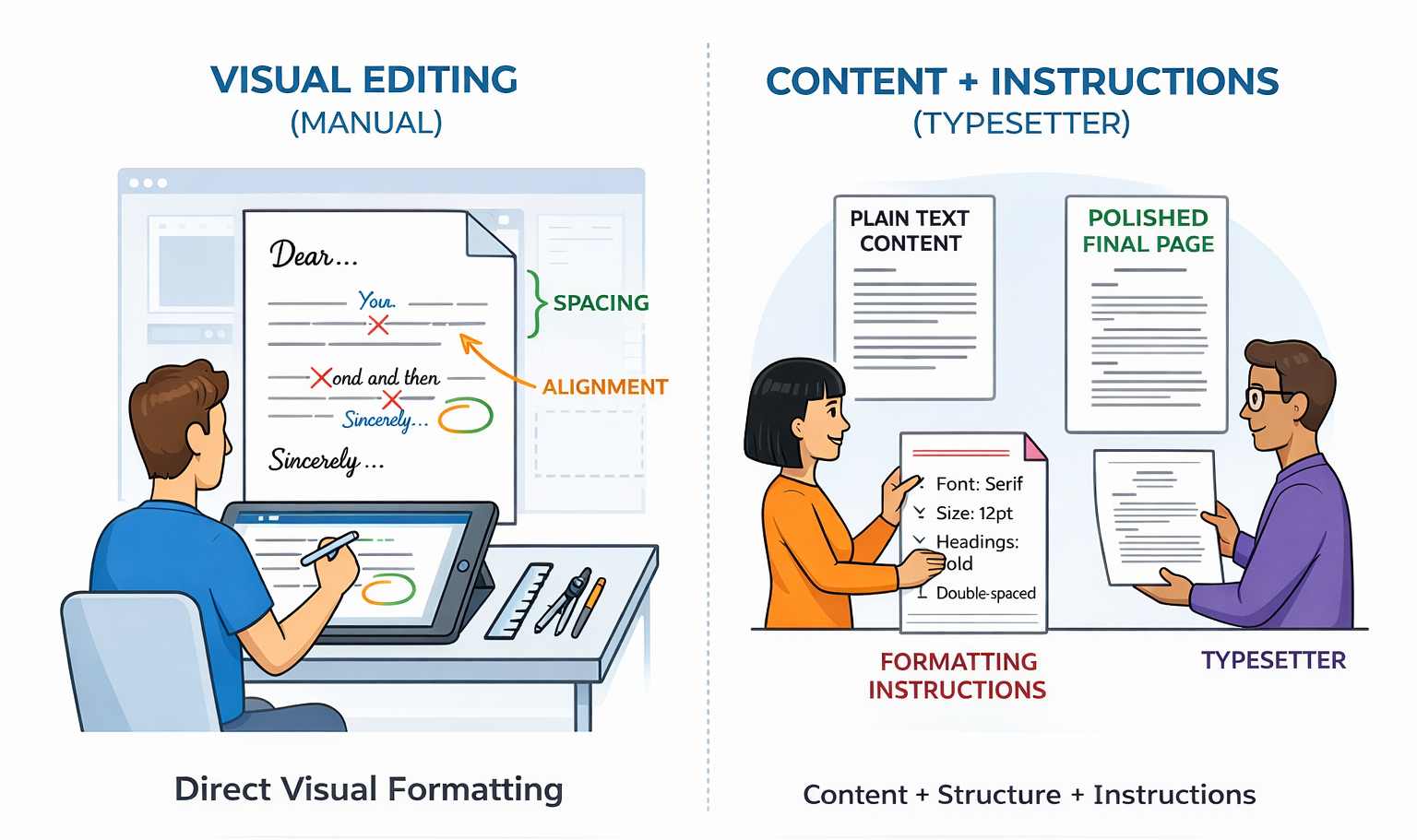
LaTeX works like that second approach. Instead of styling text visually on screen, you write plain text mixed with special commands that describe how the document should look. A program then reads those instructions and produces a beautifully formatted result.
What Is LaTeX?
LaTeX (pronounced "LAH-tekh" or "LAY-tekh") is a typesetting system widely used in academia, science, and engineering. It is especially popular for documents that contain mathematical notation. For instance, a formula like
is easy to express in LaTeX using a short text command ($E = mc^2$). You never need to hunt through menus or click tiny toolbar buttons to build an equation.
LaTeX was created in the 1980s by Leslie Lamport, building on the TeX engine developed by Donald Knuth. Its strength lies in producing consistently formatted, professional-quality documents, particularly when complex math, references, or structured layouts are involved. Today it remains the standard tool for writing research papers, theses, and textbooks in many technical fields.
WYSIWYG vs. Markup-Based Editing
Most people are familiar with word processors like Microsoft Word or Google Docs. These tools follow a model called WYSIWYG, which stands for What You See Is What You Get. As you type, the screen looks just like the final printed page — bold a word and you see the bold instantly.
LaTeX takes a different path. It uses a markup-based approach: you write plain text and insert commands that start with a backslash (\) to indicate formatting. For example, to make a word bold, you type \textbf{hello} in the source file. The formatted result only appears after a separate compilation step.
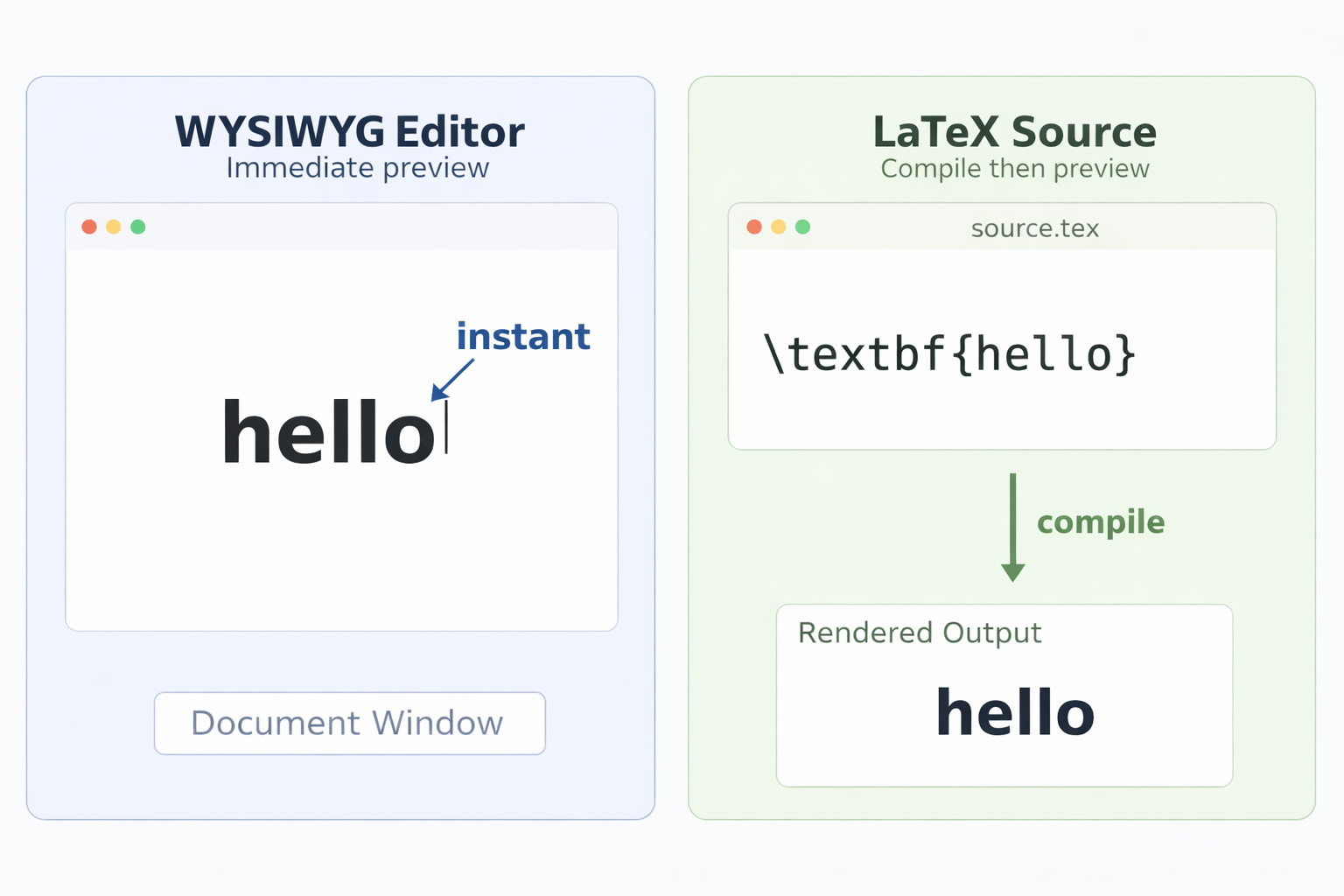
Here is a quick side-by-side comparison:
| Feature | Word Processor (WYSIWYG) | LaTeX (Markup-Based) |
|---|---|---|
| Editing style | Visual, point-and-click | Text commands in a source file |
| Formatting visible while editing? | Yes, immediately | No, only after compilation |
| Best suited for | General documents, letters | Academic papers, math-heavy content |
| Learning curve | Low | Moderate at first |
Both approaches have their place. WYSIWYG editors are great for quick, everyday documents, while LaTeX shines when you need precise control over complex formatting.
The Write-Compile-View Workflow
Working with LaTeX follows a repeating three-step cycle that we call write-compile-view:
- Write — You create or edit a plain-text source file (with a
.texextension) that contains your content along with LaTeX commands. - Compile — You run the LaTeX compiler, which reads the source file and produces a formatted output, typically a PDF.
- View — You open the PDF to see the finished document.
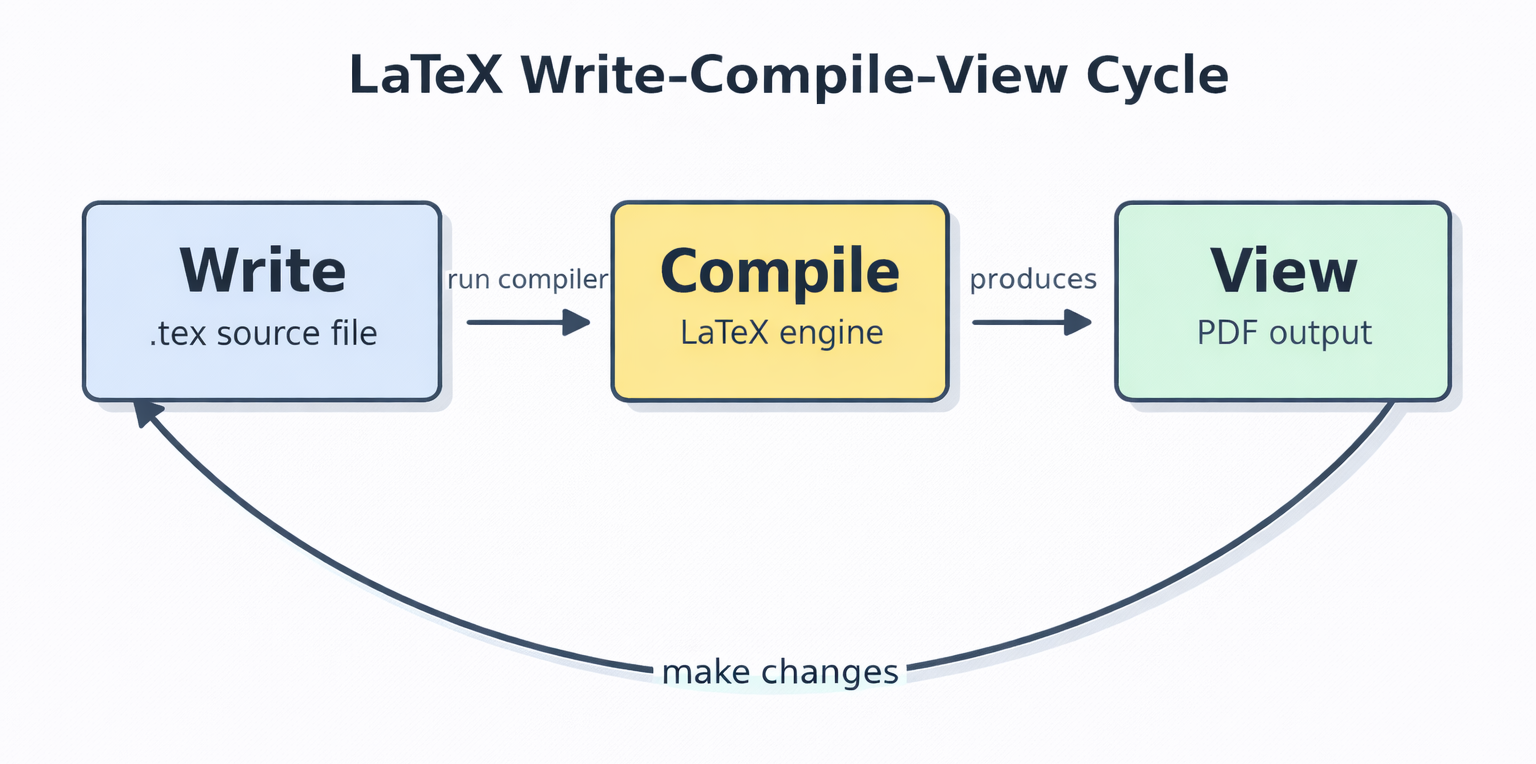
Think of it like baking. You write a recipe (the source file), put it in the oven (the compiler), and take out the finished dish (the PDF). If you want to add more seasoning, you go back to the recipe, update it, and bake again. The dish on the counter does not change on its own — and neither does your PDF.
Why Recompilation Matters
One key point to carry forward is that the output never changes until you recompile. If you fix a typo, add a sentence, or insert a formatting command in your .tex file, the PDF stays exactly as it was until you run the compiler again. This is quite different from a word processor, where every keystroke updates the page in real time.
At first, this extra step might feel unfamiliar. But it comes with a real benefit: because LaTeX handles all formatting during compilation, it can make global decisions about spacing, line breaks, and page layout that produce cleaner, more consistent results. You focus on content and structure; LaTeX handles the presentation.
Conclusion and Next Steps
In this lesson, you learned that LaTeX is a markup-based typesetting system where you write plain text with commands, compile the source, and view the resulting PDF. We compared this approach to the familiar WYSIWYG model and explored the three-step write-compile-view workflow. The most important takeaway is that every change in the source file requires recompilation before it appears in the output.
Now it is time to see this cycle in action. In the upcoming practice exercises, you will type your very first LaTeX document, compile it, and watch plain-text commands transform into a polished PDF. You will also make a small edit and recompile, experiencing firsthand why that second step is so essential.
