Represent Exact Targets with Equations
🎉 Introduction
Welcome to Set Up Equations and Inequalities! In earlier courses you learned to identify variables, build expressions, and tell the difference between expressions, equations, and inequalities. Now you will put all of that knowledge into action by writing equations that capture situations where a quantity must hit an exact target. The focus here is on translating real-world scenarios into correct algebraic form, not on solving them.
Before we jump into writing equations, let's build some intuition. Think about everyday moments when a number must match exactly. If a banner is being made to fit a display frame that is exactly 75 inches wide, the banner’s width needs to equal exactly 75 inches. If a recipe calls for 2 cups of flour spread equally across 4 batches, each batch needs exactly of a cup. In these situations, "close enough" does not count — the computed amount and the target must be the same.
This idea of an exact match is what the equals sign represents. As you may recall, an equation uses the symbol to say that two quantities are equal. Whenever a situation demands that a calculated total matches a stated amount, an equation is the right tool.
In this lesson, you will learn to:
- Recognize exact-target situations that call for an equation rather than an inequality.
- Build an expression for the computed quantity using the variable and operations described in the problem.
- Set the computed quantity equal to the target to create a clean, one-variable equation.
The Core Move: Computed Quantity Equals Target 🎯
Every exact-target equation follows a simple pattern:
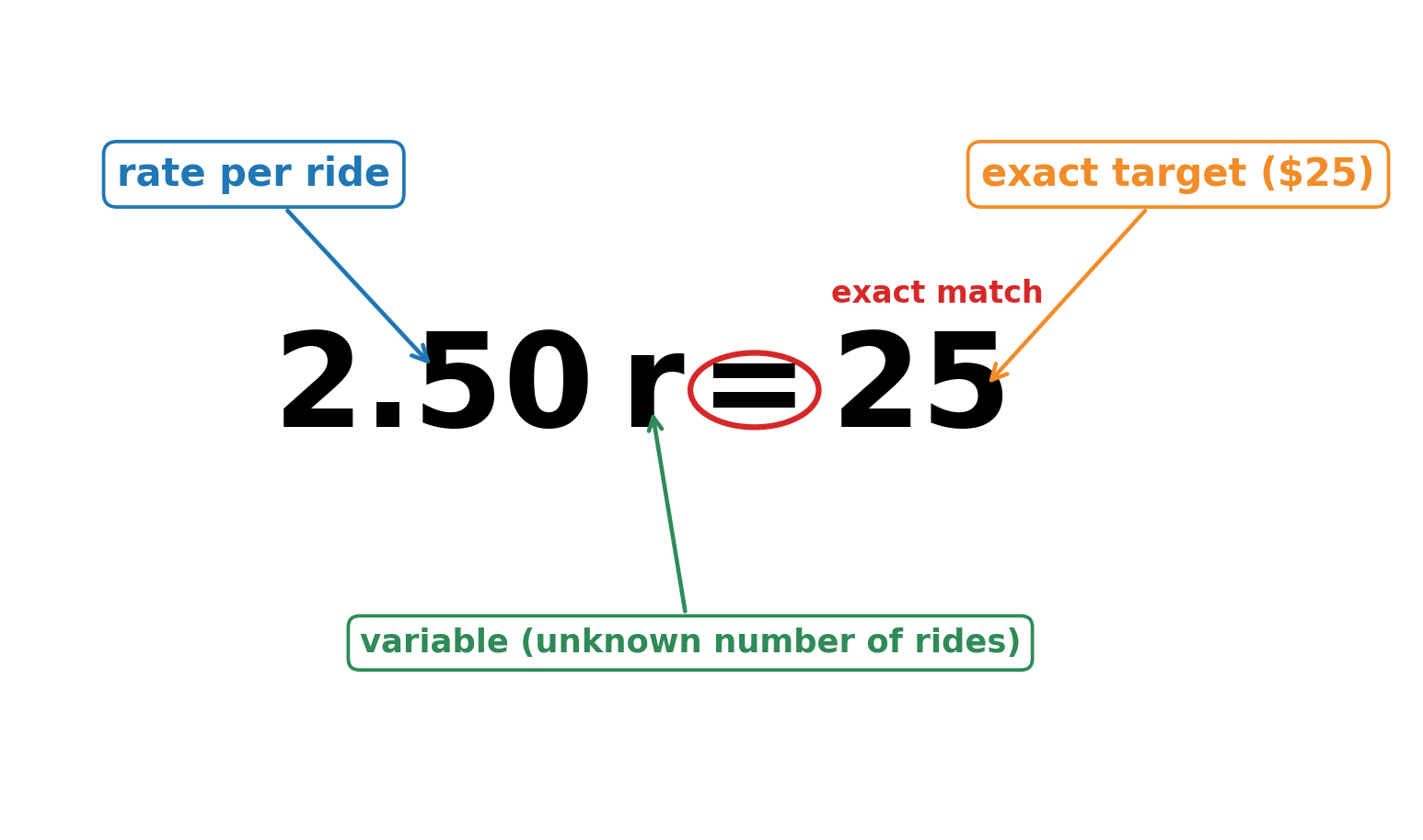
One side of the equation holds the expression you build from the situation, which usually involves a variable. The other side holds the known target value. For example, suppose you ride the bus at $2.50 per ride and want the total fare to equal $25. If we let stand for the number of rides, the equation is:
Notice three things about this equation:
- The variable () represents the unknown quantity — the number of rides.
- The left side is the computed total fare, built from the rate times the number of rides.
- The right side is the exact target, $25.
You are not solving for here. Your job is simply to set up the equation so it faithfully represents the situation.
Translating Step by Step 🪜
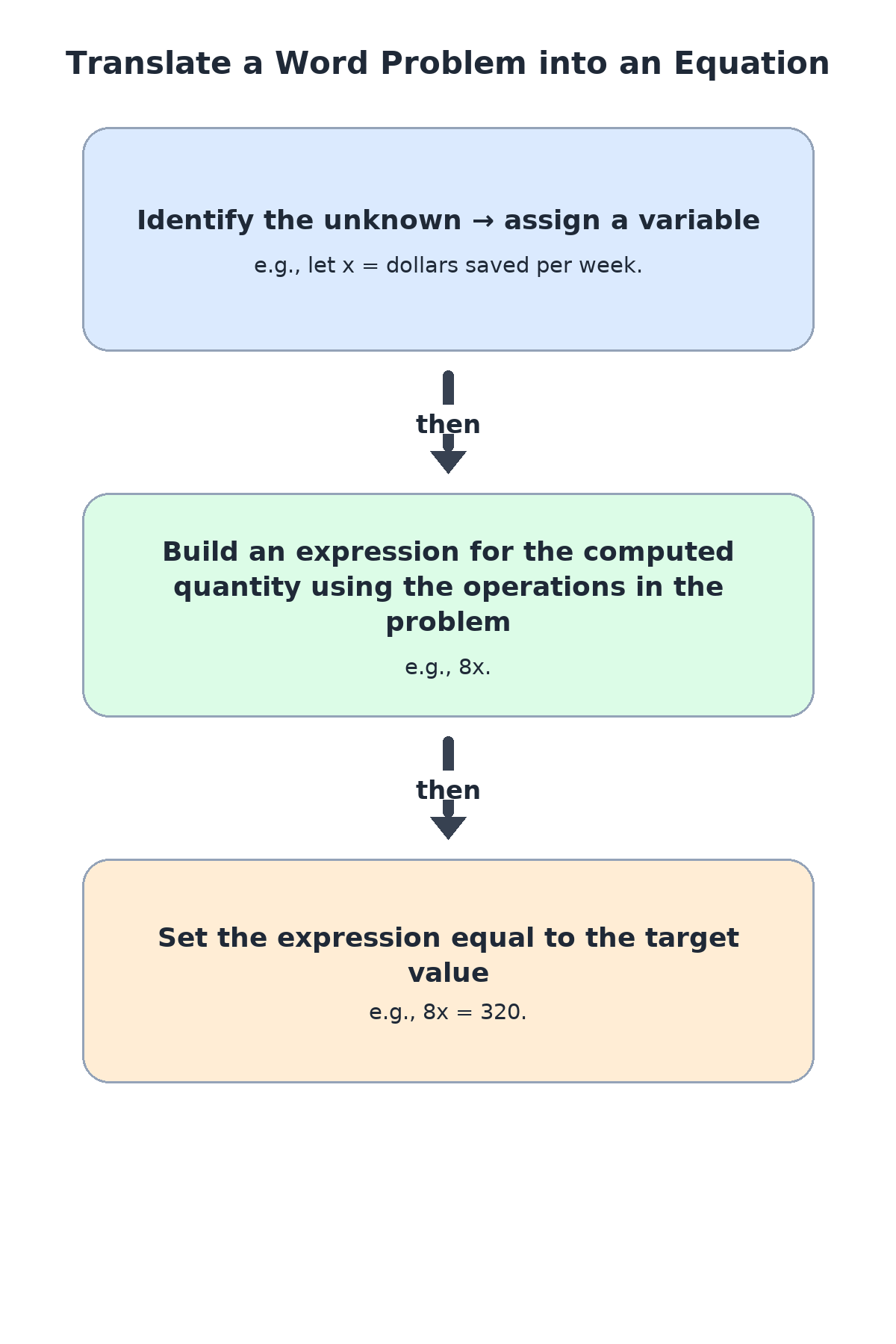
When you face a word problem, a short checklist keeps you from missing anything on the way.
- Identify the unknown and assign it a variable with a clear definition (e.g., "let = dollars saved per week").
- Build an expression for the quantity being computed, using the operations described in the problem.
- Set the expression equal to the target value stated in the problem.
Let's walk through an example. "You save dollars per week for 8 weeks to reach a goal of $320."
Following the steps: the unknown is (dollars saved per week), the computed quantity is (8 weeks times the weekly amount), and the target is 320. That gives us:
That single line captures the entire situation. The expression models the total savings, and the equals sign says that total must be exactly $320.
Equations with More Than One Operation 🧩
Some situations involve a starting amount plus a repeated change. The same three steps still apply, but the expression on the computed side will have more than one operation.
Consider this scenario: "You have $50 in a savings account and deposit $25 each week. You want the balance to reach exactly $200." Let = the number of weeks.
- Starting amount: 50
- Weekly addition:
- Target: 200

The left side mirrors the structure of the situation: you start with a fixed balance of $50, then add $25 for each week that passes. Since represents the number of weeks, represents the total amount deposited over those weeks. Together, represents the account balance after weeks. The right side, 200, is the exact target balance. Notice how the expression is a multi-step expression, now set equal to a specific number to show that the balance must reach exactly $200.
Not every equation has addition, though. Some situations involve dividing a total amount into equal parts. Here is a division pattern: "A restaurant bill of $96 is split equally among friends, and each person pays $16."
Let represent the number of friends. The total bill is $96, and splitting it equally means dividing 96 by the number of friends. So the expression represents the amount each person pays. Since the problem says each person pays exactly $16, we set that expression equal to 16:
The computed quantity is the per-person cost, and the target is the exact amount each person pays. The equals sign tells us the split must come out to exactly $16 per person.
Recognizing Exact-Match Situations 🔍
Not every real-world problem calls for an equation. Some situations set a limit ("spend no more than $50") or describe a range ("between 60 and 80 degrees"). Those call for inequalities, which you will explore in upcoming lessons. An equation is the right choice only when the problem states that a quantity must equal a specific value.
The table below highlights common phrases and what they signal:
| Phrase in the problem | What it tells you |
|---|---|
| "is equal to" | Use |
| "totals exactly" | Use |
| "costs exactly" | Use |
| "each person pays [specific amount]" | Use |
| "reaches a goal of" | Use |
Keeping this distinction sharp will help you choose the correct mathematical relationship every time.
Conclusion and Next Steps
In this lesson you learned that whenever a situation demands an exact match between a computed quantity and a stated target, you write an equation. The core move is straightforward: build an expression for the computed side, place the target on the other side, and connect them with an equals sign. You also saw how to handle both single-operation and multi-operation scenarios, and how to tell an exact-target situation apart from one that merely sets a limit.
Up next is a set of hands-on exercises where you will write your own equations for real-world scenarios, from bus fares to savings goals to splitting a dinner bill. Practice translating the words into algebra, and remember — right now the goal is setting up the equation correctly, not solving it.
