Transposing Tables with NumPy
Introduction
Welcome back to Reshaping, Joining, and Copying NumPy Arrays. We’ve already learned to arrange values into tables with reshape(). Now we’ll see how to reorganize a table that already exists: transposing swaps its rows and columns. By the end of this lesson, we’ll be able to read the changed shape and understand why sums along different axes can still match.
Transpose a Table With .T
Let’s use a small sales table with three rows and four columns. We’ll place it inside main(), following the structure used in our course examples. The __main__ guard at the end calls main() when the script runs directly. For now, we’re just building the original table; we’ll add the transpose in the next step.
Each row represents one group of sales, and each column represents a position within that group. NumPy uses .T to transpose a table. It does not need row or column numbers: .T swaps the table’s two dimensions.
How the Values Move: Columns Become Rows
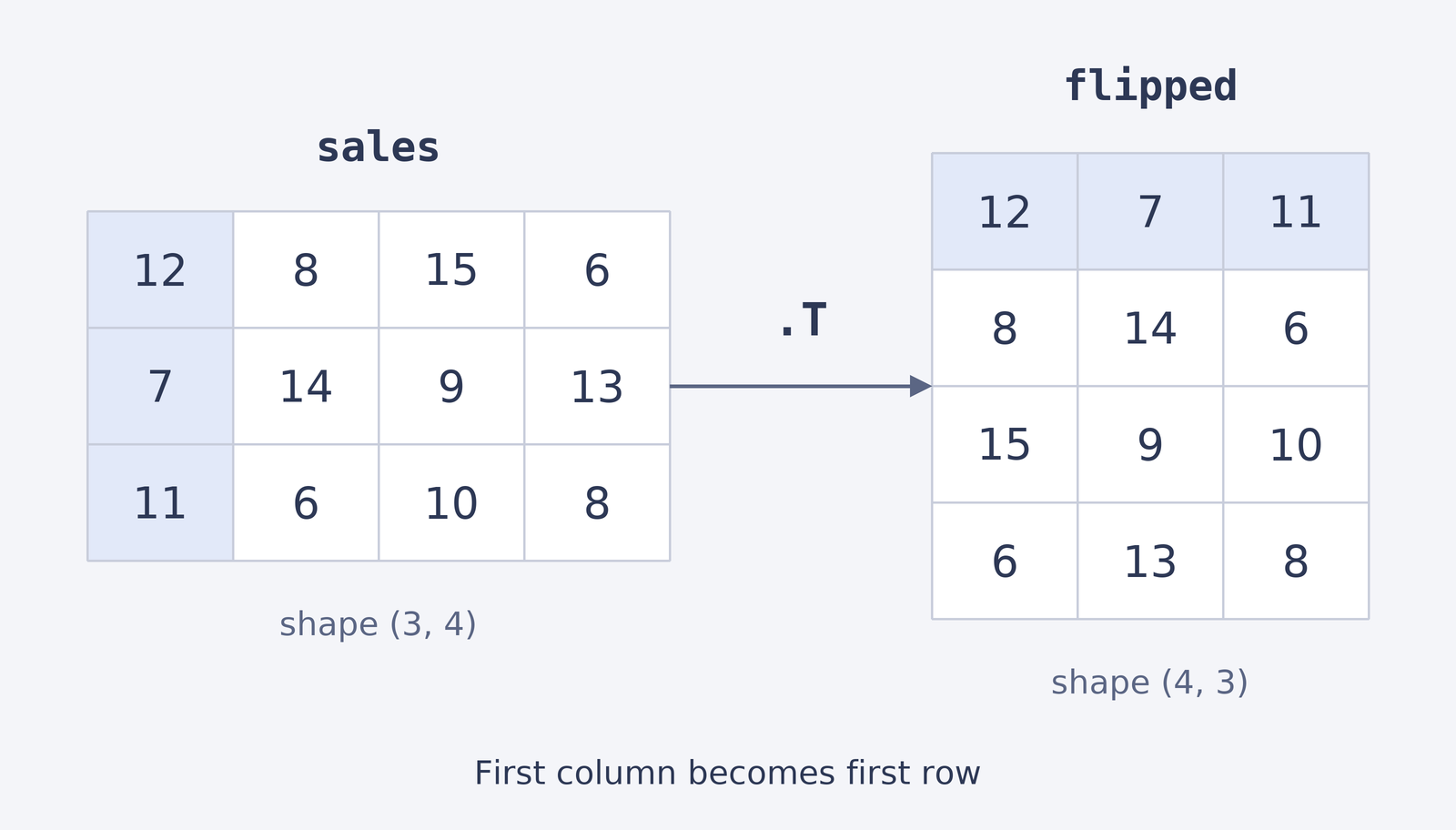
Now we can create flipped by adding .T to sales and then printing the result. Transposing does not sort or change the values. It reorganizes them so that each column from the original table becomes one row in the new table.
The output makes the movement visible:
For example, the original first column, 12, 7, 11, is now the first row. The original second column becomes the second row, and the same pattern continues for the remaining columns.
The side-by-side tables highlight how the first column becomes the first row.
Shapes Swap Places
As you may recall from the previous lesson, an array’s shape tells us its size along each dimension. A table with 3 rows and 4 columns has shape (3, 4). After transposing, it has 4 rows and 3 columns, so its shape is (4, 3). We can print both shapes on one line to compare them.
The output confirms that the two dimensions have swapped places:
The number of values stays the same; only their arrangement changes. This shape check is a quick way to confirm that the transpose produced the table layout we expected.
