Joining Arrays by Axis
Introduction
Welcome back to Reshaping, Joining, and Copying NumPy Arrays. We’re now on Lesson 3, where we’ll learn how to join tables without changing their existing layout. We’ll add rows by joining along axis=0, then add a column along axis=1. We’ll also use shapes to check whether arrays can be joined and see how reshape(-1, 1) turns a one-dimensional array into a column.
Join Two Tables With np.concatenate and axis=0
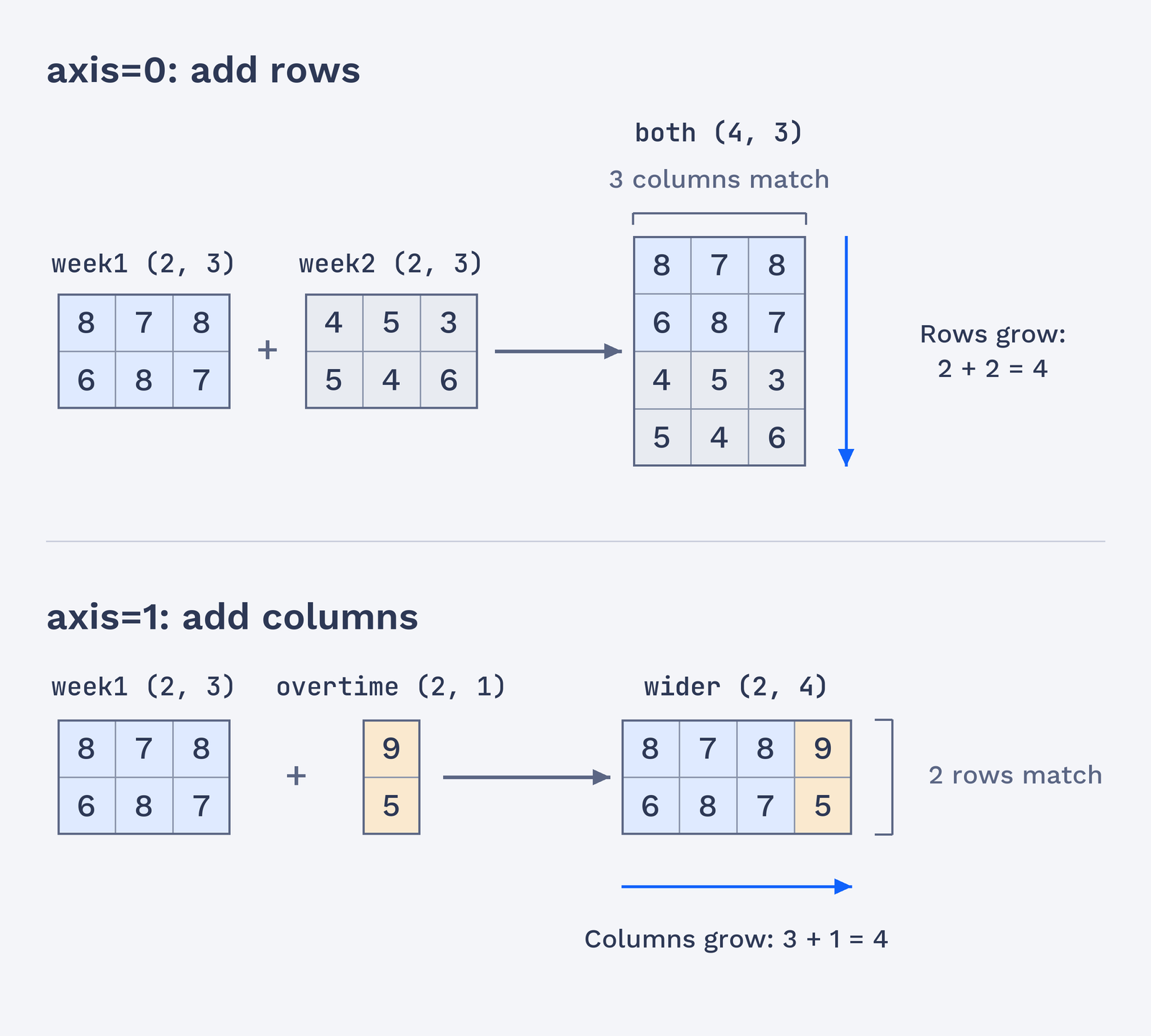
Suppose each row in week1 and week2 records three values for a week. To place the second week below the first, we use np.concatenate with axis=0. This joins the arrays along their row direction. The code also prints the shapes so we can check the result without displaying every value in the joined table.
The output shows two tables with shape (2, 3) and a joined table with shape (4, 3):
We keep all three columns and add the two rows from week2 beneath the rows from week1. The arrays being joined must have matching sizes in every direction except the one named by axis.
Reading the Shapes: Which Axis Grows, Which Must Match
A table’s shape lists its row count first and its column count second. The selected axis is where the arrays extend; the other axis must line up:
axis=0: rows grow; column counts must match.axis=1: columns grow; row counts must match.
For the weekly tables, (2, 3) joined along axis=0 becomes (4, 3). The two row counts add, while the column count stays at 3. This is a useful shape check before joining: first, find the axis that will grow, then confirm that the other dimension matches. One more requirement comes first: every array being joined must have the same number of dimensions, so a 2D table can only be joined with another 2D array.
The two joins below show which dimension grows and which stays fixed.