Stacking and Joining Arrays
Introduction
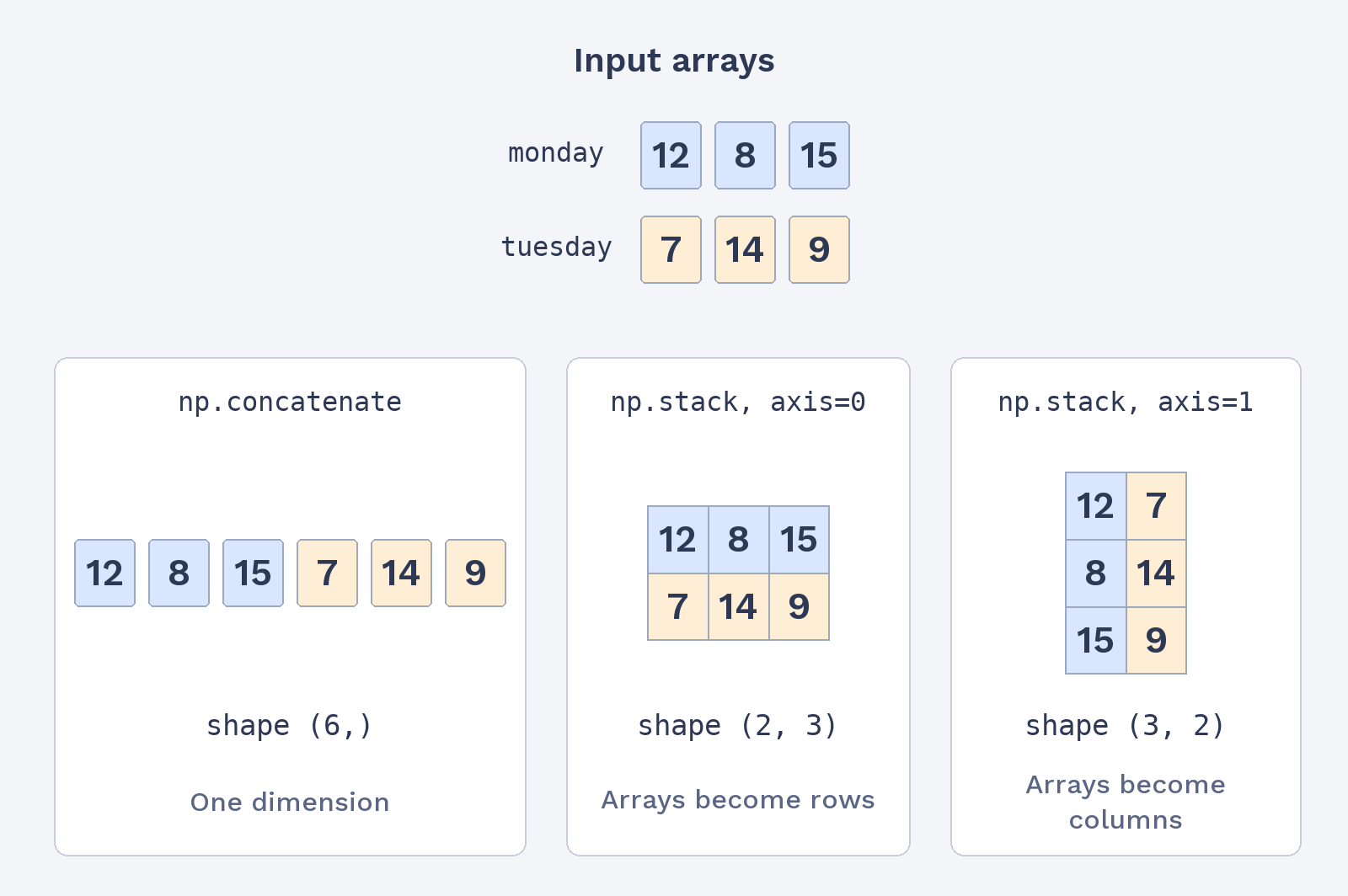
Welcome to Reshaping, Joining, and Copying NumPy Arrays. We’re at Lesson 4. So far, we’ve built tables from nested lists, reshaped arrays, and joined arrays with np.concatenate. Now we’ll use np.stack to create a new table directly from separate 1D arrays. We’ll see how axis places each array as a row or column, then compare stacking with concatenation by checking their shapes.
Build a Table from Daily Arrays with np.stack and axis=0
Imagine that each 1D array records sales for one day, with four values for four products. We can pass the arrays to np.stack to make a 2D table. With axis=0, each array becomes a row. As with np.concatenate, the arrays need compatible sizes; here, all three must have the same length.
The np.stack call gathers the three arrays and places them along axis=0. The result has three rows, one per day, and four columns, one per product. The first row, therefore, contains day 1’s sales. Printing the table with its shape lets us check both the values and the layout:
Stack Measurements as Columns with axis=1
We can also use np.stack when each 1D array represents a different measurement. Here, each position in heights corresponds to the same person’s position in weights. With axis=1, the arrays become columns, so each row brings one person’s height and weight together. Both arrays have a length of 5, giving five rows and two columns.
Unlike the sales table, where each input array became a row, this table places each input array in a column. The first row pairs the first height with the first weight; the next row pairs the second values, and so on. The output confirms the five rows for people and two measurement columns:
Compare np.concatenate and np.stack on the Same Input