Understanding Array Views and Copies
Introduction
Welcome back to Reshaping, Joining, and Copying NumPy Arrays. We’re at Lesson 5, the final lesson in this course. So far, we’ve reshaped, transposed, joined, and stacked arrays. Now we’ll look at a quieter risk: changing one array can sometimes change another because both refer to the same data. We’ll learn which selections share data, which make copies, how np.shares_memory reveals the difference, and when .copy() keeps an original safe. Five short demos and a quick-reference table will bring these ideas together.
Slices Return Views: The Silent Row Change
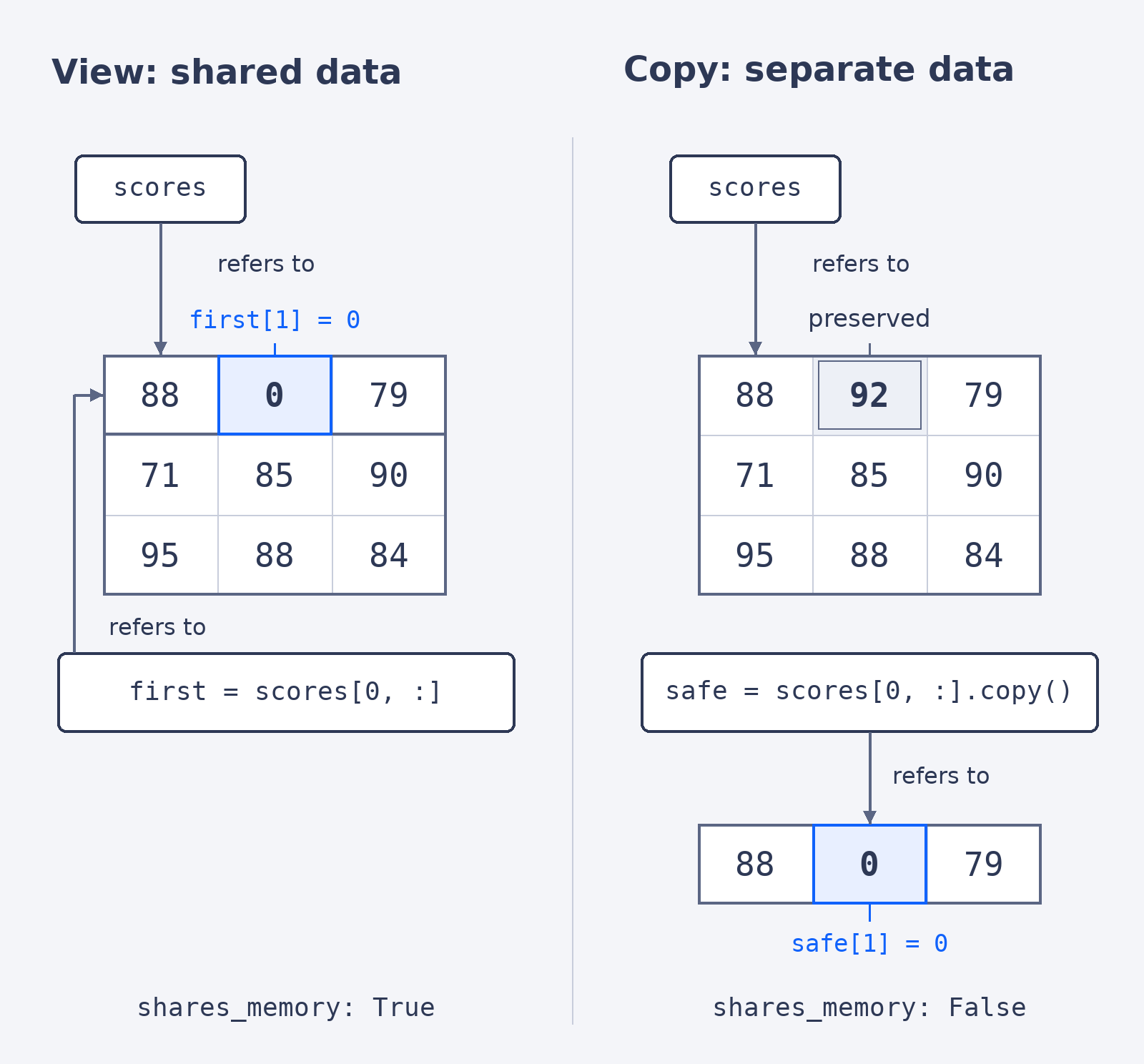
A view is a separate array object that refers to the same underlying data as another array. A basic slice, such as scores[0, :], gives us a view of the first row. That means changing the selected row can also change the original table. It helps to keep three related ideas apart: an alias is a second name for the very same array object, as in alias = scores; a view is a different array object that shares the original’s data; and a copy is a different array object with its own data. So two separate array objects can still share underlying memory. The code prints the table and the result of np.shares_memory, a check we’ll look at in a moment.
Changing first[1] changed the score in the original table, and True shows that the two arrays use the same data:
.copy() Protects the Original
To protect the scores, we select the same row and add .copy(), which creates an independent array. The table is rebuilt first so that we start from the original values.
This time safe has its own data, so the original scores stay intact: