Ranking Ties with SQL Functions
Introduction
Welcome back to Ranking with RANK, DENSE_RANK, and ROW_NUMBER. We completed Lesson 1, so we are now beginning Lesson 2 of this four-lesson course. Previously, ROW_NUMBER() gave every order a unique position within each customer’s history. Today, we will compare customers by order count while preserving ties. We will see how RANK() leaves gaps after tied values, while DENSE_RANK() continues with consecutive rank values. We will also separate ranking order from final report order.
Establish the Customer Ranking Grain
Ranking only makes sense when each row represents the entity being compared. Here, that entity is the customer, so we first create one row for each customer. As you may recall from earlier CTE lessons, this calculation stage protects the intended row grain before later logic is added. The LEFT JOIN keeps every customer eligible, while COUNT(o.order_id) counts matched orders without counting a missing order row.
The CTE now contains customer_id, customer_name, and order_count. No ranking happens yet. That is intentional: we must rank completed customer values, not individual order rows.
Apply RANK to Tied Values
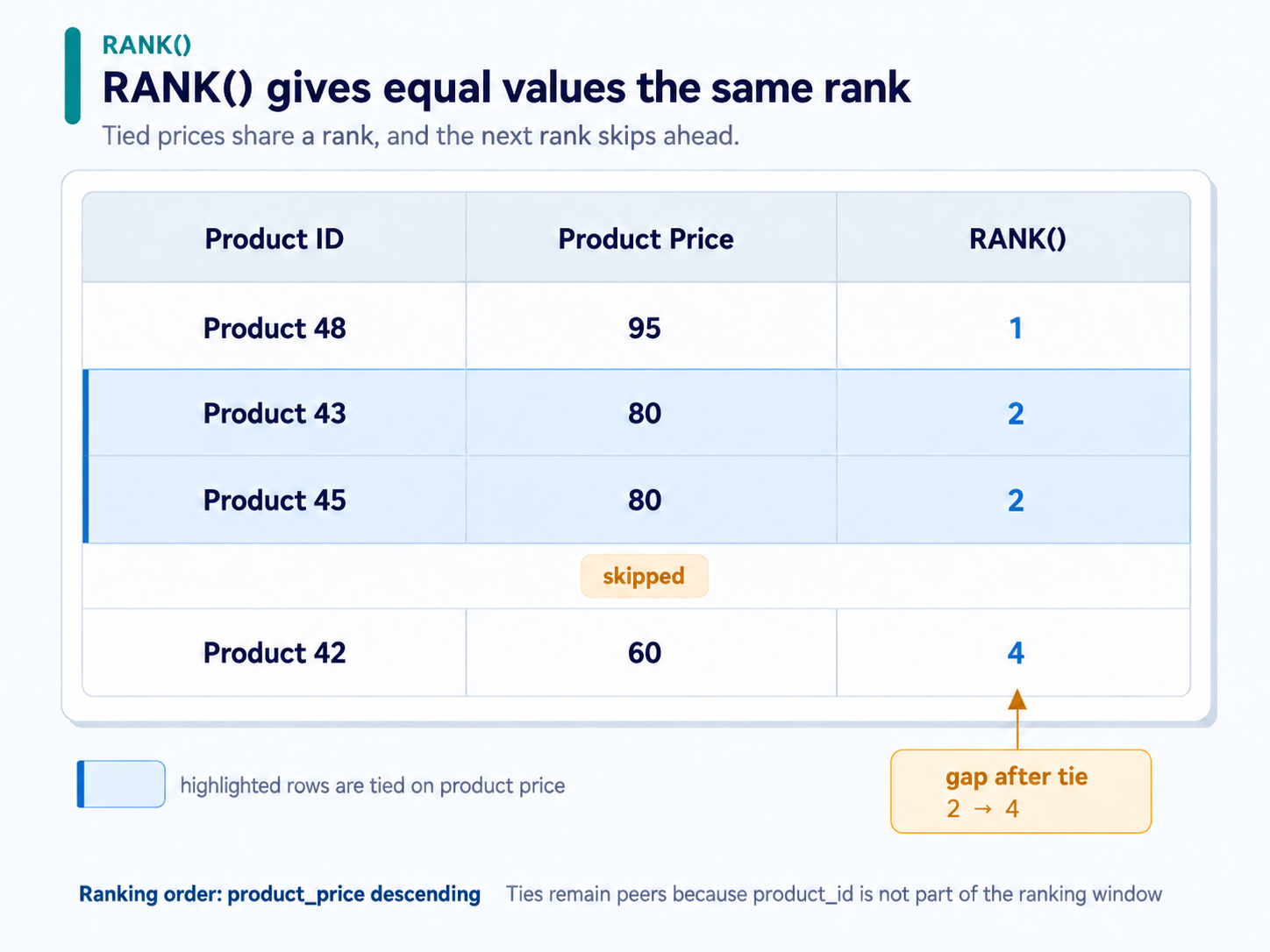
Before ranking customer aggregates, it helps to isolate the behavior with products. Each product already occupies one row, so we can rank prices directly. The window orders prices from highest to lowest, while the outer ORDER BY only controls how rows appear in the report.
The window orders only by product_price, so products with equal prices remain peers and receive the same rank. In the seeded data, product 48 has rank 1, products 43 and 45 share rank 2, and product 42 receives rank 4. Adding product_id inside the window would break the price tie. Using it only in the final ordering makes the display deterministic without changing the ranking.
Add DENSE_RANK for a Gap-Free Comparison
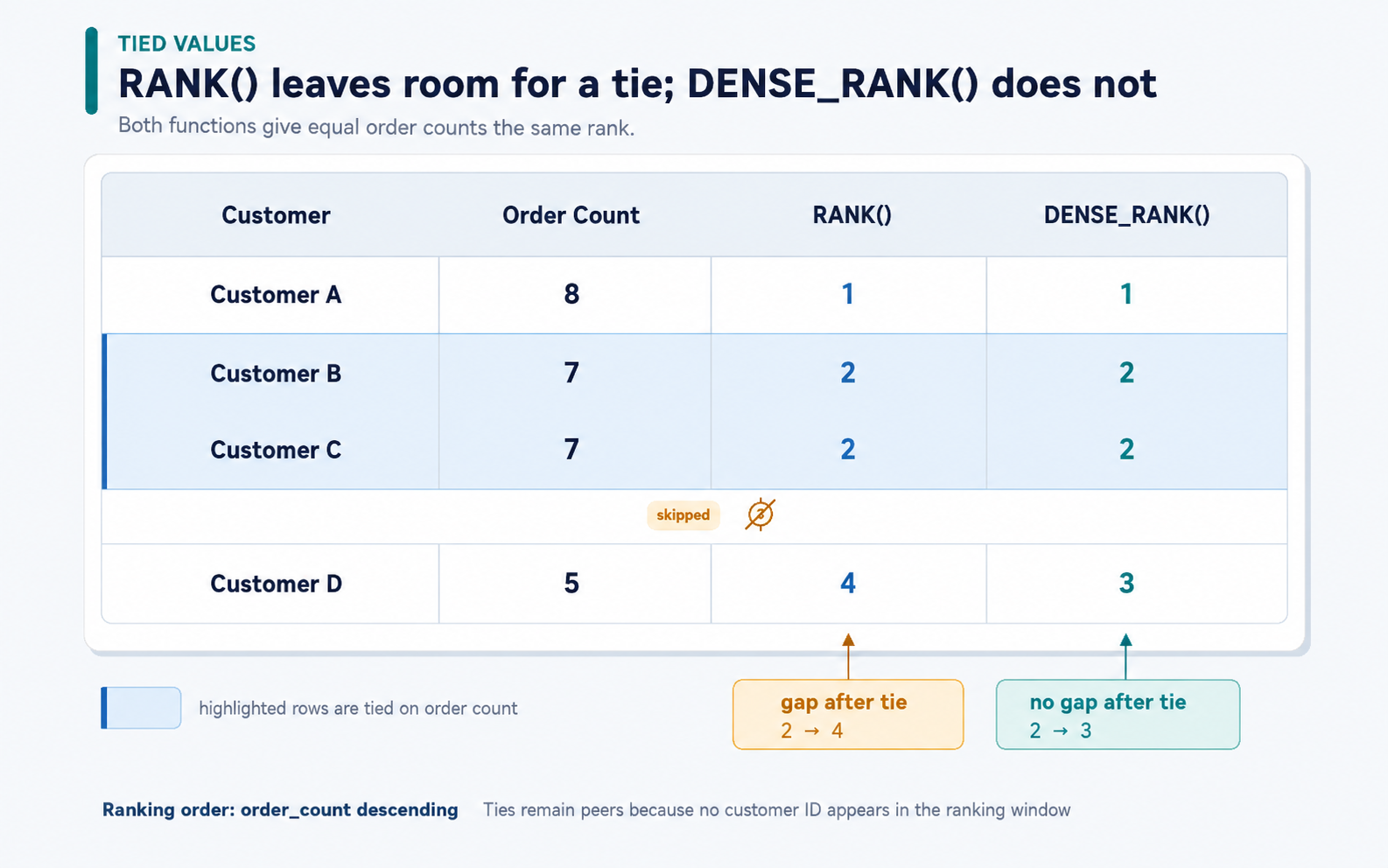
Now we can apply two ranking functions to the same customer values. Both expressions use identical window ordering, which allows us to compare their treatment of ties directly.
RANK() counts occupied row positions, so a tied group can cause the next rank to skip numbers. DENSE_RANK() counts distinct values, so it advances only to the next consecutive rank. Both customers tied on order_count receive the same value in both columns. Unlike ROW_NUMBER(), neither function adds a unique position to tied rows. Therefore, we must keep customer_id out of both window orderings.
Assemble and Present the Final Customer Report
We can now combine the customer-level CTE with both ranking expressions. The CTE establishes one row per customer, and the outer query adds ranking columns without changing that grain. Notice that the window ORDER BY and the final ORDER BY have different jobs.
The window clauses preserve shared ranks because they compare only order_count. The outer ordering lists larger counts first, then uses customer_id to display tied customers consistently. On the seeded data, the report contains all 50 customers. If we later filter with rank <= N, we must calculate the ranks in a CTE first and filter in an outer query. This selects qualifying rank positions, not necessarily exactly N rows, because ties may include additional customers.
Conclusion and Next Steps
In this lesson, we moved from the unique positions produced by ROW_NUMBER() to the tie-preserving behavior of RANK() and DENSE_RANK().
RANK()leaves gaps after tied values.DENSE_RANK()uses consecutive ranks.- Window ordering should contain only the value being compared.
- Final ordering may use a unique identifier for deterministic display.
- Ranking must be calculated before filtering, and
rank <= Ncan return more thanNrows.
In the practice section, we will inspect the aggregate, rank tied product prices, and complete the customer comparison report. In the next lesson, we will use the same ideas to find the top three products within each category.
