Give and Receive Feedback Effectively
Welcome to the Course 🎉
Welcome to Promote Team Accountability! Teamwork is more than just working together; it’s about making sure everyone does their part and helps the team succeed. In this lesson, you’ll learn how to give and receive feedback in a way that helps everyone grow and do their best work. You’ll also see how feedback can build trust and make your team stronger.
By the end of this lesson, you’ll know how to:
- Share feedback that is clear and helpful
- Listen to feedback and use it to improve
- Build trust by talking openly and respectfully with your team
These skills will help you feel more confident and ready to work well with others, whether you’re new to the workplace or just starting out on a team.
🌱 Give Feedback That Helps Others Grow
Giving feedback means telling someone what they did well or what they could do better. Good feedback is about actions, not about someone’s personality. For example, instead of saying, “You’re always late,” you could say, “When meetings start late, we have less time to plan.” This way, you’re talking about what happened, not making it personal.
Here’s a simple way to give helpful feedback:
- Say what you noticed: Be specific about what happened.
- Explain why it matters: Share how it affects the team or the work.
- Suggest a way to improve: Offer an idea for what could be better next time.
For example:
- Jessica: Hi Marcus, can I talk to you about the team meeting?
- Marcus: Sure, what’s up?
- Jessica: I noticed we started the meeting late, so we had to rush at the end. Maybe next time we could all try to join a few minutes early?
- Marcus: That makes sense. I’ll set a reminder so I’m on time.
Notice how Jessica talks about the meeting (not about Marcus as a person), explains why it matters, and suggests a simple solution. This approach helps keep the conversation positive and focused on improvement, making it easier for everyone to work together.
When you give feedback, try to do it soon after the event, and in a private place if it’s about something sensitive. Use a friendly and respectful tone. You can say things like, “Here’s something that could help us work better,” or “I have a suggestion that might make things easier.” Remember, feedback is about helping each other, not about being perfect.
Receive Feedback and Build Trust 🤗
Receiving feedback can feel a little uncomfortable, but it’s a great way to learn and improve. When someone gives you feedback, try to listen carefully instead of getting defensive or making excuses. You can ask questions like, “Can you give me an example?” or “What would you like to see next time?” This shows you care about getting better.
It’s also helpful to take a moment to think about the feedback before you respond. Even if you don’t agree with everything, there might be something useful you can learn. You can say, “Thanks for letting me know. I’ll think about how I can use your suggestion.”
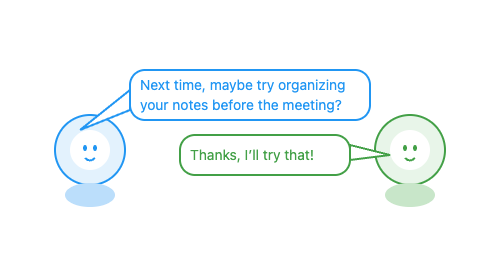
When you use feedback to make a change, let your teammate know. For example, “I tried your idea in today’s meeting and it worked well—thanks!” This shows you value their input and helps build trust.
Trust grows when everyone on the team gives and receives feedback honestly and kindly. If you want your teammates to be open with you, show that you’re open to learning and willing to help others too. You can also ask for feedback by saying, “Is there anything I could do better?” or “How can I help the team more?” When feedback is a normal part of your team’s conversations, everyone feels safer and more supported.
When you practice giving and receiving feedback, you help your team get better together. In the next activities, you’ll get to try these skills in real-life situations and see how they can make your team stronger. The more you use these skills, the more comfortable and confident you’ll become in supporting your teammates and growing as a professional.
