Selecting AI Use Cases
Choosing Where AI Helps at Work 🧭
Now that you can tell the AI capabilities apart, the next move is harder and more useful: deciding which of your actual tasks belong in an AI workflow and which ones absolutely don't. Choosing the right starting point matters. A use case that looks exciting but is difficult to verify can drain time, while overlooking practical everyday tasks can leave value untapped. This unit gives you a simple lens to sort your week and choose a first win you can defend.
By the end, you’ll be able to:
- Sort recurring work into communication, research, planning, and analysis tasks.
- Evaluate AI candidates using Value, Risk, Repeatability, and Human Review.
- Select a low-risk pilot with a clear success criterion.
Mapping Your Work Into AI-Assistable Categories 🪣
Start by looking at a normal week and asking: what kind of work keeps showing up? Most AI-assistable tasks fall into four practical buckets.
| Bucket | What It Means | Common Examples |
|---|---|---|
| Communication | Writing or shaping information for other humans | Emails, Slack updates, talking points, meeting recaps, FAQ entries |
| Research | Gathering and digesting information | Scanning a long report, summarizing customer interviews, pulling background on a partner |
| Planning | Structuring work before it happens | Drafting agendas, breaking a project into milestones, building a status update template |
| Analysis | Making sense of inputs | Tagging themes in feedback, comparing options against criteria, sanity-checking a spreadsheet narrative |
Why bother sorting? Because each bucket has a different risk profile and a different verification cost. A draft email may only need a quick tone check. A market-sizing claim may need a citation. If you don’t separate these task types, you may treat every AI output the same way, which is exactly how confident-but-wrong text slips through.
Try This: Take ten minutes this week and list five recurring tasks under each bucket. That list becomes the candidate pool for everything that follows.
The AI Task Fit Screen 🤖
Once you have candidates, run each one through the AI Task Fit Screen, four quick checks that tell you whether a task is a fit, a maybe, or a hard no.
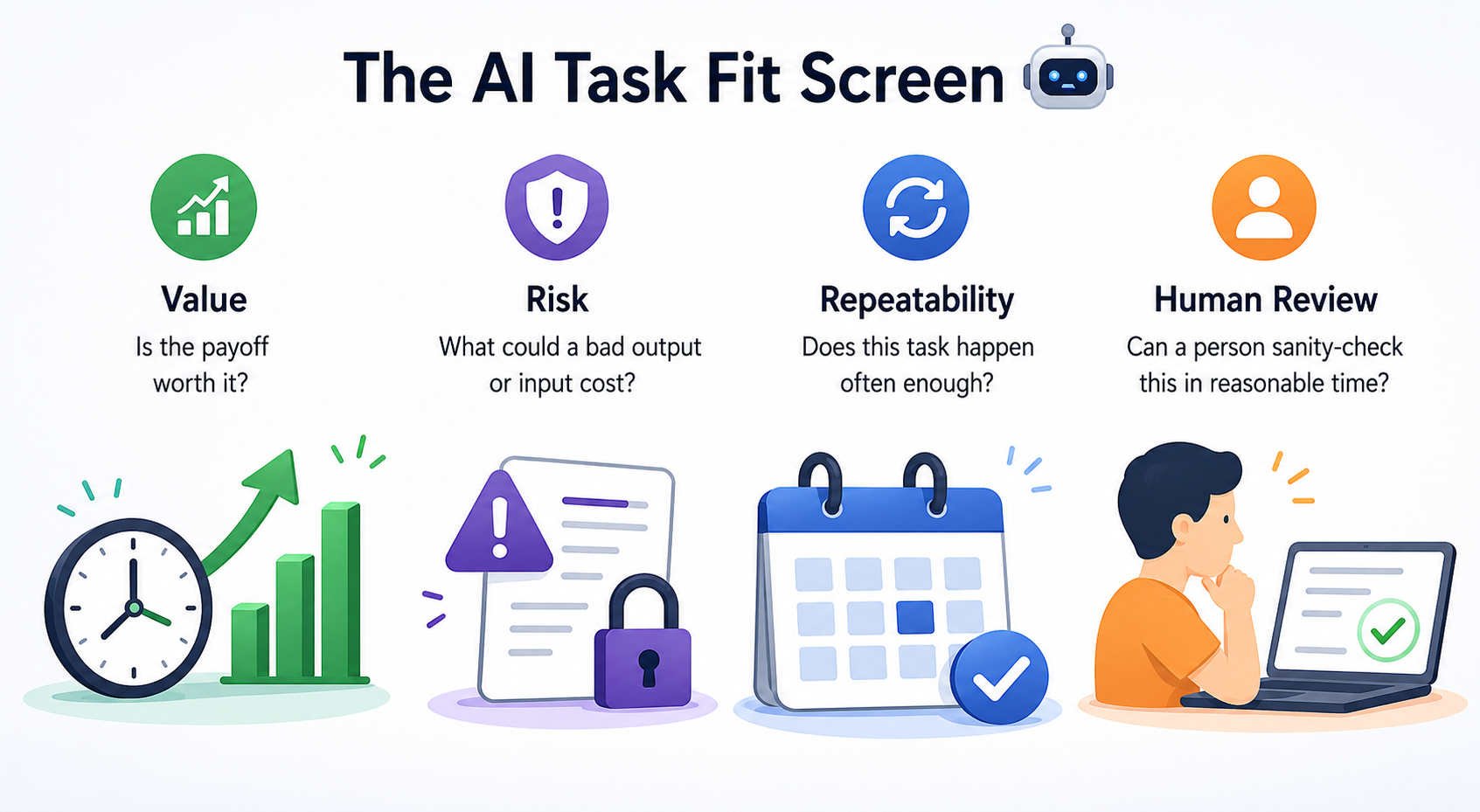
Value asks whether the payoff is worth it. Look for tasks where AI can meaningfully reduce time, improve consistency, or help you get unstuck. If AI shaves three minutes off something you do twice a year, the math doesn’t work.
Risk asks what a bad output could cost—and what a careless input could expose. A typo in an internal status update is recoverable; an invented statistic in a board deck, customer-facing promise, or compliance-sensitive document is not. Risk also runs in the other direction: never paste sensitive company data, personally identifiable information (PII), or confidential client material into an AI tool unless it's been explicitly approved for that use, since anything you submit may be stored or used to train the model.
Repeatability asks whether the task happens often enough to justify the setup. Recurring work is usually a stronger candidate because you can reuse the prompt, refine the workflow, and compare results over time.
Human Review asks whether a person can actually sanity-check the output in reasonable time. If you can’t tell whether the answer is right, you can’t use the tool safely, no matter how good the answer sounds.
The trap most people fall into is anchoring on Value and ignoring the other three. High value plus high risk plus weak human review is not a pilot, it's a future incident report.
Here’s what that sounds like in practice.
- Natalie: I want our first AI pilot to be the legal redlines. Huge time save for Legal.
- Chris: Value's real, agreed. But run it through the screen with me. What's the cost if it misses a clause?
- Natalie: Could be a contract dispute. Not great.
- Chris: And can a non-lawyer review the output and catch that?
- Natalie: Honestly, no. We'd still need Legal to read every line.
- Chris: So Value's high, Risk's high, Human Review's weak. Worth keeping on the list, but not as our first one.
Notice Chris didn't kill the idea, he named the framework, walked the checks, and let the score speak. That's the move when someone anchors on a flashy candidate.
Picking Your First Pilot 🚦
Your first AI workflow should be deliberately boring: a task that scores well on all four checks, with low risk if it goes sideways. Recurring internal communication is a classic fit (weekly status updates, meeting recaps, FAQ drafts) because the value is real, the risk is contained, the task repeats weekly, and you can eyeball the output in under a minute.
Then commit to a success criterion before you start, not after. Something concrete you can measure, like "cuts my draft time in half across three consecutive uses with no factual corrections needed." Vague criteria like "saves time" let you talk yourself into a pilot that didn't actually work.
The takeaway for this unit: pick the task, not the tool, and let the AI Task Fit Screen tell you which task earns the pilot slot. The next step is a live conversation where you'll pressure-test five candidate tasks against the Screen with a manager who's anchored on the flashiest option. Bring the framework by name and walk the checks out loud, that's where the skill actually gets tested.
