Filtering Rows with Masks
Introduction
Welcome back to Filtering and Replacing with Masks and np.where. We’re on lesson 2 of 4, building on the combined-mask skills from our previous lesson. There, we used masks to select individual cells. Now we’ll ask a record-level question: which products are both affordable and well-rated? We’ll build one mask value per product, use it to keep complete rows, and reuse it to select the matching product names.
Building a Row Mask from Columns
A product table stores each record in one row, with price, rating, and stock in separate columns. To decide which products meet our rule, we compare values from the price and rating columns. As you may recall from the previous lesson, each comparison needs parentheses before we join the masks with &.
Here, products[:, 0] means every row in column 0, the price column. products[:, 1] selects the rating column. The two comparisons each produce five Boolean values, and & keeps a product only when its price is below 20 and its rating is at least 4. So keep has one value per row, not one value per cell.
Selecting Whole Rows
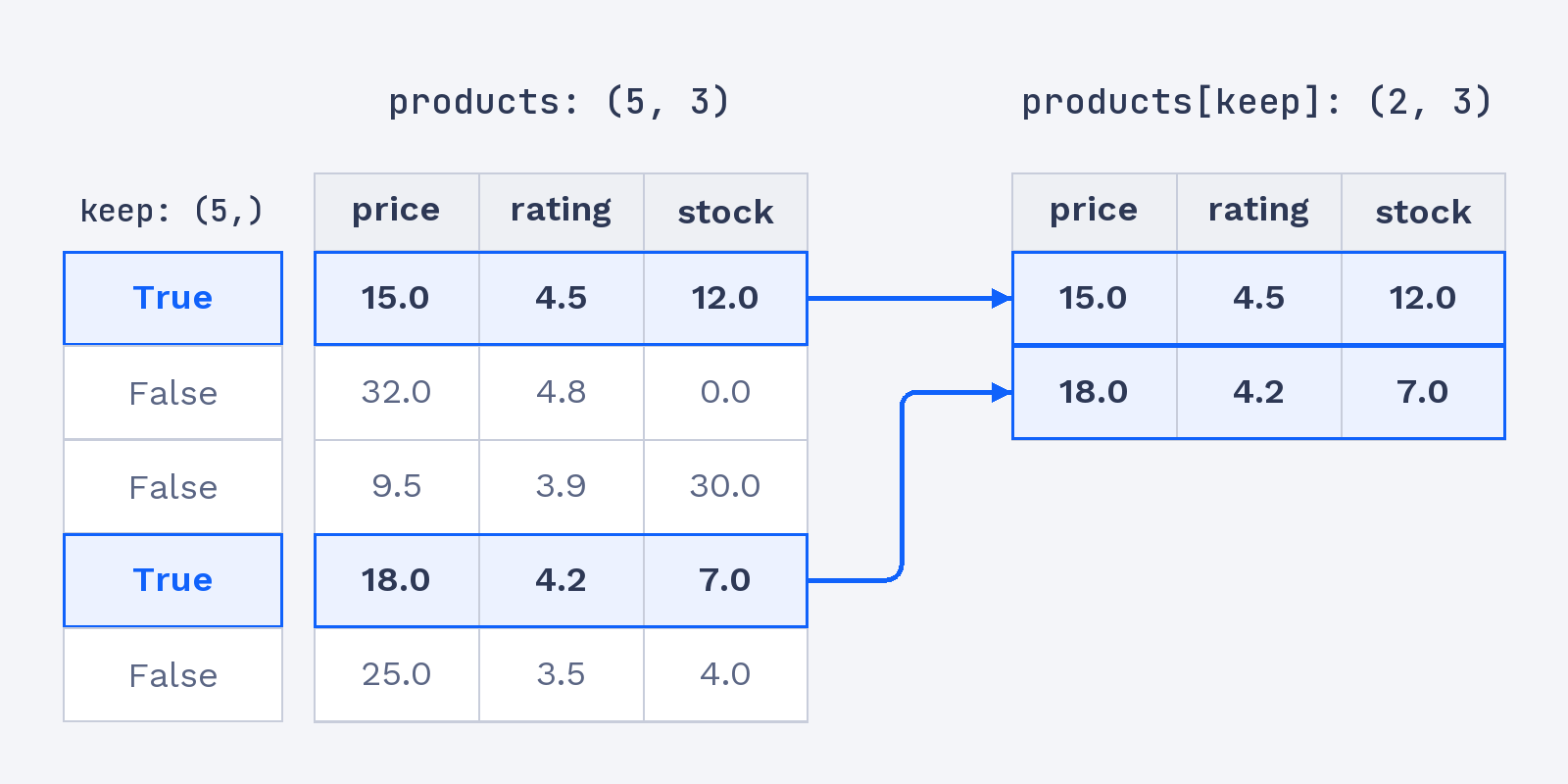
A one-value-per-row mask can select records from the table. Applying keep to products returns every column for each selected row, including stock, even though stock was not part of the rule. We can check the result’s shape to confirm that we kept full records.
Boolean indexing builds a new array, so we store the selection in selected once and reuse it, instead of writing products[keep] twice. The first print shows which rows pass both conditions. The second prints those full rows and their shape:
The two True values select two product rows, and (2, 3) means the result has two rows and all three columns. This differs from using a 2D cell mask, which gathers matching cells into a flat 1D array.
The row-aligned mask below keeps all three columns of each passing record.