Autoencoders with R
Introduction
Welcome! In this lesson, we will explore the world of autoencoders — neural networks designed to learn efficient encodings of input data. You’ll become familiar with the autoencoder architecture, focusing on its encoder and decoder components, and how to implement these components using R with the keras3 package. Instead of using image data, we’ll use a generated 2D dataset to clearly visualize how autoencoders perform dimensionality reduction and reconstruction.
Understanding Autoencoder Architecture and Preprocessing Data
Autoencoders are a type of neural network that learns to compress input data into a lower-dimensional space and then reconstruct the original input from this compressed version. They are widely used for tasks such as dimensionality reduction, denoising, and anomaly detection.
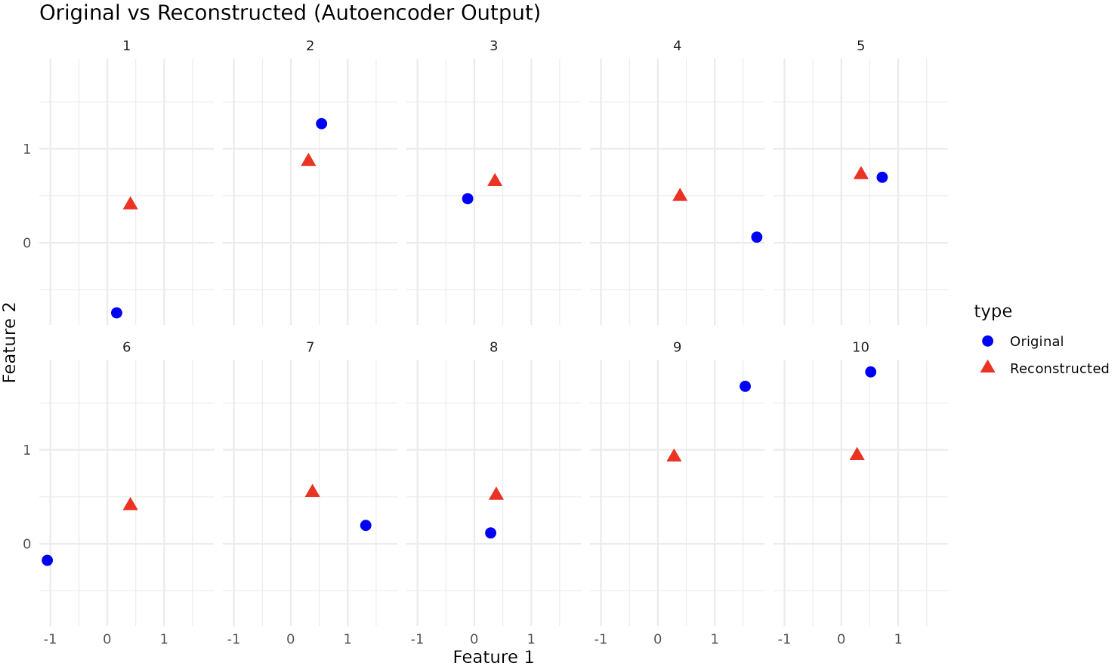
Imagine you have a set of points in a 2D space. An autoencoder can learn to represent these points using a single value (1D), and then reconstruct the original 2D points from this compressed representation. This is analogous to creating a simple summary of complex data and then expanding it back to its original form.
The two major components of an autoencoder — the encoder and the decoder — help compress the input data into a latent space and reconstruct the original input from the compressed version.
For this lesson, we’ll generate a synthetic 2D dataset using the mlbench package’s mlbench.2dnormals function. This will allow us to easily visualize the effect of the autoencoder.
Here, we generate 1000 points in 2D space and normalize them so that each feature has mean 0 and standard deviation 1. This normalization step is crucial for training the autoencoder effectively.
Implementing Encoder and Decoder Components in R
Once the data is ready, we move on to implementing the autoencoder components using keras3 in R. The encoder transforms the input data into a latent-space representation (in this case, from 2D to 1D). The decoder then attempts to reconstruct the original 2D input from this compressed 1D representation.
The input shape for the encoder layer is 2, matching the number of features in our data. The encoder compresses the data to a single value, and the decoder reconstructs the original 2D data from this compressed representation.