Understanding Cloud APIs
APIs in the Cloud ☁️
An application programming interface helps cloud systems request data or actions from one another through an agreed contract.
In this lesson, you will learn to:
- Explain an application programming interface (API) as an agreed contract for one system to request data or actions from another
- Identify the endpoint, method, request body, response, status code, and API key in a typical web API call
- Distinguish synchronous from asynchronous calls and explain what an API gateway and rate limit do
Start With the Contract 🤝
When someone asks you what an application programming interface (API) is, resist the urge to describe software. Start with the word contract. An API is an agreed contract for one system to request data or actions from another: the provider publishes what you may ask for, in what shape, and what you'll get back, and both sides stick to it. The value isn't that the systems can talk. It's that they can talk without either team having to know how the other one is built inside.
Try this line out loud: An API is a published contract. It says "ask me in this exact way and I promise to answer in this exact way" - so neither side has to poke around inside the other's database. That last clause matters, because the alternative most non-technical people imagine is one system reaching directly into the other's data, which is exactly the brittle arrangement you're trying to replace.
Two more words will come up and you should be ready to expand both. Most cloud APIs you'll meet are REST (Representational State Transfer) APIs, meaning they use standard web methods to ask for or change data. Most of them exchange data as JSON (JavaScript Object Notation), a structured text format that programs can parse and people can usually read. When someone drops either term, expand it once and move on. Don't let it become the topic.
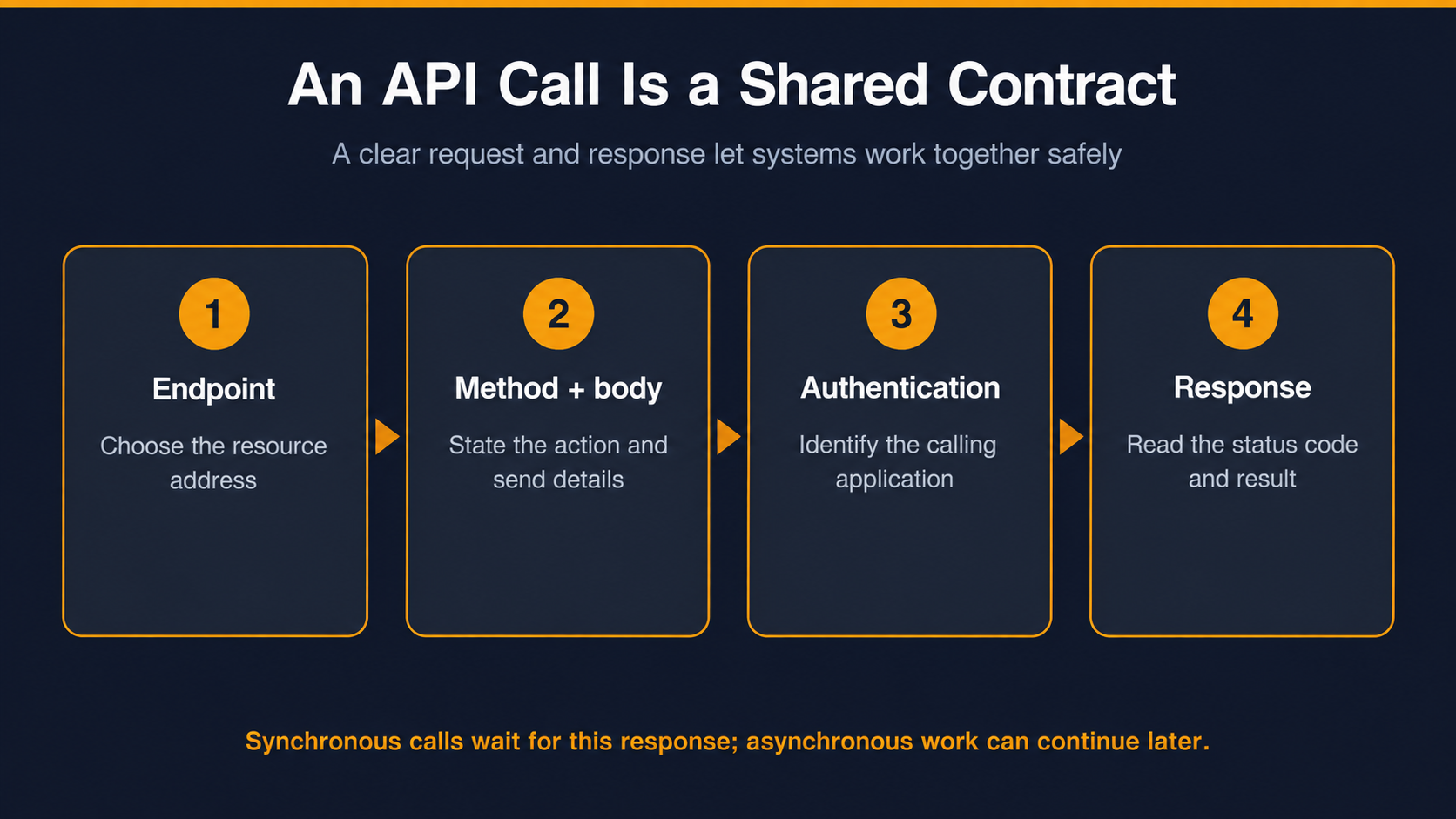
One Call, End to End 🔄
The fastest way to make an API real for a colleague is to narrate a single call, step by step, in the order it happens. The endpoint is the address you send the request to, like a specific counter in a specific building. The method says what kind of request it is: GET means "give me this, change nothing," and POST sends data to a resource and is commonly used to create something new. The request body is the detail you send along, such as the customer name and the amount.
Then the response comes back: it is the API's answer and carries a status code, a small number that tells you how the request went. These standard HTTP status codes are: 200, the request succeeded; 401, valid authentication is missing; and 404, the requested resource was not found. Many APIs require an API key, a credential the service uses to identify the calling application and control its access.
Here, Nova, Tutor Bright's operations coordinator, is asking what this means for her team's day-to-day work:
Nova: So the scheduling system "calls billing." I have no idea what that sentence means.
Dan: Picture scheduling sending one message to a specific address at billing that says "create an invoice," with the learner's name and the session count attached.
Nova: And how does it know it worked?
Dan: Billing sends back a response with a status code: 200 means the request succeeded; 401 means the technical team needs to check credentials; and 404 means billing could not find the learner record.
Nova: So if I see a 404, that's my end, and a 401 is yours?
Dan: You have the split right: on a 404, first check the learner ID and source record. If those are correct, send the request details to the technical team. A 401 goes straight to the technical team to check the credentials.
What made that work wasn't the definitions. It was giving her a rule she could act on when something goes wrong.
