Selecting Rows and Columns
Introduction
Welcome back to Creating and Selecting from 2D NumPy Arrays. We’re at lesson four, ready to move from reading one cell to selecting a whole row or column. We’ll use a colon to include every position along one axis and compare a column that comes back as a 1D array with one that stays a table. By the end, we’ll be able to predict the shape of each selection and choose the form that fits our next step.
Selecting a Whole Row with a Colon
As you may recall from the previous lesson, two indices inside brackets identify a cell: the row first, then the column. To select an entire row, we keep the row index and use a colon for the column position. The colon means every position along that axis. Here, hours has three employees as rows and five weekdays as columns.
hours[1, :] selects row 1, the second employee, and includes every column. The result has five values, one for each weekday, so its shape is (5,). Although we selected from a 2D table, this row is a 1D array.
The Row Shorthand: `arr[i]`
When we want a whole row, the colon is optional. Writing hours[1] is shorthand for hours[1, :]. Both expressions select the same row and produce the same 1D result. This shorter form is useful when the row is our focus; adding the colon can make it clearer that we are selecting every column.
Both variables contain the second employee’s weekday hours. The second selection does not keep a 2D, one-row table; just like the colon form, it has shape (5,). Use either spelling for a row, and remember that selecting a row with an integer index drops the row axis, while selecting it with a slice preserves that axis. For example, hours[1:2, :] selects the same employee but keeps a one-row table with shape (1, 5).
Selecting a Whole Column
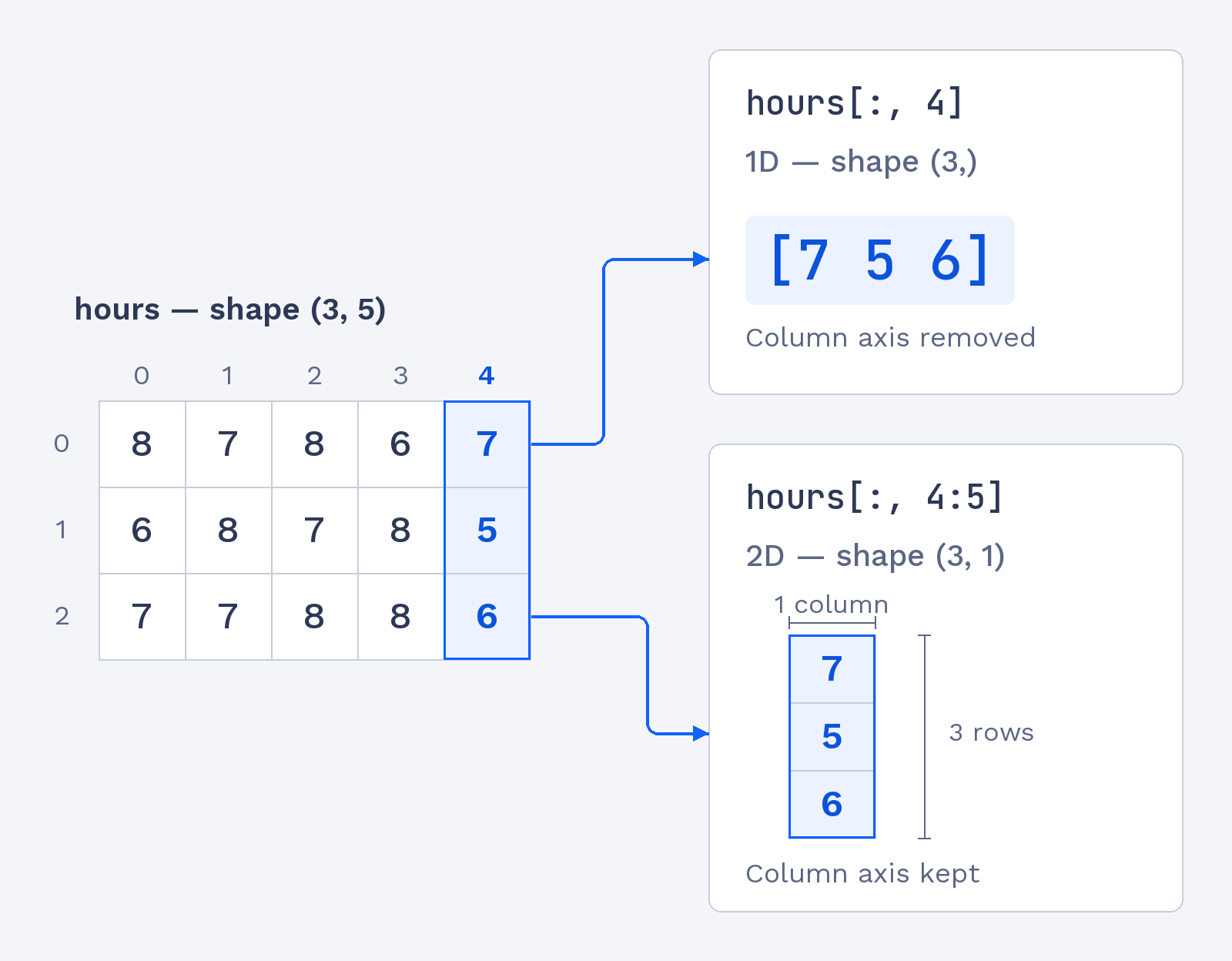
To select a column, we reverse which axis uses the colon. We put the colon in the row position to include every employee, then give the column index. The table has five weekdays, and index 4 is the fifth weekday, Friday. Since there are three employees, this selection returns three values.
The colon includes all three rows, while 4 selects Friday from each row. The result is a 1D array with shape (3,), one value per employee. Notice that a whole column selected with an integer index is also 1D, just like a whole row. The axis that we select with an integer is removed from the result’s shape.