Indexing and Updating 2D Arrays
Introduction
Welcome back to Creating and Selecting from 2D NumPy Arrays. We’re on lesson three, and we’ve already learned to build whole tables. Now we’ll zoom in on one cell at a time. We’ll use a row index and a column index together to read a value, then update one value without changing the rest of the table. By the end, we’ll be able to find a cell with positive or negative indices and correct a step count in place.
Addressing One Cell with Two Indices
A 2D array has rows and columns, so we need both positions to identify one cell. Write them inside one pair of brackets as arr[row, col]. As you may recall from the earlier lessons, counting starts at zero. Throughout this lesson, we’ll use a five-person, two-day step table.
In this table, steps[1, 1] means the second person’s value for the second day. The comma separates the row position from the column position. We count the row first, then the column. This lets us select an individual value directly without looping through the table. By contrast, steps[1] uses only a row index and selects a whole row, which we’ll explore in the next lesson.
Reading a Cell and Predicting Which One
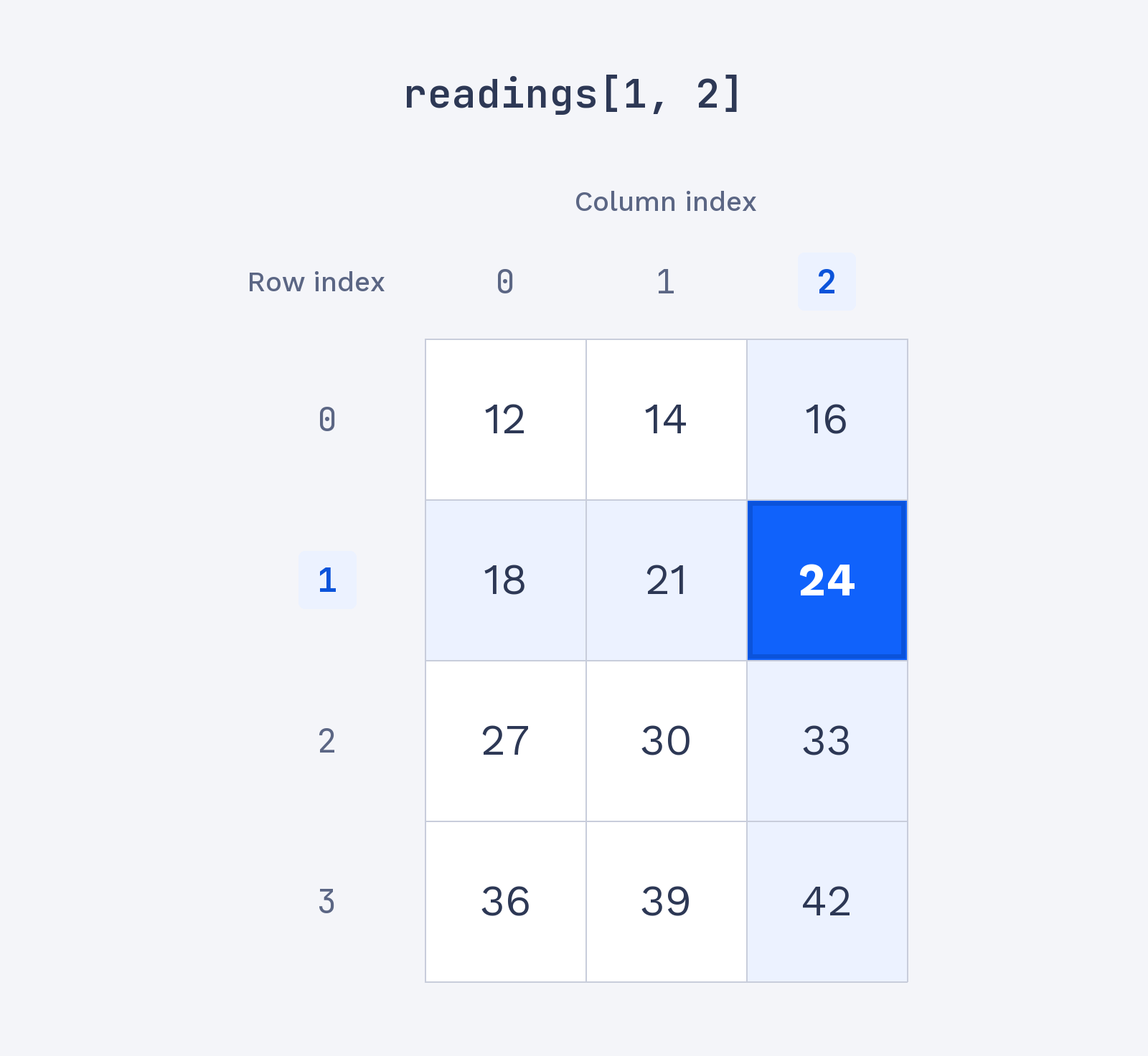
Before running the code, let’s predict what an address names: count down to the row, then move across to the column. In this four-row, three-column readings table, readings[1, 2] selects the second row and third column. That cell holds 24. We can store the value in a variable or print it directly. Predicting first and then checking the result is a useful habit when working with array indices.
The lookup returns one value, which is stored in value and printed. The output confirms our row-first, column-second count:
In the indexed grid below, row 1 and column 2 meet at 24.