Monthly Growth Comparisons
Introduction
Welcome back to Comparing Rows with LEAD and LAG. We are beginning Lesson 3 of 4. Earlier, we compared neighboring orders within individual customer timelines. Now we will change the reporting grain: instead of one row per order, we will create one row for each calendar month. We will compare each month’s gross order value with that of the preceding month, then show the absolute change and percentage growth. When a comparison does not exist, especially for the first month, we will preserve NULL rather than turn missing information into zero. This brings the familiar LAG() pattern into a broader calendar report.
Normalize Order Dates and Build the Monthly Value Stage
Before comparing months, we need one row and one value for each month. DATE_FORMAT changes each order date to YYYY-MM-01, and CAST(... AS DATE) converts it to a date representing the first day of that month. Grouping by month_start sets the monthly grain. The joins match orders to items, then items to products. We keep the required alias monthly_order_value, but interpret its result as gross order value: current catalog prices are a deliberate proxy, and the absence of a status filter includes canceled and refunded orders.
SUM(oi.quantity * p.product_price) applies the value rule before monthly aggregation. Each ON clause matches columns from different table aliases, and ORDER BY month_start is deterministic because the grouped months are unique.
Retrieve the Previous Month with LAG
With the monthly rows prepared, we can look one row backward. Although MySQL can accept LAG() or LEAD() without a window ORDER BY, “previous” and “next” are not meaningfully or deterministically defined without one, so always provide an ORDER BY for chronological comparisons. We use one calendar sequence, so no PARTITION BY is needed. ORDER BY month_start moves from earliest to latest. Since all 36 months from January 2021 through December 2023 are populated, the previous row is the previous calendar month. The first row gets NULL; LEAD() would return NULL for the last row.
The following diagram shows how each monthly row receives the order value from the row immediately before it.
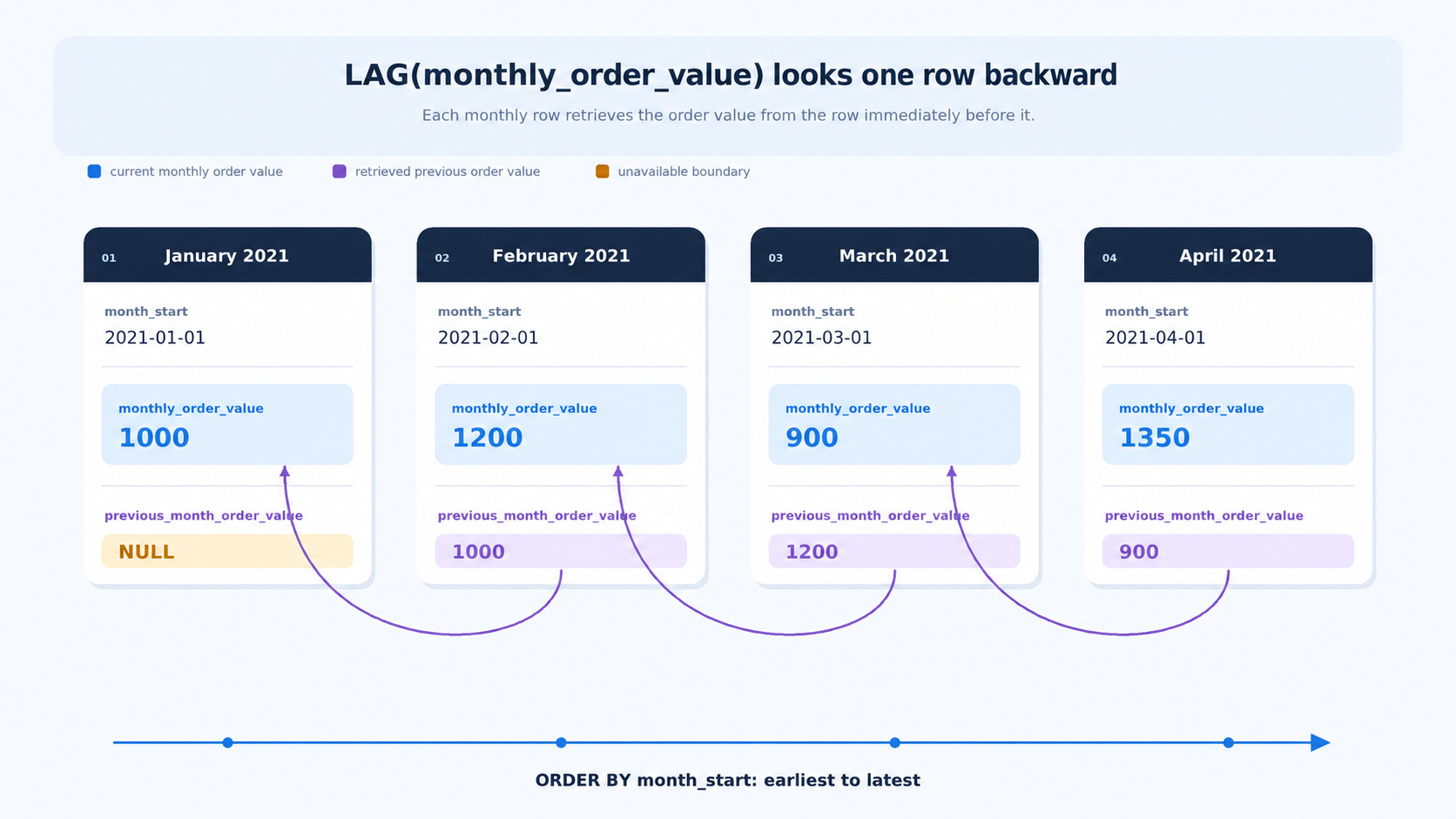
The query implements this lookup after monthly aggregation.
The new monthly_comparison stage keeps the current monthly value and adds previous_month_order_value. It performs the neighboring lookup after aggregation, so LAG() compares monthly rows instead of individual order items. The outer query exposes both values for the next calculation stage.
Calculate Absolute and Zero Safe Percentage Growth
With the two monthly values side by side, we can derive the absolute change and percentage growth. The absolute change is the current value minus the previous value. The percentage formula is . Because the previous value is the divisor, NULLIF(previous_month_order_value, 0) prevents division by zero. We round displayed values to two places but preserve NULL: missing input stays missing through subtraction, division, and ROUND.
This fragment belongs in the outer SELECT after monthly_comparison. The subtraction uses the correct direction: the current value minus the previous value. NULLIF does not replace zero with a made-up number; it makes the denominator NULL, so the percentage remains unavailable instead of causing an error.
Assemble the Complete Monthly Comparison Report
The stages are ready to combine into one runnable MySQL 8 statement. monthly_sales creates one row per populated month. monthly_comparison adds the preceding value after aggregation, and the outer query calculates and formats the comparison fields. Keeping these responsibilities separate makes the row grain easy to check and keeps the window lookup distinct from the arithmetic.
Together, the query returns the current value, previous value, absolute change, and guarded percentage growth. The unique month_start ordering produces 36 chronological rows. The first row keeps NULL for every comparison that requires an earlier month.
Conclusion and Next Steps
Today we changed the grain before comparing rows: first, we aggregate detailed order items into one row per calendar month; then, we use LAG() with ORDER BY month_start to retrieve the preceding monthly value. From there, we calculate the absolute change and percentage growth, protect the divisor with NULLIF, round the displayed numbers, and preserve NULL when no comparison exists. The complete report uses two CTE stages followed by a final presentation query.
In the practice section, we will first observe monthly order activity, then code monthly unit growth, and finally complete the gross order value comparison report. Each practice adds one piece, so we can build confidence before completing the full comparison pattern.
