Editing and Ordering Lists
Introduction: Editing What Is Already There
Welcome back to Building and Modifying Lists in Python. Now that we can grow and shrink lists on command, notice what we have not done yet: changed an item that was already in the list. We added new items, removed existing ones, and changed the list’s length, but the values already stored at each position stayed the same.
This lesson covers the next part of list mutability: replacing existing values and changing a list’s order. We will use index assignment to replace one item, slice assignment to replace several items, and three ordering tools: sort(), sorted(), and reverse().
By the end of the lesson, you will know when a tool changes a list in place and when it creates a new list instead.
Replacing a Single Item by Index
Start with a small list of prices:
The first price is incorrect. Because lists are mutable, we can replace that one value without rebuilding the whole list:
An index on the right side of = reads a value from a list. The same index on the left side writes a new value into that position.
Two details matter:
- The list’s length does not change. One value is replaced by one new value.
- The index must already exist. For example,
prices[10] = 5.0raises anIndexErrorbecause index assignment cannot create a new position.
Negative indices work here too. For example, prices[-1] = 9.00 would replace the final item.
Replacing a Range with Slice Assignment
We can also replace several neighboring items in one statement. A slice on the left side of = selects the range to replace:
The slice prices[1:3] includes indices 1 and 2 but excludes index 3. The old prices at those positions are replaced by the two new prices.
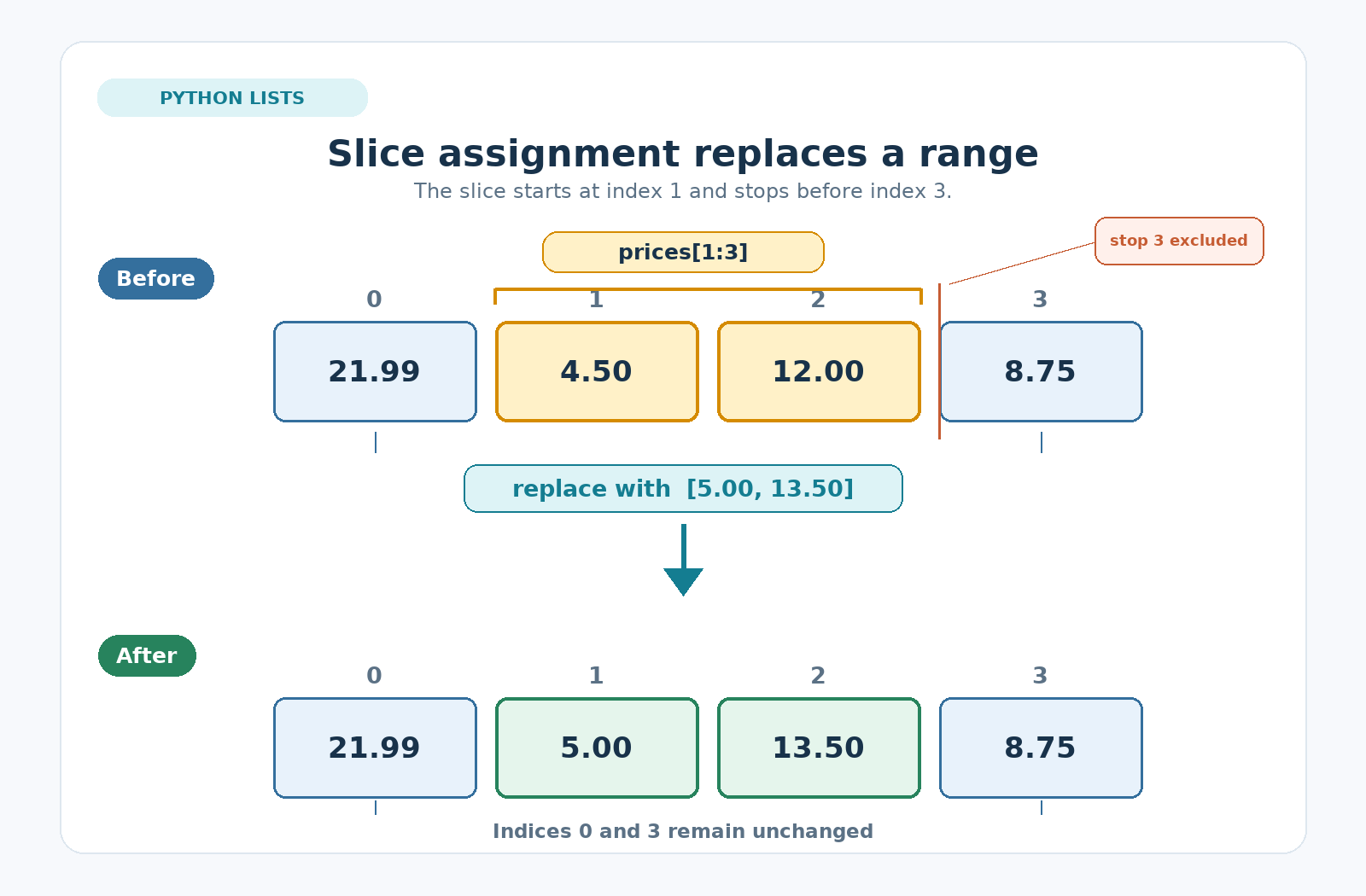
The diagram shows that the selected middle range is replaced while the first and final values remain in place. After the replacement, the list contains these updated prices:
The replacement list does not have to be the same length as the slice:
The first assignment replaces two items with one, so the list shrinks. The second assignment replaces one item with an empty list, which deletes that item.
Sorting in Place with sort()
Once the prices are correct, we can arrange them from smallest to largest with sort():
The sort() method changes the original list directly and returns None, which is why we print prices after sorting instead of storing what sort() hands back:
That return value is worth one more moment. Avoid this common mistake:
After that line, prices would hold None rather than the sorted list.
Sorting Descending with reverse=True
By default, sort() orders items from smallest to largest. Add reverse=True to sort from largest to smallest instead:
This is still a full sort, not just a simple flip of the current order. Python compares the values and places them in descending order.
Sorting a Copy with sorted()
Sometimes we want a sorted version while keeping the original order unchanged. In that case, use sorted():
Unlike sort(), sorted() is a built-in function rather than a list method. It creates and returns a new list, so storing its result is the correct approach.
The original names list stays in the order in which it was created:
Use sort() when the old order no longer matters. Use sorted() when you need both the original and ordered versions.
Flipping Order with reverse()
The reverse() method flips the current order of a list from end to end:
This method does not sort alphabetically. It simply makes the last item first and the first item last.
Because names originally held ["Zoe", "Ada", "Max"], reversing it produces this order:
The following comparison helps separate the three related tools:
| Tool | Sorts items? | Changes the original list? | Result |
|---|---|---|---|
list.reverse() | No, it flips the current order | Yes | Returns None |
list.sort(reverse=True) | Yes, descending | Yes | Returns None |
sorted(list) | Yes, ascending by default | No | Returns a new list |
The key question is whether you need to preserve the original list. If you do, use sorted(); otherwise, sort() and reverse() update the list you already have.
Bringing It Together
The complete example below replaces prices, sorts them in both directions, creates a sorted copy of a name list, and reverses the original name list:
This program produces the following output, showing which tools preserve an original list and which tools change it directly:
Conclusion and Next Steps
In this lesson, you learned how to replace one list item with index assignment and several items with slice assignment. You also learned how to sort an existing list with sort(), create a separately sorted list with sorted(), and flip a list’s current order with reverse().
The most important distinction is whether an operation changes the existing list or returns a new one. Index assignment, slice assignment, sort(), and reverse() all edit a list in place. In contrast, sorted() creates a new list and leaves the original untouched.
Next, you will complete hands-on practices that correct prices, update a range of values, sort lists in both directions, and compare a sorted copy with a reversed original.
