Broadcasting Rows with Columns
Introduction
Welcome back to Broadcasting Array Shapes in NumPy. We’ve completed the first lesson, in which we used a scalar across every cell and a 1D array across a table’s columns. Now, in lesson 2 of 4, we’ll turn that pattern around: we want each row to receive its own adjustment. We’ll see why a 1D array is not enough for this job, how reshape(-1, 1) makes a column that broadcasts across rows, and why a square table can hide a shape mistake.
The Problem: One Adjustment Per Row
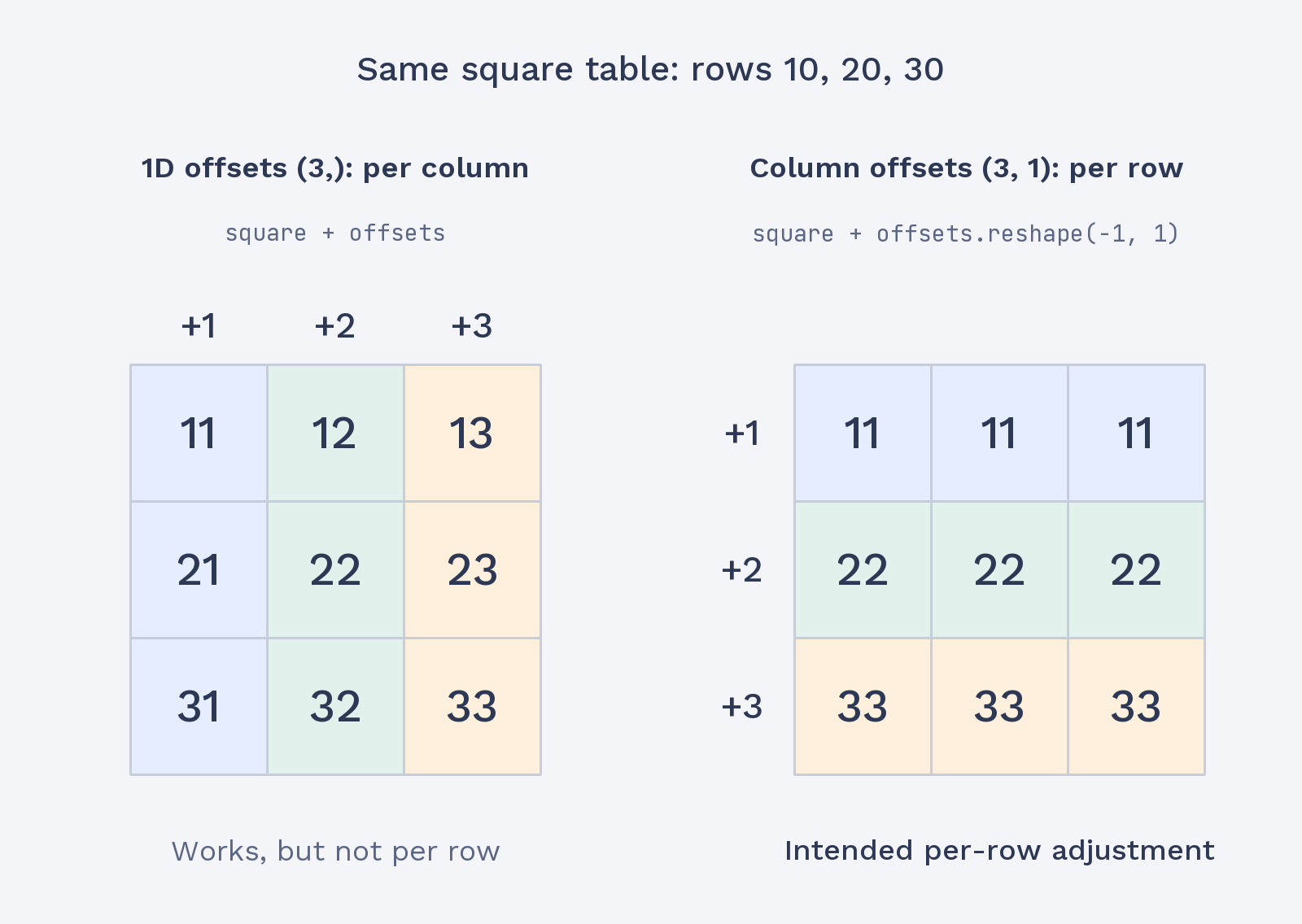
Suppose each of three employees receives a different bonus added to their hours for four days. The bonus values belong to rows, but as you may recall from the previous lesson, NumPy aligns a 1D array with a table’s last axis, its columns. Here, the bonus has three values, but the table has four columns, so the shapes do not match for broadcasting.
The addition is shown to explain the problem, not as a line to keep in the working program. NumPy compares the shapes from the right: the table’s last dimension is 4, while the bonus array’s only dimension is 3. Since neither dimension is 1 and they are not equal, the operation raises a ValueError stating that the operands could not be broadcast together.
Reshaping the Array into a Column with reshape(-1, 1)
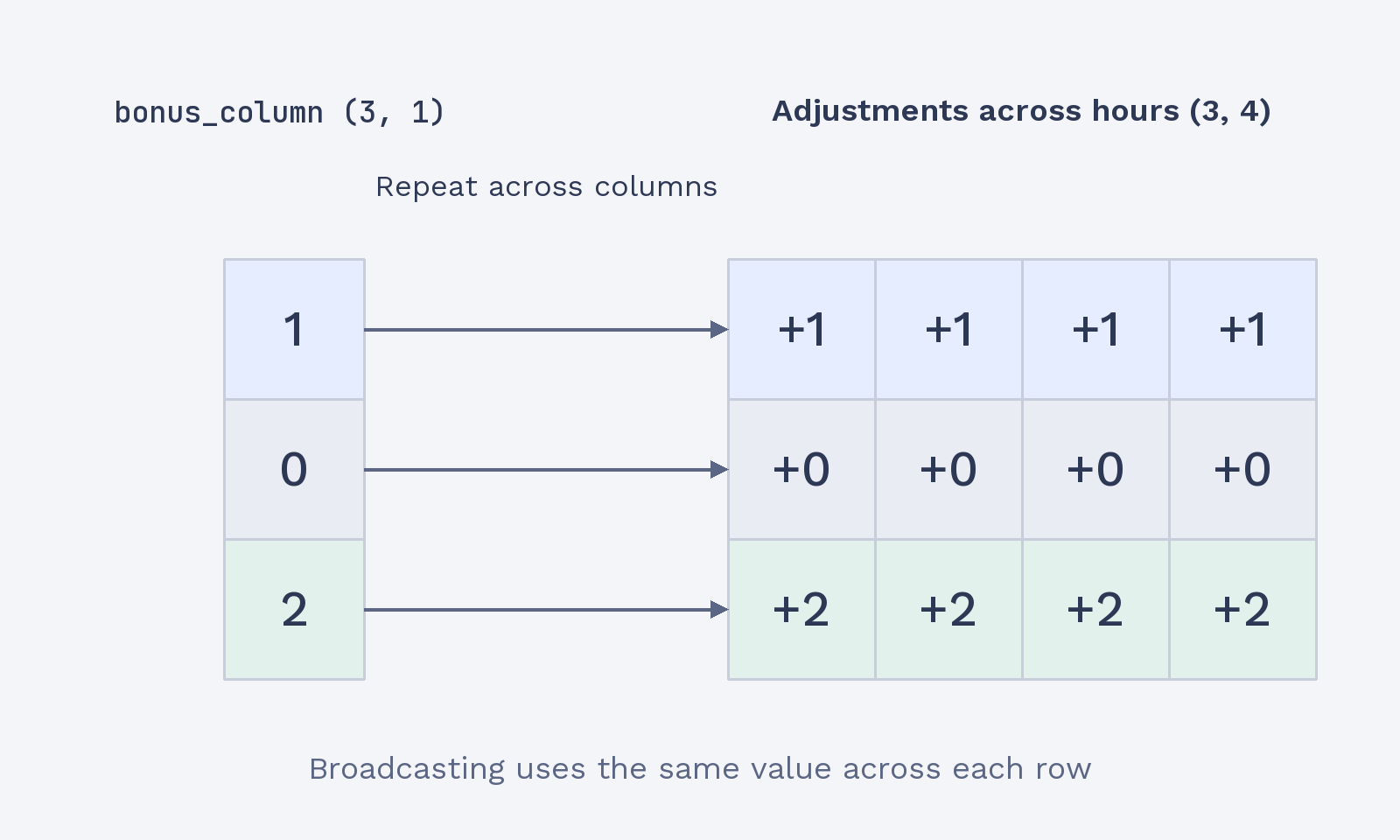
We already used reshape in an earlier course to change an array’s shape without changing its values. Here, reshape(-1, 1) turns the three bonuses from shape (3,) into a column with shape (3, 1). The -1 tells NumPy to infer the row count from the number of values, while 1 sets the column count.
This shape check matches the first line of the program’s output:
The values are unchanged; only their arrangement has changed. The original bonus is a 1D array, and bonus_column has one value in each of three rows. That column shape lets NumPy match each bonus to a table row.
Broadcasting a Column Across the Rows