Predicting Broadcast Shapes
Introduction
Welcome back to Broadcasting Array Shapes in NumPy. You’ve completed two of the four lessons, learning how scalars and 1D arrays work with tables and how reshaping a 1D array into a column directs values across rows. In this third lesson, we’ll turn those patterns into a reliable shape comparison rule. We’ll use it to predict a price table, add sensor offsets, and spot and fix a shape mismatch before running the operation.
The Shape Comparison Rule: Work from the Right
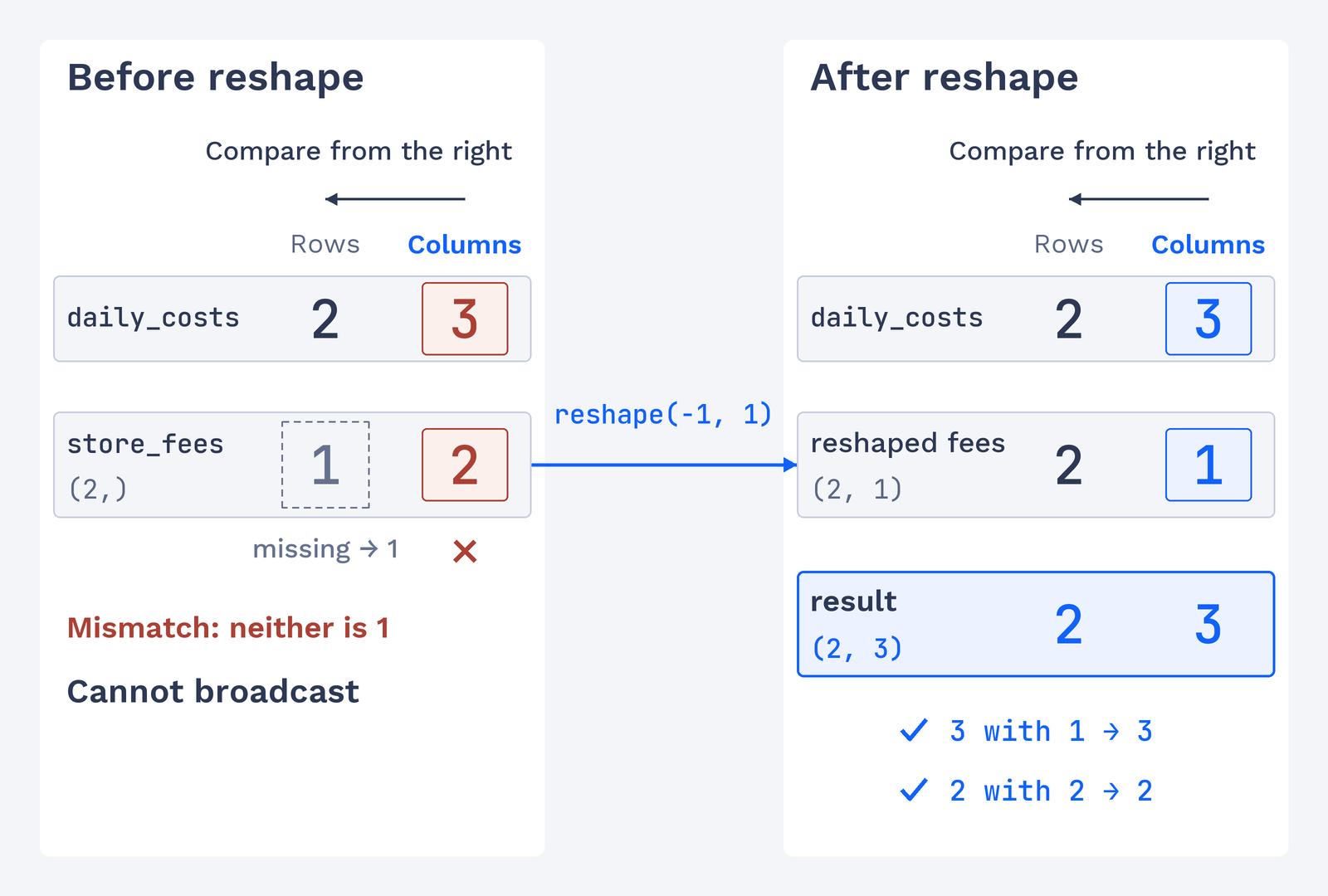
As you may recall from the previous lessons, NumPy can repeat values across an array when their shapes are compatible. Here is a way to check compatibility before performing an operation: line up the shapes at their right ends, then compare each pair. A missing dimension on the left counts as 1.
Each pair is compatible when its dimensions are equal or when at least one dimension is 1. The dimension that is not 1 determines that position in the result shape. If a pair has different dimensions and neither is 1, the shapes cannot be broadcast together. Keep this rule in mind as we predict each example before looking at its output.
Example 1: A Column Times a Row Becomes a Full Table
Let’s use the rule with unit prices and order quantities. The prices have shape (5, 1), and the quantities have shape (1, 3). We compare from the right: 1 and 3 give 3, then 5 and 1 give 5. So we expect a (5, 3) result. The comment records that prediction before the multiplication, making it easy to check against the program’s output.
The column supplies one price per row, while the row supplies one quantity per column. Their multiplication produces every price-and-quantity combination. The printed table and shape confirm our prediction:
Each row uses one unit price, and each column uses one order quantity. Before running an operation, writing down the expected shape gives us a clear check: the final line is (5, 3), just as the comment predicts.