Creating Moving Averages
Introduction
Welcome back to Window Functions Fundamentals. This is Lesson 4 of 4, our final lesson in the course. In the previous lesson, we calculated running order value by carrying the monthly total forward from the beginning of the timeline. Now we will ask a more local question: What is the average order value for the current month and the two months before it?
We will preserve one row for every represented month, including the first two partial windows. By the end, we will have a 36-row monthly report with an explicit ROWS frame, rounded values, required aliases, and deterministic chronological ordering.
Prepare the Monthly Order Value Input
As in the previous lesson, the window function should receive one row per month, not individual order item rows. We begin with the same monthly_sales CTE, which prepares that input.
Orders.order_date supplies the month. OrderItems.quantity and Products.product_price produce order value through quantity * product_price. The GROUP BY combines all line items from the same month into one monthly_order_value value. No order status filter is used, so all orders contribute to the monthly totals. As established in Lesson 1, that makes this gross ordered value rather than recognized revenue.
Because window functions execute after grouping, the next calculation will see monthly rows. In this dataset, that means 36 rows from January 2021 through December 2023.
Add a Three-Row Moving Average
Now we can apply AVG to the monthly values. The frame starts two rows before the current row and ends at the current row, so it contains at most three monthly values.
The same placement rule from Lesson 1 applies here: to filter on a moving average, calculate it in one CTE and apply WHERE in an outer query. Wrapping the window calculation in a second CTE named monthly_report would turn three_month_average into a regular column, so an outer WHERE three_month_average IS NOT NULL would then be valid. The completed report below needs no filter, so the simpler one-CTE version is used.
ORDER BY month_start creates one chronological sequence because there is no PARTITION BY. The frame includes the current month and up to two immediately preceding rows.
Note that such an IS NOT NULL condition would be harmless on this data anyway, because every month produces an average. It only illustrates the correct structure. The rule to remember is that a window function cannot be placed directly in WHERE, GROUP BY, or HAVING in the same query block where it is calculated.
Understand Partial Windows and Row Preservation
The beginning of the timeline is where the frame behavior becomes most important. Let , , and represent the order values for the first three monthly rows.
- January 2021: The frame contains only , so the average is
AVG(R1). - February 2021: The frame contains and , so the average uses two values.
- March 2021: The frame contains , , and , so the frame reaches its maximum size.
- April 2021: The frame moves forward and contains , , and .
The shifting frames can be visualized as follows:
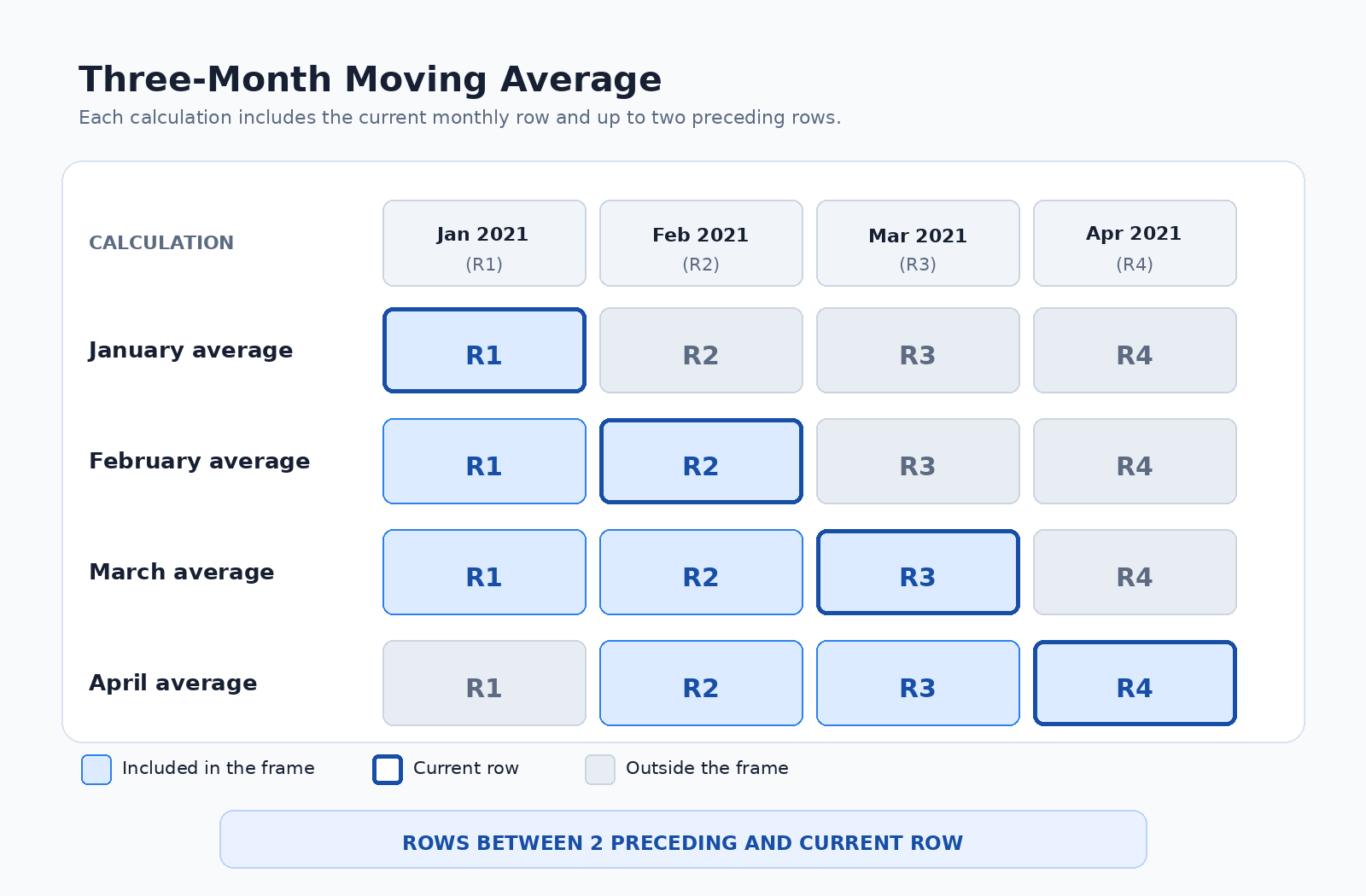
AVG uses the rows that are available. It does not wait until two preceding rows exist, and it does not remove January or February. Since the dataset contains every month in the 36-month timeline, each preceding row corresponds to the preceding calendar month. The window adds a value beside each row, so the report continues to return one row for every represented month.
Make the Window Definition and Report Reliable
An explicit frame makes the intention clear. In MySQL, an ordered aggregate window without a frame uses RANGE BETWEEN UNBOUNDED PRECEDING AND CURRENT ROW. That default is cumulative, not a fixed three-row window. RANGE also groups rows with equal ordering values as peers. Although month_start is unique after monthly grouping, writing ROWS BETWEEN 2 PRECEDING AND CURRENT ROW clearly defines the required moving calculation.
For the completed report, we do not need to filter the window result, so the simpler one-CTE version is appropriate. We also round values only in the final SELECT, which keeps full precision during the calculation.
The CTE establishes the monthly row grain. The window calculates the average from the current row and up to two preceding rows. The ROUND functions control display precision without changing the values used by AVG. The aliases match the completed report, and ORDER BY month_start produces deterministic chronological output because each month appears once.
Conclusion and Next Steps
Today, we reused the monthly_sales CTE to prepare one order value per month, then applied AVG with ORDER BY month_start to create a chronological moving calculation. The explicit frame, ROWS BETWEEN 2 PRECEDING AND CURRENT ROW, includes the current month and up to two preceding monthly rows.
We also saw why the first two months remain visible as partial windows, why ROWS is safer than relying on the default RANGE frame, and how to filter a window result through an outer CTE when filtering is necessary. This is the final lesson in Window Functions Fundamentals, and you have now worked with overall, partitioned, cumulative, and moving window metrics.
In the practice section, we will inspect the starter customer report, replace it with monthly order value, add the explicit frame, and complete the deterministic 36-row report as your final step toward finishing the course with confidence.
