Updating and Reusing Variables
Introduction
Welcome back to Storing Data in Python Variables. You are currently in Unit 3 of 4, which means you have already passed the halfway point of the course.
In the previous lesson, we saw that using a variable inside an expression only reads its value; it never changes the data the variable holds. While that provides a useful safety net, in real-world programs, we constantly need to update variables as new information arrives: a score increases, a balance decreases, or a counter increments. In this lesson, we will focus on three closely related concepts:
- reassigning a variable so that it holds a brand-new value,
- understanding why
=signifies "assignment" rather than "equality," - using
+=and-=as shortcuts for common updates.
Reassigning a Variable to a New Value
A variable is not restricted to the initial value assigned to it. We can reassign it a new value at any time by using = with the same name on the left. Let's begin with a simple game-score example:
This creates score and stores 0 in it, then prints a starting message. Here is what appears in the output so far:
If we later wrote score = 100, the variable score would immediately discard 0 and store 100 instead. A variable always retains only its most recent value; the previous one is removed and replaced by whatever was most recently assigned.
Why = Means Assignment, Not Equality
Before we proceed, we must pause to consider one of the most significant mental shifts in programming. In mathematics, = indicates that two sides are equal. In Python, = has a different meaning: "evaluate the right side first, then store the result in the name on the left."
The order is crucial:
- Python evaluates the expression on the right side of
=to produce a single value. - Python takes that value and stores it in the variable named on the left.
Thus, = is a one-way operation, not a symmetric statement. This is why writing an expression like score = score + 10 is perfectly valid in Python, even though it would appear nonsensical as a mathematical equation. Keep this "right side first, then store" rule in mind for the next section.
Updating a Variable from Its Current Value
Now, let's apply that rule to increase our score. We want to add a bonus of 10 points to whatever score currently holds:
Interpreting this line from a Python perspective involves three steps:
- Retrieve the current value of
score, which is0. - Calculate
0 + 10, resulting in10. - Store that
10back intoscore, replacing the old0.
This trace diagram shows the read-compute-store sequence for that line:
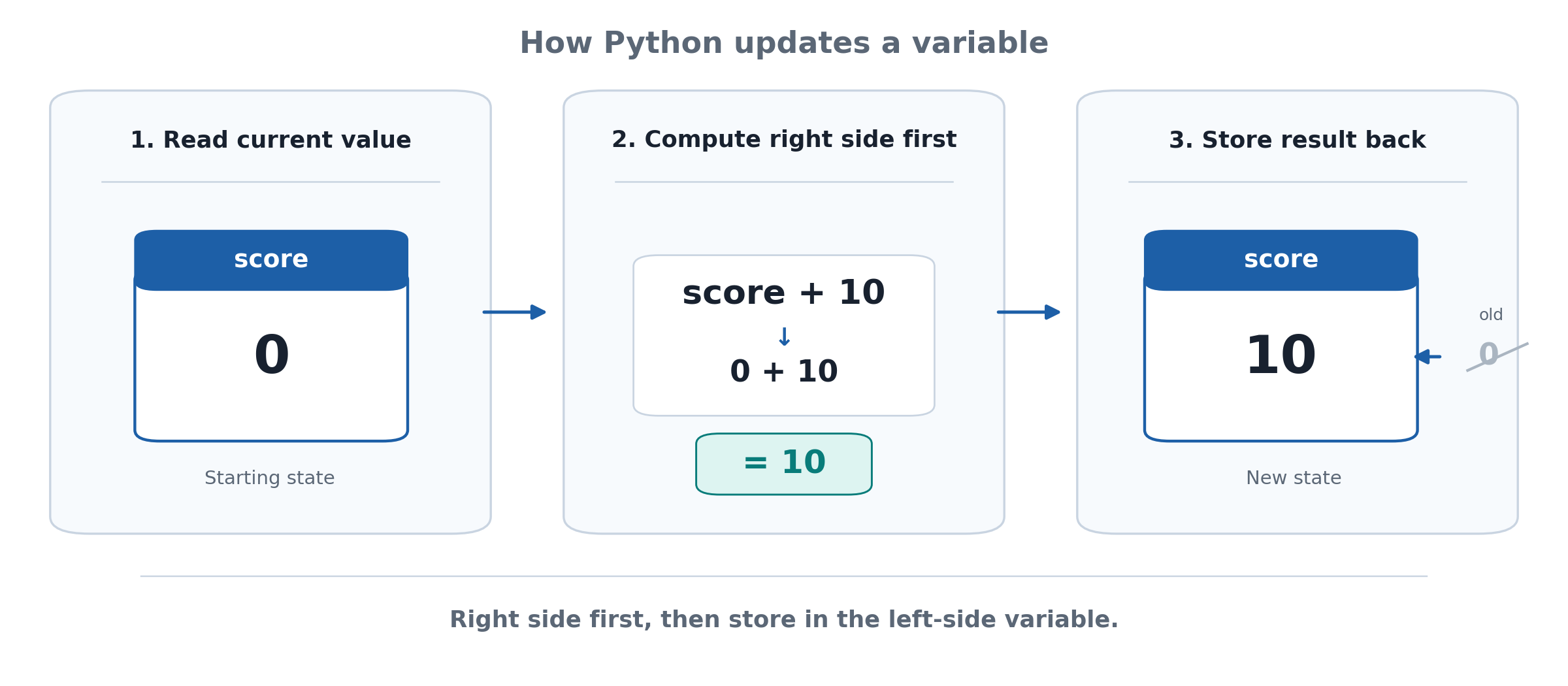
This is not a mathematical equation claiming that score equals score + 10; rather, it is a sequence of "read, compute, and store." The print() call then confirms the new value:
Shorthand Updates with += and -=
Updating a variable based on its own value is so common that Python provides a more concise syntax: compound assignment operators. The line score += 5 performs the same action as score = score + 5, but with less typing. Similarly, score -= 3 is shorthand for score = score - 3.
Starting with score = 10, the += 5 operator increases the value to 15, and the -= 3 operator subsequently decreases it to 12. Each print() call reports the running total immediately after the update:
Under the hood, the read-compute-store pattern remains exactly the same; we have simply written it more compactly.
Tracing the Complete Program
Let's combine these elements and track the value of score from the beginning to the end of the full program:
Running this script produces four lines, one for each print() call:
Trace each line back to its respective update: score starts at 0, grows to 10 via a self-referencing assignment, climbs to 15 with +=, and finally settles at 12 after -=. It is the same variable, but it holds four different values throughout its lifetime.
Conclusion and Next Steps
In this lesson, we have unlocked the ability to change the value a variable holds over time. We observed that reassignment replaces an old value with a new one and that = always means "evaluate the right side, then store," which is why score = score + 10 is logically sound. Additionally, we learned that += and -= provide a tidy shortcut for the common "update in place" pattern. In the next unit, we will explore how to convert values between text and numbers to ensure data flows smoothly between calculations and messages.
Now, it is your turn to head over to the CodeSignal IDE and put these updates into practice; each exercise is an opportunity to watch a variable change before your eyes. Have fun leveling up your score, and I will see you in the practice section!
