Converting Text and Numbers
Introduction
Welcome back to Storing Data in Python Variables. You have reached Unit 4 of 4: This is the final lesson of the course, and you should be proud of the progress you have made.
So far, we have created variables, used them in expressions, and updated them over time. Along the way, we relied on the fact that Python distinguishes between int, float, and str values. However, here is a question worth pausing on: What happens when a value looks like a number, yet Python actually treats it as text? In this lesson, we will answer that question and learn how to convert values between types so that data flows smoothly between calculations and messages, using three built-in tools: int(), float(), and str().
When Text Looks Like a Number
Two values can appear identical when printed and still belong to entirely different types. The quotation marks around a value are the crucial signal to Python: With quotes, we get a string; without quotes, we get a number. Let's confirm that with type(), which you may recall from an earlier course:
Both lines display 42 on the left, but the type() call reveals their true identities:
This side-by-side view makes the difference easier to notice:
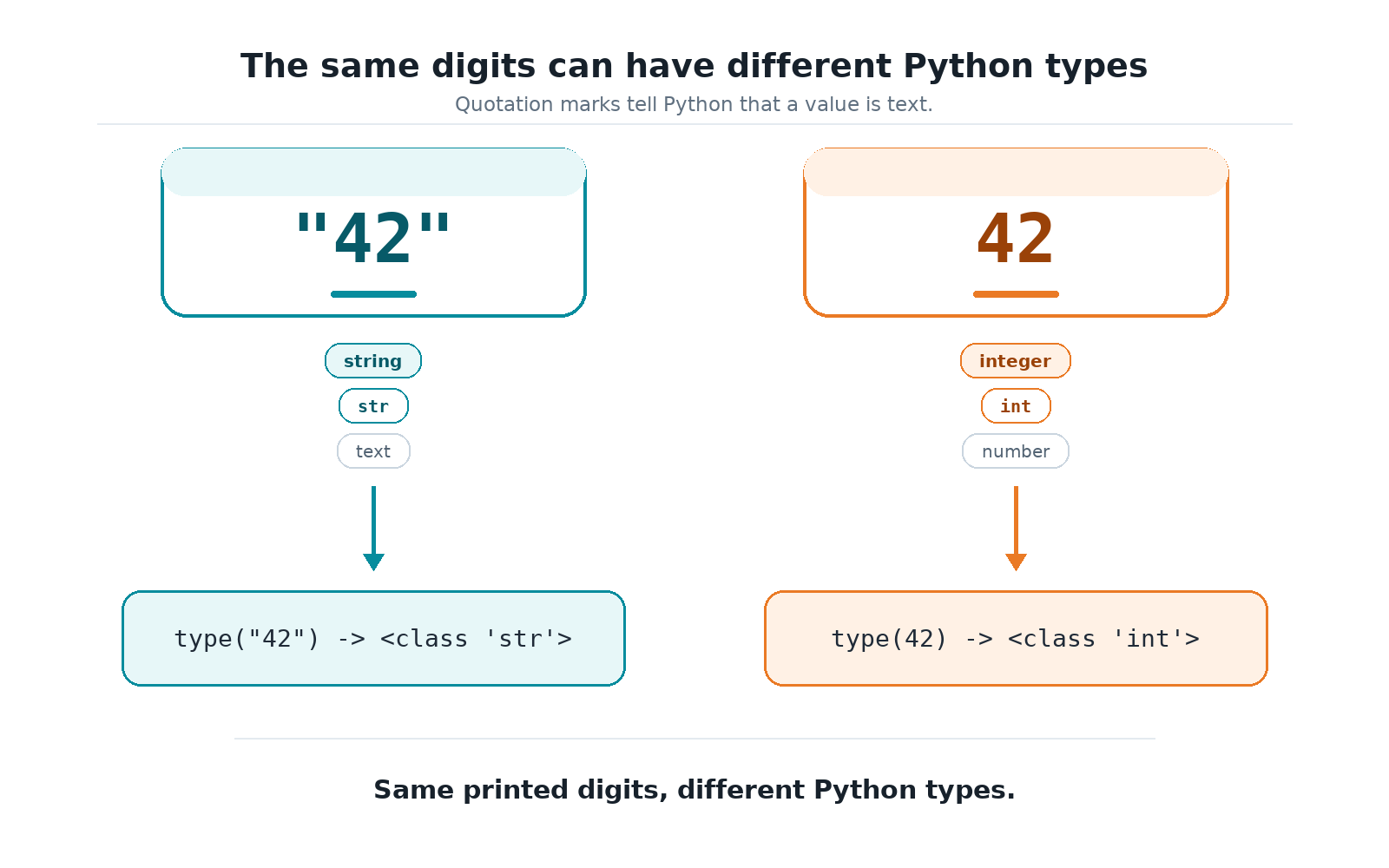
The first 42 is a string (str), a piece of text that just happens to contain digit characters. The second 42 is an integer (int), a real numeric value that Python can add, subtract, or multiply. This difference matters because you cannot do numeric arithmetic on the string version, such as adding 1 to "42".
Converting Text to an Integer with int()
Once we recognize that "42" and 42 are different, the next question becomes: How do we turn one into the other? Python provides a built-in function called int() that takes a numeric string and returns a real integer. This is essential whenever text needs to participate in a calculation:
Let's trace what happens on each line:
age_text = "30"stores the string"30", which contains digits wrapped in quotes.age = int(age_text)converts that string into the integer30and stores it inage.age + 1now works as expected because we are adding two integers, producing31.
The resulting output confirms the calculation:
Converting a Number to Text with str()
Conversion also works in the opposite direction. The str() function takes a number and returns its text form. We need this whenever we want to build a message using the + operator, because + requires both sides to be strings; mixing a string and a raw number would cause an error.
Here, total starts as the integer 42. Wrapping it in str(total) produces the string "42", which can then be joined to "Your total is " using +. The two pieces of text combine into a single string, which we store in message and then print:
Without the str() call, Python would refuse to join text with a number, so this small conversion is what makes the complete message possible.
We are using + here specifically to demonstrate why str() conversion matters. In real Python code, you will often use f-strings for cleaner messages.
Converting Text to a Decimal with float()
Not every numeric string represents a whole number. When the text contains a decimal point, int() is no longer the right tool; we need float() instead. This function turns a string like "3.99" into a real decimal number that supports arithmetic:
The call float("3.99") reads the characters 3, ., 9, 9 and produces the floating-point value 3.99, which is then stored in price. When we print it, Python displays the number without quotation marks since it is no longer text:
As a rule of thumb, reach for int() when the text represents a whole number, and reach for float() when it has a fractional part.
What Happens When a Conversion Fails
Python does not guess or round when converting text to numbers; the input must match the expected format exactly. If it does not, Python raises a ValueError and stops the program. A few situations trigger this failure:
int("hello")fails because the text is not numeric at all.float("hello")fails for the same reason.int("3.99")also fails becauseint()expects a whole number and refuses to silently drop the decimal part.
Interestingly, float("3.99") works perfectly, and even float("42") succeeds (returning 42.0), because a decimal number can naturally represent a whole one. The lesson to take away is simple: Before converting, we should be confident that the text actually looks like the kind of number we are asking for.
Conclusion and Next Steps
Excellent work! In this lesson, we learned that a value's appearance can be deceiving: "42" and 42 look the same but belong to different types. We then met three tools that let us move between those types: int() for whole-number text, float() for decimal text, and str() for turning numbers into text so they can be joined into messages. We also saw that Python is strict about invalid conversions, refusing to guess when the input does not match.
With this final lesson, you have learned all the core ideas in Storing Data in Python Variables. Now, complete the upcoming practice exercises in the CodeSignal IDE to finish the course on a high note.
