Evaluating Trained Model Performance
Introduction & Lesson Overview
Welcome back! You have already accomplished a lot in your machine learning journey. So far, we have revisited how to explore and prepare data, train a linear regression model, and save our trained model for future use. In this lesson, we will take the next important step: evaluating our trained model’s performance on new, unseen data — the test set.
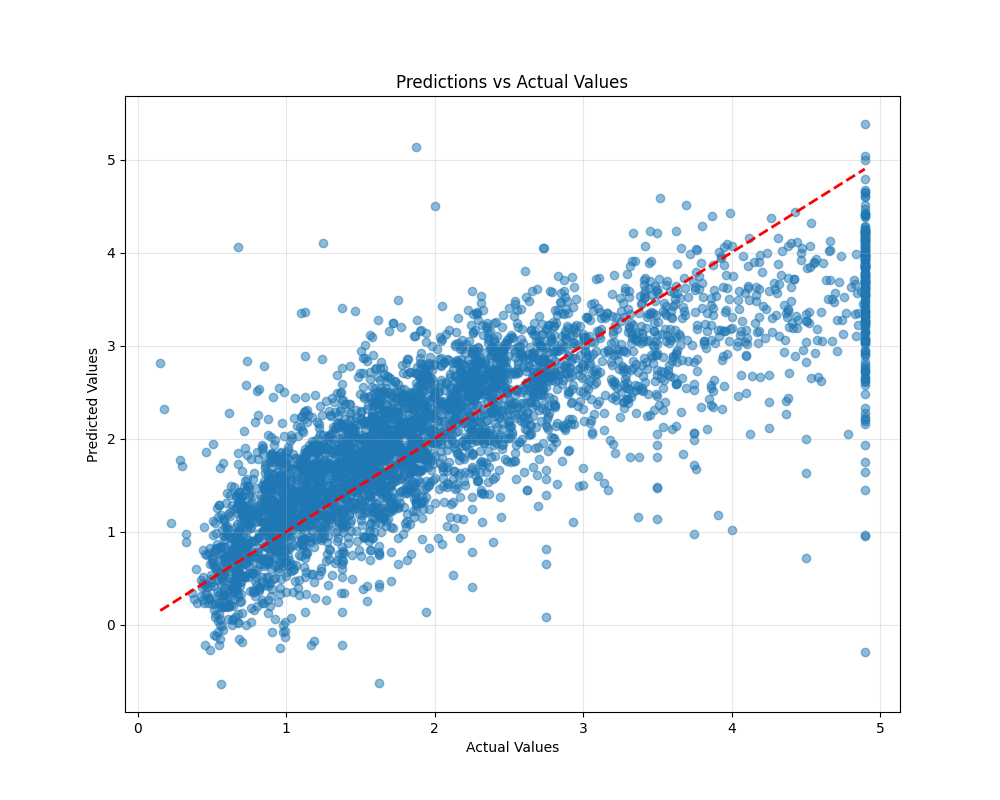
Evaluating our model on test data is crucial because it tells us how well our model is likely to perform in the real world, not just on the data it has already seen. By the end of this lesson, you will know how to load our test data and trained model, make predictions on the test set, calculate key evaluation metrics, and visualize our model’s performance. These skills are essential for any machine learning practitioner and will help you build models that generalize well to new situations.
Loading Test Data and the Trained Model
The first thing we need to do is load the test data and the trained model. The test data contains the same features as the training data, and the target variable is still MedHouseVal. To use our trained model, we will load it from the file where we saved it using the joblib library.
Here is how we can do this:
In this code, we first load the test data and separate the features (X_test) from the target variable (y_test). Then, we load the trained model from the file trained_model.joblib. This prepares us to make predictions on new data.
Making Predictions on Test Data
With the test data and trained model loaded, we are ready to make predictions. This is a key moment: we are now using our model to predict house values for data it has never seen before. This step shows how our model might perform in real-world scenarios.
To make predictions, we simply call the predict method of our model and pass in the test features. Here is how we do it:
After running this code, y_pred will contain the predicted median house values for each sample in the test set. This is the first time our model is being tested on truly unseen data, which is why this step is so important.