Naming Function Arguments
Introduction: Naming Arguments at the Call Site
Welcome back to Passing Data into Python Functions! We are now in the third of four units, and we arrive here with an unresolved worry. The previous unit ended with a warning: positional binding is completely silent, so swapping two arguments produces a confident, well-formatted, wrong answer.
Python offers a direct fix for that worry: at the call site, we may write name=value so that each argument announces where it belongs. In this unit, we will:
- pass arguments by name instead of by position;
- reorder those named pairs freely, with no change in behavior;
- mix both styles in a single call, legally.
Our running example is a function called describe_book, which is called three times in three different styles. Here is exactly what the finished script prints:
The Function We Will Call Three Ways
Everything in this lesson happens at the call site, so let us first pin down the definition and then leave it alone:
This is an ordinary three-parameter header, exactly the kind we built in the previous unit: three comma-separated placeholders inside the parentheses, a colon, and an indented body. For the ordinary positional-or-keyword parameters used in this course, nothing in the definition opts into or forbids keyword arguments. Python also supports positional-only (/) and keyword-only (*) parameters, which are outside this course.
That is the key idea to carry through the whole lesson: for the ordinary positional-or-keyword parameters used in this course, the caller may choose positional or keyword syntax. This single unchanged header will serve a positional call, a fully named call, and a mixed call without a character of difference.
Reading the Body: Two Ways of Building One Line
The body is one line, but it quietly uses two different techniques to join text, so it deserves a slow read:
The first three items, title, "by", and author, are separate comma-separated values handed to print. As we saw earlier in the course, print converts each value for display and inserts a space between them, so no conversion is needed there. The final item is different: "(" + str(year) + ")" is a single value built with +, and + refuses to join a string to an integer. That is why str(year) appears here, and only here.
For the values "Dune", "Herbert", and 1965, the pieces map onto the output like this:
The Positional Call: A Quick Recap
With the definition stored, the first call uses the style we already know:
Python matches arguments from left to right: "Dune" fills title, "Herbert" fills author, and 1965 fills year. The body then runs once with those three bindings in effect and prints:
The result is correct, yet notice a reader's-eye complaint about this line: nothing in the call itself says what those three values mean. To confirm that "Dune" is the title and not the author, we have to scroll up and read the header.
Keyword Arguments: Binding by Name
A keyword argument addresses that complaint by writing the parameter name directly in the call, followed by = and the value:
Look closely at the order: author= is written first, even though author is the second parameter in the header. The value still lands in author because a keyword argument binds by the name on the left of =, not by where it sits in the call. Fully keyword calls free us from remembering parameter order, while mixed calls still require their positional prefix to match declaration order. Shuffling the pairs in a fully named call, as in describe_book(year=1968, author="Le Guin", title="A Wizard of Earthsea"), produces a byte-for-byte identical line:
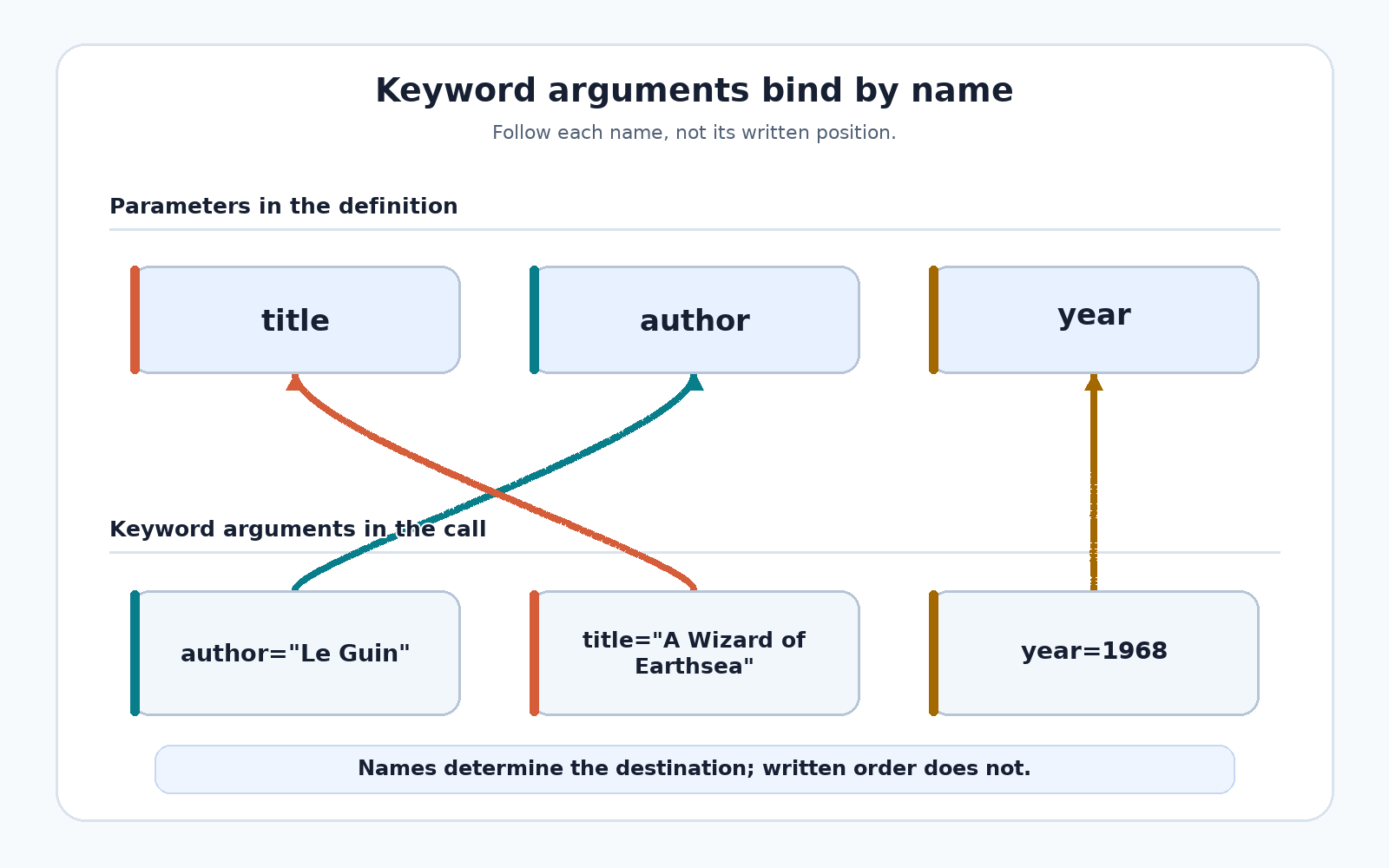
Two clarifications are worth stating now: the name on the left must match a parameter in the header exactly, and this = is argument binding, not the creation of a new variable in our script.
Mixed Calls and the Ordering Rule
The two styles can also share one call. The third call passes the title positionally and names the rest:
"Neuromancer" is still counted by position, so it fills the first parameter, title; author and year are then filled by name. This is a common, readable compromise. It comes with one firm rule, though: every positional argument must appear before the first keyword argument. Breaking this rule looks like this:
Python call syntax requires positional arguments to precede keyword arguments — this is a grammar rule, not a runtime ambiguity about where a value belongs. Because this is a SyntaxError, nothing in the file runs, not even the perfectly correct calls written above it.
Two Errors Keyword Arguments Can Raise
Two more mistakes are worth recognizing before we practice, since both stop the program with a clear message:
- An unknown name.
describe_book(auther="Asimov", title="Foundation", year=1951)raisesTypeError: describe_book() got an unexpected keyword argument 'auther'because no parameter is spelledauther. - A parameter filled twice.
describe_book("Kindred", title="Kindred", year=1979)raisesTypeError: describe_book() got multiple values for argument 'title'because both the position and the name claimtitle.
These messages are good news, and they explain why naming arguments is worth the extra typing. A wrong name is caught the moment we run the file, while a wrong order, as we saw in the previous unit, runs happily and prints nonsense.
The Complete Script and Its Output
Here is the finished file: one definition, followed by three bare calls at the module level, each with a short comment naming its style.
Python stores the definition, then runs the calls from top to bottom, so one body produces three lines:
The style of a call changes nothing about its result; only the supplied values do. In practice, pass the obvious leading values positionally, and name any value whose meaning would otherwise be unclear at the call site.
Conclusion and Next Steps
Let us collect the four rules of this unit:
- Positional arguments bind from left to right.
- Fully keyword calls free us from remembering parameter order, while mixed calls still require their positional prefix to match declaration order.
- All positional arguments must come before any keyword argument.
- A keyword name must match a parameter in the header exactly.
In the practices ahead, we will read the finished script and shuffle its keyword pairs to confirm the naming rule, rewrite a positional call as a fully named one, deliberately break and then repair a positional-after-keyword call, and finally write mixed calls for describe_book alongside a second function of our own. After that, the last unit of the course gives parameters default values, so some arguments become entirely optional. Let us start naming those arguments!
