Understanding LLM as a Next Word Predictor
Introduction
Welcome to the first lesson of our course on prompt engineering for educators. This course is dedicated to using the power of Large Language Models (LLMs) for education. In this lesson, we will explore the foundational concept of how LLMs function as next-word predictors. Understanding this principle is crucial as it forms the basis for crafting effective prompts, which we will delve into in subsequent lessons.
Understanding LLMs and Their Functionality
LLMs are advanced AI systems designed to understand and generate human-like text. At their core, LLMs function by predicting the next word in a sequence based on the context provided. This ability to predict the next word is what enables LLMs to generate coherent and contextually relevant text.
For example, if you input the phrase "A bottle of," an LLM might predict the next word to be "water," "wine," or "juice," depending on the context and the data it has been trained on. This prediction is based on statistical models that analyze vast amounts of text data to determine the most likely word to follow.
The Principle of Next-Word Prediction
The core principle of LLMs is their ability to predict the next word in a sequence. Let's break down how this works step-by-step:
-
Contextual Analysis: The
LLManalyzes the input text to understand the context. For instance, with the input "A bottle of," the model considers the words and their order. -
Statistical Modeling: The
LLMuses statistical models to evaluate possible next words. It calculates the probability of each potential word based on its training data. -
Word Prediction: The
LLMselects the word with the highest probability as the next word. In our example, it might choose "water" if that is the most common continuation in its training data.
By predicting one word at a time, LLMs can generate entire sentences and paragraphs that are coherent and contextually appropriate.
Constraints and Prompt Design
When crafting prompts for LLMs, it's important to include constraints to guide the model's output. Constraints help ensure that the LLM's response aligns with your expectations.
For example, if you want the LLM to respond with a single word, you can specify this constraint in your prompt:
In this prompt, the constraint "Answer with just a single word" directs the LLM to provide a concise response, such as "water" or "wine." By setting clear constraints, you can influence the LLM's output to better meet your needs.
Environment: Basics
During practice exercises, you will work with ChatCPT – an application that allows you to chat with an LLM. The interface is straightforward: just send a message in the input field and get a response.
Note:
Entersends a messageShift + Enteradds a newline to the text message
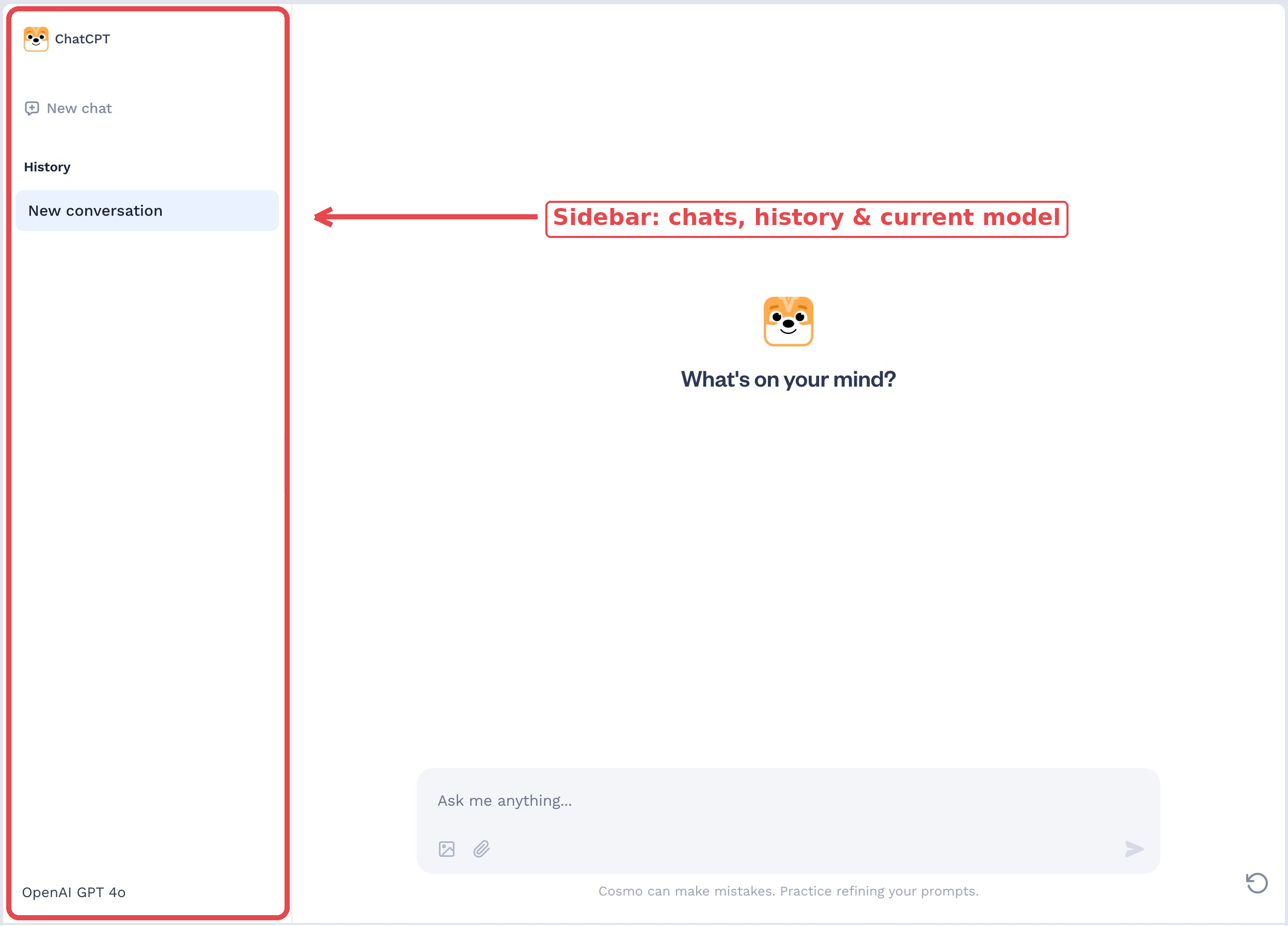
On the left side of the screen, you'll find a sidebar with your chats and the current model:
Environment: Reset
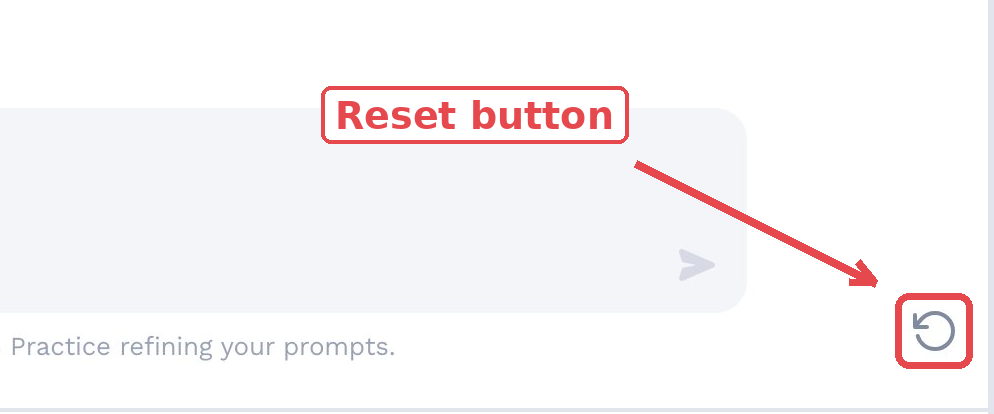
If anything goes wrong or you want to restart the practice, use the reset button in the bottom right corner.
Environment: Chats
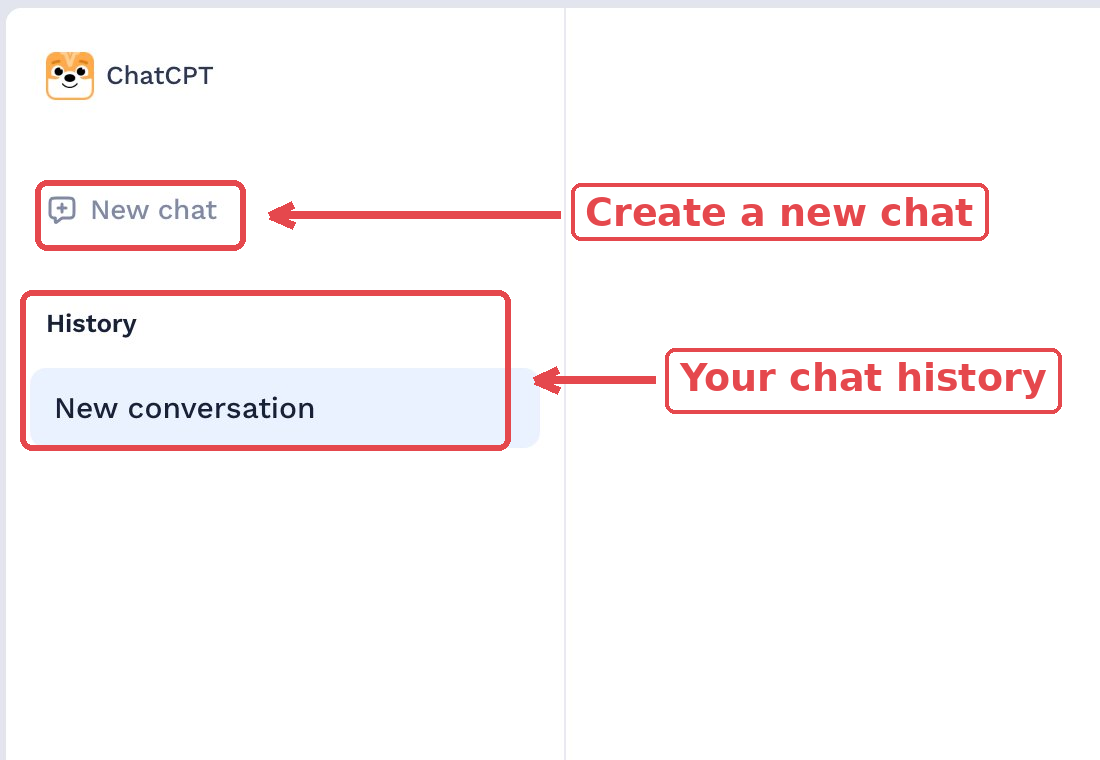
In the sidebar, you can see your chat history under History and create a new chat with the New chat button. Note: Cosmo will evaluate the entire chat history when checking your solution, paying close attention to the latest chat.
Environment: Manage
You can delete a chat using the trash icon that appears when you hover over its name in the sidebar.
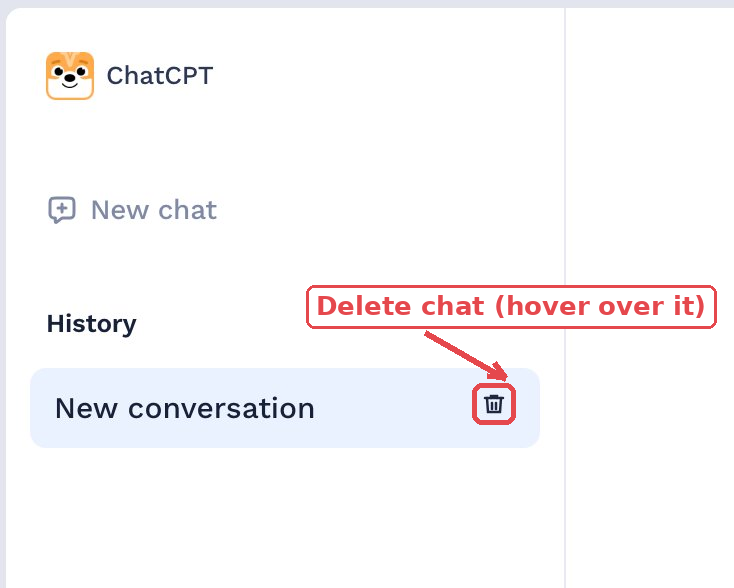
You can use it to delete chats where you experimented with prompts or received intermediate results, so Cosmo doesn't take them into account.
Summary and Preparation for Practice
In this lesson, we explored how LLMs function as next-word predictors, a fundamental concept in understanding how these models generate text. We discussed the importance of context, statistical modeling, and constraints in guiding LLMs to produce desired outputs.
As you move on to the practice exercises, remember the key points from this lesson. You'll have the opportunity to apply these concepts by crafting prompts that effectively guide LLMs to achieve specific outcomes. This hands-on practice will reinforce your understanding and prepare you for more advanced prompt engineering techniques in future lessons.
