Auditing Homebrew Installations
Introduction: From Installing to Auditing
Welcome back to Homebrew and Your zsh Environment. We are now on Unit 2 of six, and the previous unit left us with exactly one thing: a wget command that runs. That is a fine start, but no machine stays that simple. Over a few months, a working Mac collects a dozen tools, half of which arrived as dependencies of something else, and the questions change.
This unit answers three maintenance questions:
- What does Homebrew manage on this machine?
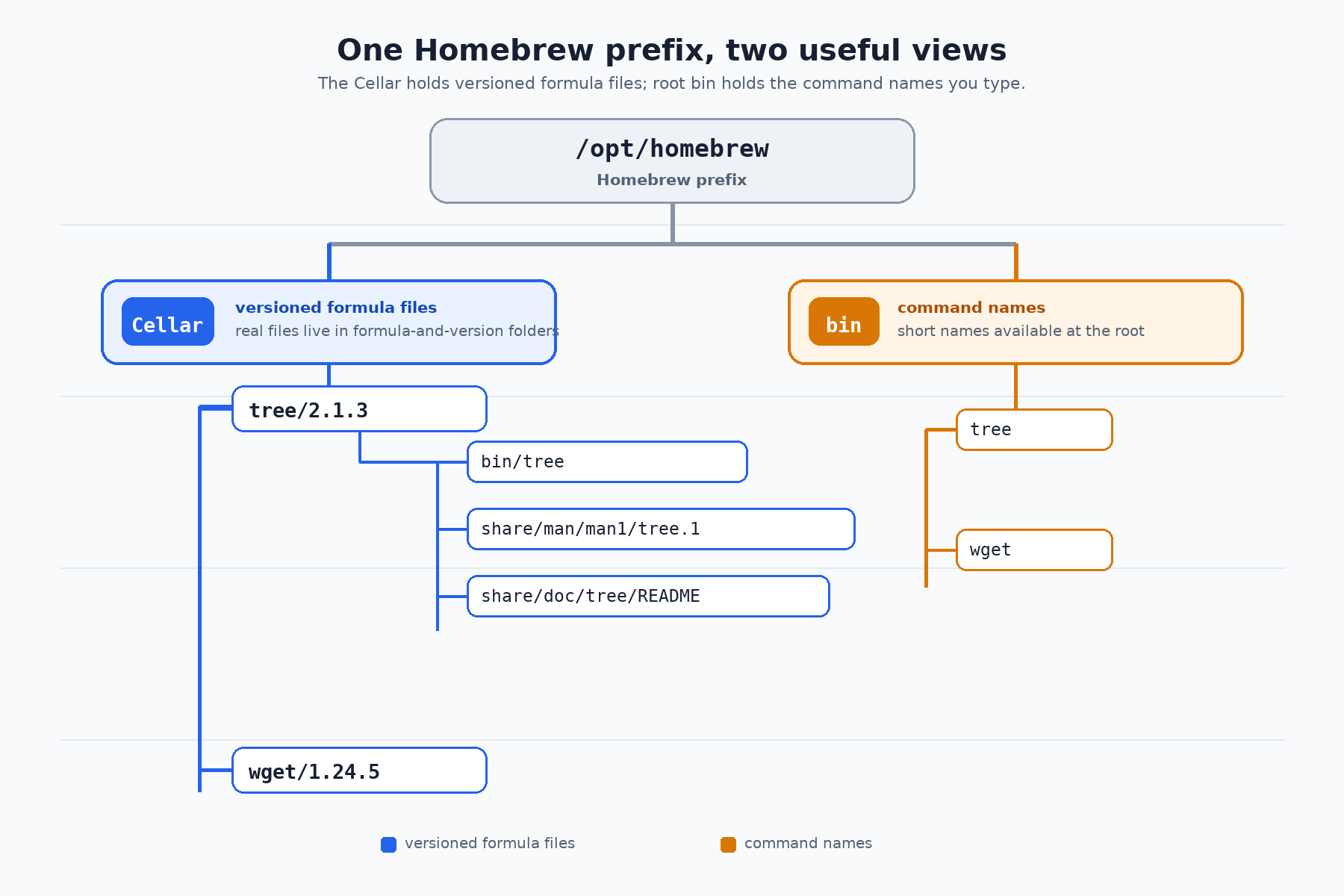
- Where did those files actually go?
- How do we keep them current, or remove one safely?
Auditing is something you do interactively: you type one command, read what comes back, and let the answer decide the next question. So every command below is meant to be typed into the Terminal on its own, one at a time. Almost all of them are read-only, which is what makes this safe to do at any moment. The inspect-first habit from earlier courses carries straight over: we look before we touch.
Formula contents, versions, dependencies, and the first few names returned by directory listings change as Homebrew is revised. The outputs below are illustrative snapshots; focus on the command's output structure and derive live locations from Homebrew rather than assuming a particular version or platform path.
Setting Up Something to Audit: Two Installed Formulae
An inventory of one item teaches nothing, so let us make sure two formulae are present before we start asking questions.
wgetis likely already installed from the previous unit, and, as we saw there, re-runningbrew installon an installed formula is harmless: Homebrew simply reports that it is already up to date.treeis our second target, a small tool that prints a directory as an indented tree. It is a good audit subject precisely because it is tiny, so its file list stays readable.
These two installs are stage-setting, not the subject of the lesson. They are also the only commands in this unit that change anything on the machine.
Taking Inventory With brew list
With two formulae on disk, we can ask the broadest question available: What is Homebrew responsible for here?
brew list with no argument prints the names of everything Homebrew manages, arranged in columns or one per line depending on the terminal width. On a machine that also has casks installed, those appear too, grouped under their own heading. When we specifically mean formulae, we say so:
We asked for two formulae, yet five names appear. The extras are dependencies Homebrew installed on our behalf: the same libidn2 and openssl@3 that brew info wget warned us about in Unit 1. This command only reads, so it is safe to run at any time, and earlier skills compose with it naturally, right there at the prompt:
The first counts managed formulae; the second checks for one by name.