Rounding Calculator Approximations
Introduction
Welcome back to Estimating and Comparing Real Numbers! We are now on the second lesson of this course, and you are building momentum nicely. In the previous lesson, we learned how to approximate irrational square roots by hand using the trial squaring method. That technique gave us a solid understanding of how decimal approximations are constructed, one careful step at a time.
In this lesson, we shift to a faster and more common scenario: a calculator has already done the heavy lifting and is showing us a long string of digits. Our job is to round that display to a specific precision, whether that is the nearest tenth, hundredth, or thousandth. This is a skill that shows up constantly in math courses, science labs, and everyday life, so let's make sure we can do it confidently.
From Building Decimals to Reading Them
Trial squaring, as we saw in Lesson 1, requires several rounds of squaring candidates and comparing gaps just to pin down two or three decimal places. That process is valuable because it shows us why the digits are what they are. In practice, though, we rarely need to construct those digits ourselves. A calculator, phone, or computer can produce ten or more decimal places of , , or in an instant.
So the challenge moves from finding the digits to interpreting them correctly. When a problem says "give your answer to the nearest hundredth," we need to read the calculator's output and deliver exactly the right number of decimal places, properly rounded. That is what this lesson is all about.
Precision Levels: Tenths, Hundredths, and Thousandths
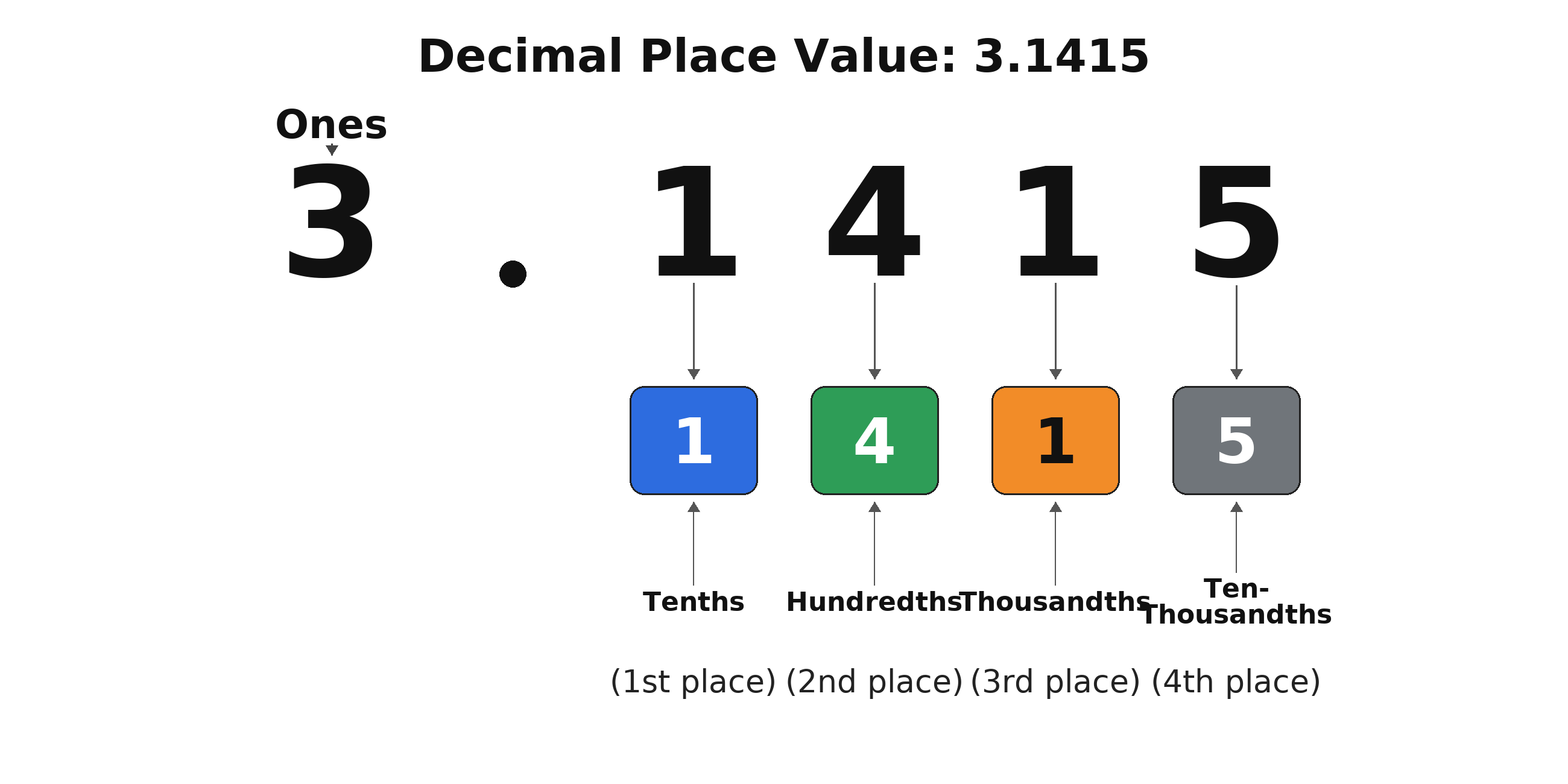
Before rounding anything, let's make sure the vocabulary is clear. Each decimal place has a specific name based on its position after the decimal point:
| Position | Name | Example digit in |
|---|---|---|
| 1st decimal place | Tenths | |
| 2nd decimal place | Hundredths | |
| 3rd decimal place | Thousandths |
When someone asks for a value "to the nearest tenth," they want one digit after the decimal point. "To the nearest hundredth" means two digits, and "to the nearest thousandth" means three digits. Keeping this mapping straight is half the battle.
The Rounding Rule
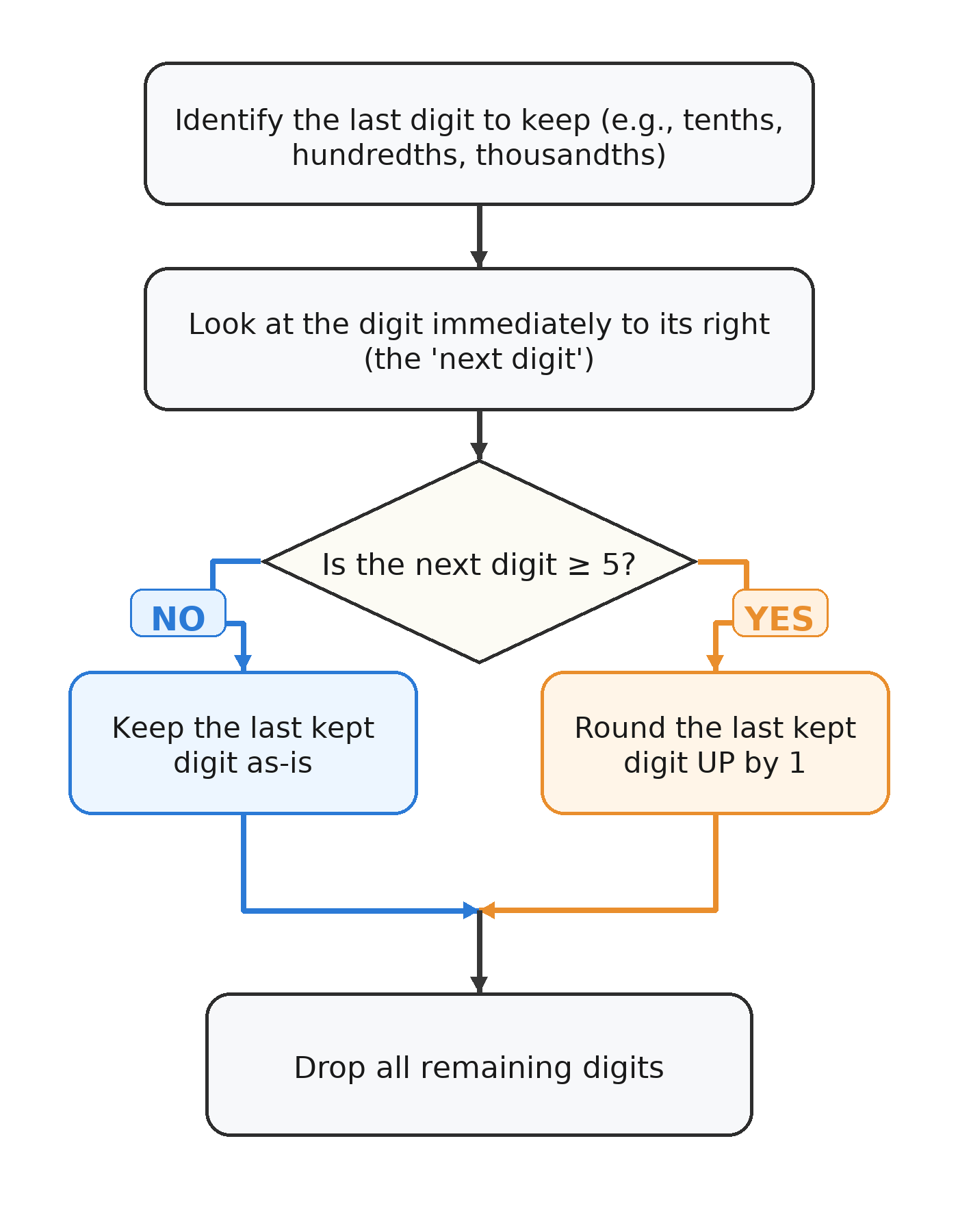
Rounding a long decimal to a target precision follows one simple rule. Look at the digit immediately after the last digit you want to keep:
- If that digit is 5 or greater, round the last kept digit up by one.
- If that digit is less than 5, leave the last kept digit as it is.
For example, suppose a calculator shows and we need the value to the nearest hundredth. The hundredths digit is (the second decimal place), and the digit right after it is . Since , we round the up to , giving us .
Here is rounded to all three common precisions:
| Precision | Digits kept | Next digit | Rounded result |
|---|---|---|---|
| Tenths | (less than 5) | ||
| Hundredths | (5 or greater) | ||
| Thousandths | (5 or greater) |
When you round a 9 up, it becomes a 0 and you carry the 1 over to the next place value on the left.
For example, consider rounding to the nearest hundredth:
- The hundredths digit is
9. - The next digit is
6( or greater), so we round up. - The
9becomes10, so the hundredths digit becomes0and the tenths digit increases by (becoming2). - Result:
Worked Example: Rounding Pi
Let's practice with a constant we encountered in earlier courses. A calculator shows:
To the nearest tenth: We keep one decimal place. The tenths digit is , and the next digit is . Since , we keep the .
To the nearest hundredth: We keep two decimal places. The hundredths digit is , and the next digit is . Since , we keep the .
To the nearest thousandth: We keep three decimal places. The thousandths digit is , and the next digit is . Since , we round the up to .
Worked Example: Rounding e
Another important irrational constant is Euler's number, . A calculator displays:
Let's round it to each precision:
- Tenths: The tenths digit is , and the next digit is . Since , we keep . Result: .
- Hundredths: The hundredths digit is , and the next digit is . Since , we round up. Result: .
- Thousandths: The thousandths digit is , and the next digit is . Since , we keep . Result: .
Applying Rounding to a Real-World Measurement
Imagine we are shopping for a TV and want to know its diagonal screen length. The screen measures inches across and inches tall, so by the Pythagorean theorem the diagonal is:
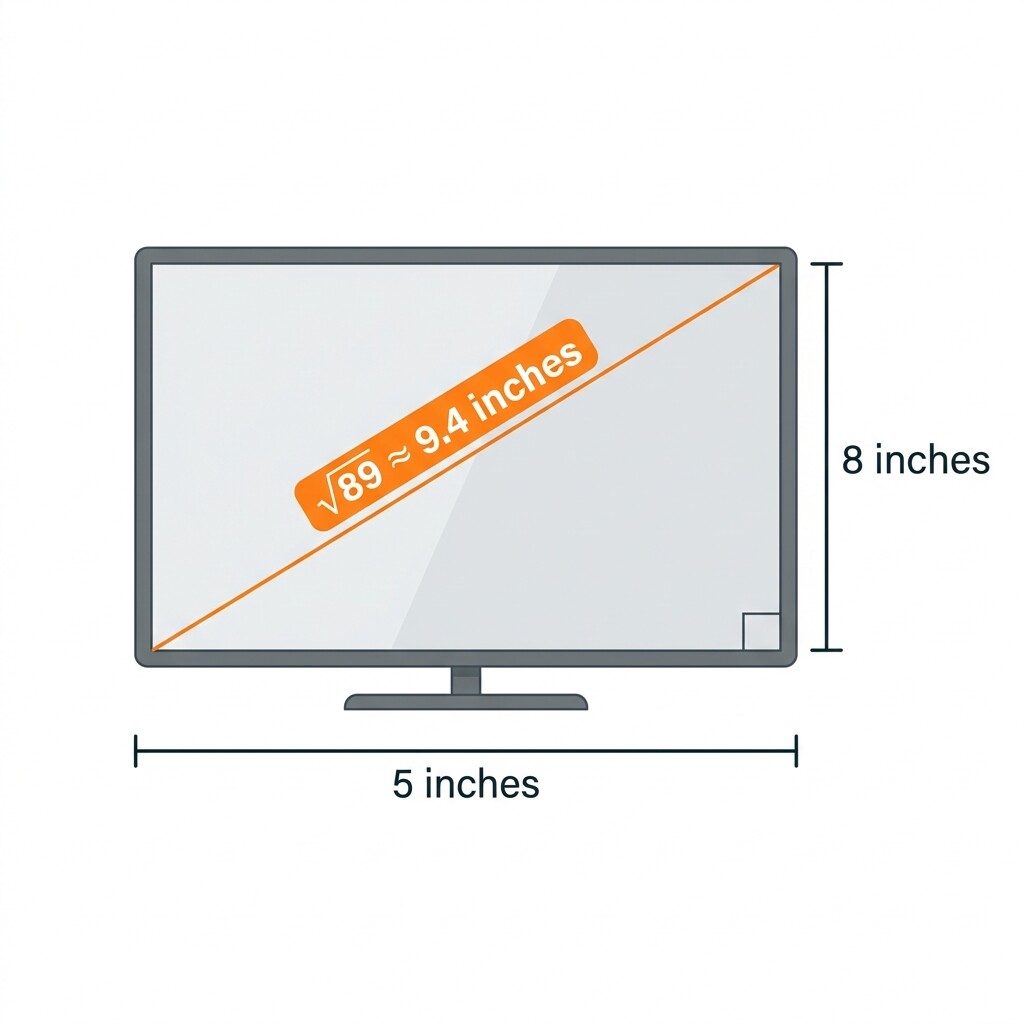
A calculator shows inches. A product listing would most likely round this to the nearest tenth. The tenths digit is , and the next digit is . Since , we leave the as it is:
Common Mistakes to Avoid
A few errors come up frequently when rounding calculator displays. Being aware of them now will save you trouble in the practice exercises and beyond.
- Rounding in stages. Never round to thousandths first and then use that result to round to hundredths. Always go back to the full calculator display for each requested precision. Rounding in stages can produce a different, incorrect answer.
- Confusing decimal places with significant figures. "To the nearest hundredth" means exactly two digits after the decimal point, regardless of how many digits appear before it.
- Dropping trailing zeros. If rounding to the nearest hundredth gives , both zeros must stay. Writing just changes the implied precision of the result.
Conclusion and Next Steps
In this lesson, we moved from the manual process of trial squaring to the quicker, everyday skill of reading a calculator display and rounding to a target precision. The method is straightforward: identify the last digit you need to keep, check the digit right after it, and decide whether to round up or stay put. We also looked at the special case of rounding a 9 and how it affects the digits to the left.
Now it is time to put this skill to the test! The upcoming practice exercises will have you reading a calculator display of and filling in rounded values at multiple precisions, rounding and on your own, and applying your rounding ability to a realistic TV screen measurement. Let's see how sharp those rounding instincts are!
