Leveraging Search Advertising
Welcome to the Course
As a Digital Marketing Manager, you're expected to put budget on the right platform for the right goal, not just the platform you know best. This course walks the major advertising channels: search, social, display, native, shopping, and programmatic, so you can match each to the objective and audience it actually serves. Get this right and you stop guessing where spend belongs; get it wrong and you burn budget on the wrong stage of the funnel.
By the end of this course, you'll be able to:
- Explain how Google Ads' keyword-based auction connects ads to active search intent
- Select high-intent keywords and match types that keep spend on ready-to-buy searchers
- Match each social platform to the audience and objective it serves best
- Distinguish display, rich media, responsive, and native formats by their funnel purpose
- Recommend programmatic versus direct buying for a defined campaign scenario
- Choose the right platform and buying approach for any campaign goal
This first unit starts with search advertising: the channel that captures demand at the exact moment someone is looking.
How Google Ads' Keyword Auction Connects Ads to Search Intent
Start with the mindset shift that makes search different: you aren't interrupting someone to create interest. You're showing up when they've already raised their hand. The Google Ads Search Basics hold that keywords connect your ad to a searcher's intent, and an auction decides which eligible ads appear and in what order.
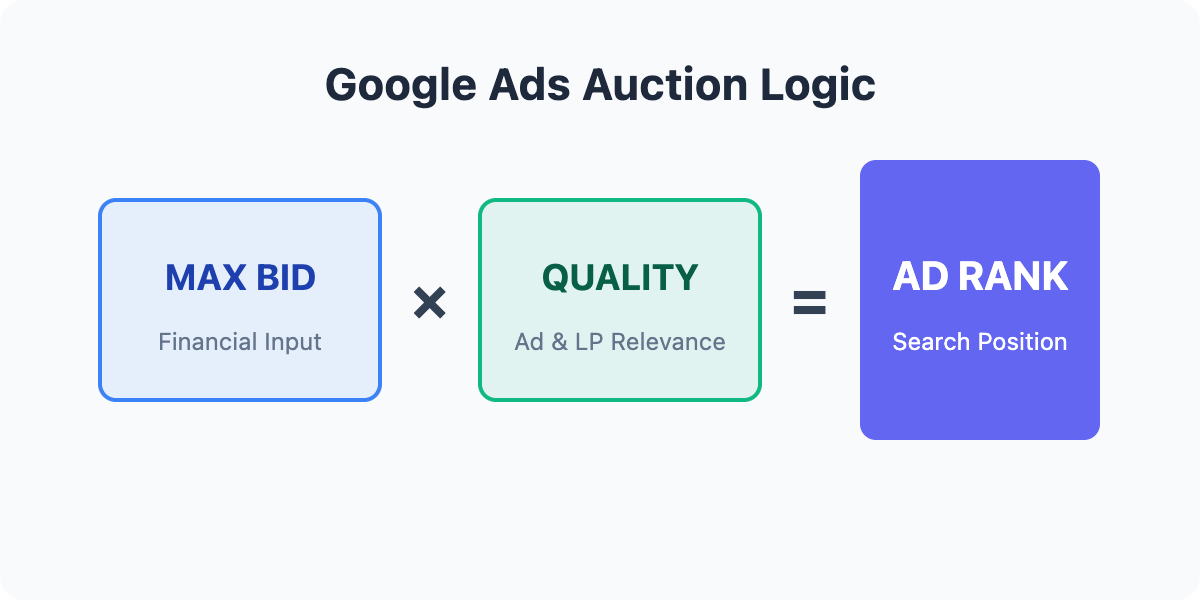
Here's the mechanic you need to internalize. When someone types a query, Google runs an instant auction among advertisers whose keywords match that query. Your position isn't decided by bid alone. It's decided by bid × quality, where quality reflects how relevant and useful your ad and landing page are for that search. So a lower bid with strong relevance can outrank a higher bid with weak relevance. That single rule is why "just bid more" is rarely the right first move.
- Dan: The client wants us to raise bids because we're stuck in position four. Should I just push them up?
- Nova: Before we spend more, what's the query triggering the ad?
- Dan: "Best running shoes for flat feet." Our ad copy just says "Shop Shoes Online."
- Nova: That's the gap. The auction is bid times quality, and our relevance is weak. Tighten the ad and landing page to that intent, and rank can climb without paying a cent more.
Notice what Nova did: she treated a ranking problem as an intent-and-relevance problem first, and a bid problem second. That instinct is the whole game.
Selecting High-Intent Keywords and Match Types
Once you understand that keywords carry intent, your job becomes sorting the ready-to-act searches from the just-browsing ones. Compare "emergency plumber near me" against "how does a water heater work." The first signals someone reaching for their phone with a flooded kitchen; the second signals curiosity. High-intent terms usually carry urgency, commercial language ("buy," "book," "quote," "near me"), or a specific product. Low-intent terms lean informational. Your budget belongs on the former.
Match types control how tightly a keyword triggers your ad. Exact match fires only on that query and close variants, giving you the most control and the least waste. Phrase match triggers when the query contains your keyword's meaning in order, widening reach with moderate control. Broad match casts the widest net, letting Google interpret intent loosely, which pulls volume but risks irrelevant clicks. A practical move: lead with exact and phrase on your proven high-intent terms, and use broad only where you want to discover new queries and are watching the search-terms report closely.
The essential companion move is negative keywords. If you sell premium services, add negatives like "free," "cheap," or "DIY" so those searches never spend your money. Every negative you add is budget protected.
Recommending Search When a Business Needs to Capture Active Demand
The clearest way to recommend search is to name what it does and doesn't do. Search excels at capturing existing, active demand: it finds people already looking for the exact thing a business sells, at the moment they want it. That makes it a strong fit for urgent services, high-intent purchases, and any business that needs the phone to ring now.
Be equally honest about the limits. Search captures demand rather than creating it, so it won't build awareness for something nobody's searching for yet. Competition can spike costs at peak times, and the channel only works when budget is actually available the moment demand hits. Framing both sides is what makes your recommendation credible to a budget-minded owner instead of sounding like hype.
The one idea to carry from this unit: search wins because keywords match intent, and the auction rewards relevance, not just the biggest bid. Next, a quick quiz lets you pressure-test the bid × quality logic and spot how the auction ranks eligible ads. From there you'll build a live keyword list and write a real recommendation, so try treating your very next keyword idea as a question: what is this searcher actually trying to do?
