Transactional and Analytical Work

Transactional and Analytical Data 🔀

Transactional and analytical workloads may use the same underlying business data, but they ask that data to do two very different jobs. This lesson explains why separating those jobs protects a live application while giving reporting room to run, using the booking system Brightpath runs today as the example.

In this lesson, you will learn to:

  • Distinguish OLTP and OLAP workloads by their operation size, frequency, and latency tolerance.
  • Explain why running analytical reporting against a live transactional database can degrade application performance.
  • Compare ETL and ELT pipelines and state the data-freshness trade-off a nightly pipeline creates.

Transactional Work Versus Analytical Work 🆚

Think about a booking system. Someone reserves an appointment slot. Someone else changes their phone number. A third person cancels and rebooks. Each of these touches a tiny amount of data, a row or two, and each has to complete right now while the person is staring at the screen. This is online transaction processing, usually shortened to OLTP. The pattern is many small operations, arriving constantly, each one fast, each one reading or writing only a handful of records.

Now think about a different question: "what was our average revenue per site over the last three years, broken down by month?" Nobody is waiting at a screen mid-booking. But answering it means reading millions of rows, adding them up, and grouping them. That is online analytical processing, or OLAP. The pattern is the opposite: a small number of very large operations, each one scanning huge amounts of data, each one tolerant of taking a while.

The distinction matters because these two patterns want different things from a database. Transactional work tends to find a specific record quickly and coordinate concurrent changes. Analytical work tends to sweep across many records without caring about any individual row. A database tuned beautifully for one is a poor fit for the other, and here's the practical consequence you'll run into as a cloud engineer: a report that is perfectly reasonable in isolation can bring a live application to its knees.
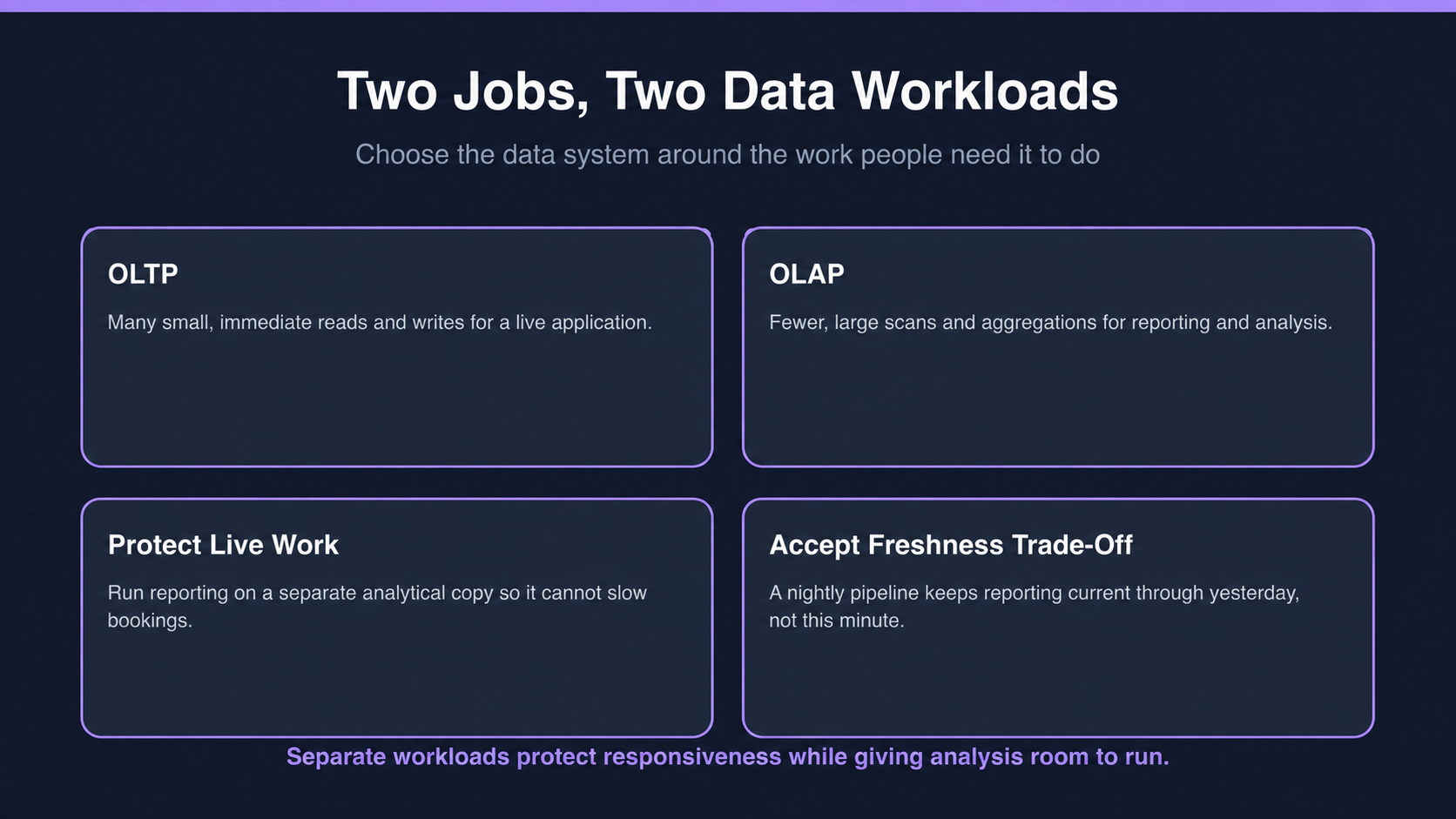
Comparison of OLTP and OLAP workloads, showing live transactional work, reporting analysis, and the freshness trade-off of a separate analytical copy.

The comparison makes the architecture practical: isolate large reporting scans from the live transactions that customers need to complete immediately.

Why Reporting Gets Its Own Copy 🗂️

This is the part that surprises people new to cloud work. A database server has a fixed pool of resources: processor capacity, memory, and disk throughput. When a reporting query scans four hundred million rows, it consumes an enormous share of all three. It fills memory with data it will use once. It saturates the disk. And every small booking transaction arriving at the same moment can wait on that constrained capacity.

Nothing is broken. Nothing is misconfigured. Two legitimate workloads are simply fighting over one machine, and the transactional one loses visibly because a customer is watching a spinner.

Here, Simone, who runs Brightpath's reception support desk, brings Dan, the cloud engineer, the complaints she has been fielding. The report she ends up pointing at isn't hers — it belongs to Dana Whitfield, the operations lead who runs her daily huddle off it.

  • Simone: Bookings crawl every morning between eight and eight-fifteen. Users think the site is down. There's no error in the logs.
  • Dan: What else runs at eight?
  • Simone: The daily figures report. Takes about fifteen minutes.
  • Dan: That's your answer. The report is scanning years of history, and it's using the processor and memory that bookings need. Both are doing their job. They just can't share one database.
  • Simone: So do I ask Dana to run it later?
  • Dan: That moves the problem; it doesn't solve it. What we want is Dana's report running against a separate copy, so nothing she does can slow a booking down.

Notice that Dan doesn't treat the report as the villain. The fix is architectural: give analytical work its own place to run. The live database keeps serving the application, and reporting queries hit a copy where they can be as heavy as they like.

Moving Data from One to the Other 🚚

If reporting runs on a copy, something has to fill that copy. That something is a pipeline, and it comes in two flavors you'll hear named constantly.

The traditional one is extract, transform, load, or ETL. You extract yesterday's records from the live system, transform them somewhere in the middle by reshaping, cleaning, and combining them, then load the finished result into the reporting store. The newer variant is extract, load, transform, or ELT: you extract the records, load them into the reporting store as they are, and do the reshaping there. ELT has become common in the cloud because modern analytical systems are powerful enough to do the transforming themselves, so there's less reason to build a separate step in between.

Either way, a scheduled job, typically overnight, copies the day's activity across. And this creates the one consequence you must always state out loud to whoever uses the report: their numbers are no longer live. A nightly pipeline means the reporting copy is complete through the end of yesterday, not up to the minute. That is usually fine, but only if the person relying on it knows it and knows what to do on the rare day they genuinely need today's figures.

The takeaway to carry: transactional and analytical work are different jobs with different appetites, and separating them protects the live application while giving reporting the room it needs, at the cost of some data freshness. Next, a quick sorting exercise to check you can spot which side of that line an everyday activity falls on, a short question about what exactly two competing workloads are fighting over, and a written response applying the ETL/ELT freshness trade-off to a scenario.

Sign up

Join the 1M+ learners on CodeSignal

Be a part of our community of 1M+ users who develop and demonstrate their skills on CodeSignal