Understanding Virtual Machines
A Virtual Machine Is a Computer Made of Software 🖥️
A virtual machine (VM) is a software-defined computer that lets you rent compute capacity without owning the physical server beneath it.
In this lesson, you will learn to:
- Explain how virtualization shares physical hardware while keeping VMs isolated.
- Identify how vCPUs, memory, disk, machine images, and regions affect VM sizing.
- Compare scaling up and scaling out in terms of performance, resilience, and cost.
Picture a large physical server sitting in a provider's data center. It has real processors, real memory, and real disks. Now imagine software that slices that one physical server into several separate computers, each with its own operating system, its own files, and its own login. Each of those slices is a virtual machine. It behaves exactly like a computer you could put on a desk, except it exists as software running on hardware you never see or touch.
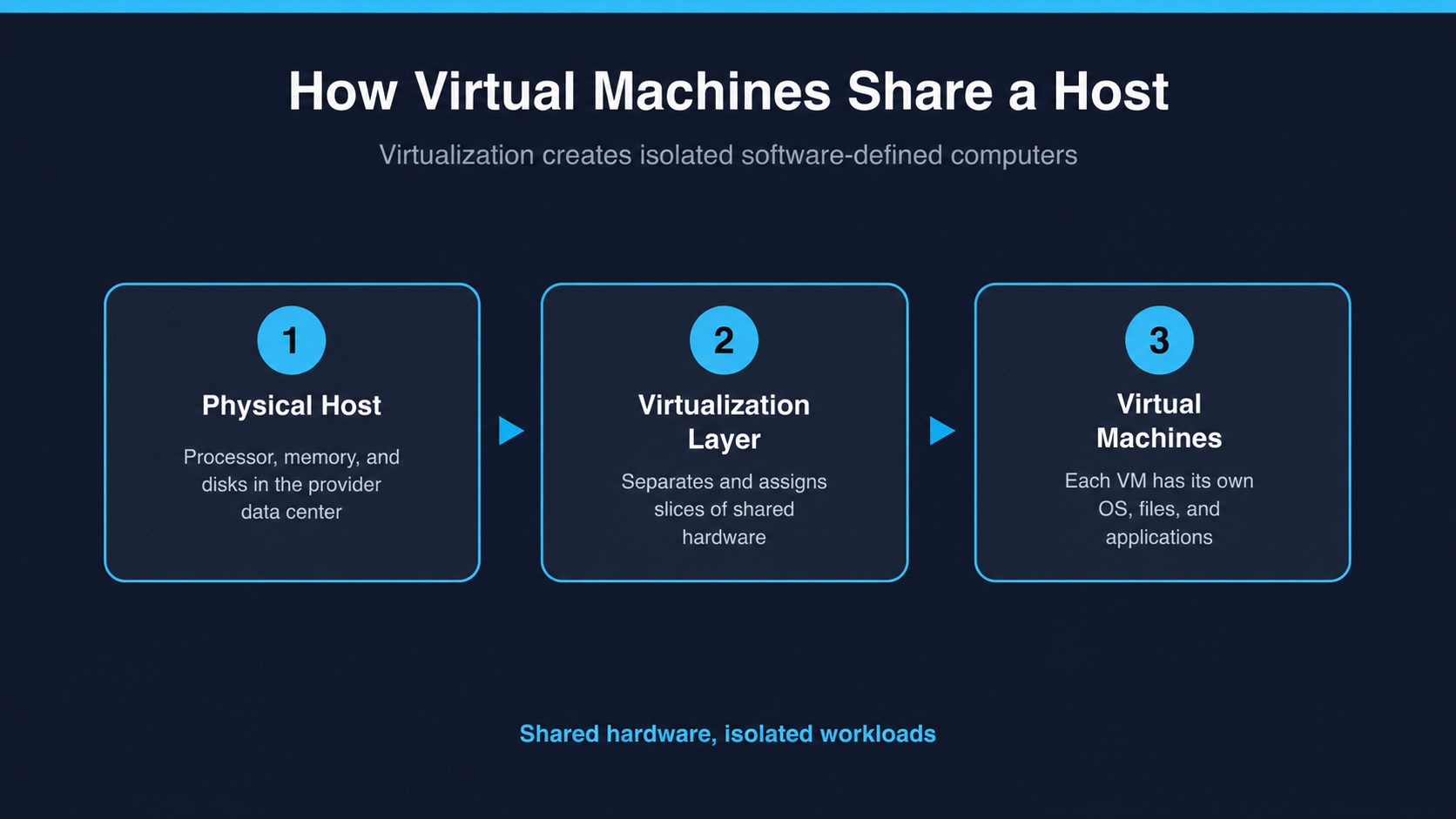
The word "virtual" is doing important work here. Your virtual machine is not pretending to be a computer; it genuinely runs programs, stores files, and can be restarted. What makes it virtual is that the hardware underneath is shared. Several virtual machines, often belonging to completely different customers, sit on the same physical server, kept separate by the provider's virtualization software. This is the resource pooling idea in practice, and it is why you can rent a small computer for a few cents an hour instead of buying a whole machine.
Two consequences follow from that sharing, and both matter in real conversations. First, you are billed for the time your virtual machine exists and runs, not for the hardware it sits on. Turn it off, and the compute charges for those hours usually stop — though the disk attached to the machine typically keeps billing whether the machine is running or not. Second, a virtual machine is disposable in a way a physical server is not. Creating one takes minutes, deleting one takes seconds, and neither involves anybody driving to a building.
Milo, a developer at Northwind Outdoors, asks Natalie, a cloud advisor, why a VM can safely share a physical server with other customers.
- Milo: So when I click "create instance," what actually appears?
- Natalie: A computer made of software. It has its own operating system and disk, but the physical hardware underneath is shared with other machines, possibly from other companies.
- Milo: That sounds less safe than owning the box.
- Natalie: The separation is enforced by the provider, and it's the reason you can rent four processor cores for the afternoon instead of buying a server. If we owned the box, we'd be paying for it at 3 a.m. on a Sunday too.
Notice that Natalie answers the safety question without dismissing it, then immediately ties the shared hardware back to why it exists: cost.
