Delivering Application Traffic
Delivering Traffic to Users 🌐
In the previous lesson you built a mental picture of the network your servers sit inside: a private address space, divided into subnets, with firewall rules deciding what may reach what. That explains what happens once a request arrives. It doesn't explain how a request from someone's phone in Sydney or Manchester finds your application at all. This lesson follows that journey from the moment a person types your website name to the moment the page appears on their screen, and it introduces the three pieces of machinery that make the journey work.
In this lesson, you will learn to:
- Explain DNS, load balancers, and CDNs in an application request path.
- Distinguish load balancing from autoscaling.
- Identify whether a performance symptom comes from name resolution, capacity or distribution, or delivery distance.
How a Request Finds Your Application 🧭
Start with what the user does: they type a name, something like your company's website address. Computers don't route traffic by name, they route by number. The domain name system, usually shortened to DNS, is the internet's directory service. Its one job is to translate a human-friendly name into a network address the browser can actually connect to. Think of it as the contacts list on your phone: you tap "Mum", the phone dials the number.
With an address in hand, the browser's request travels across the internet to the region where your application runs. It doesn't land on a particular server, though. It usually arrives at a load balancer, which sits in front of your servers and decides which one should handle this request. A load balancer does two useful things at once: it spreads requests across the servers you have, so no single machine takes the whole load, and it quietly checks whether each server is healthy, skipping any that have stopped responding. By routing new requests away from unhealthy servers, a load balancer can reduce the user impact of a server failure, provided healthy capacity remains.
Then the server does its work and sends a page back, along with everything the page needs: images, stylesheets, product photos, video. That last part is where the third piece comes in, the content delivery network or CDN, which we'll come to shortly.
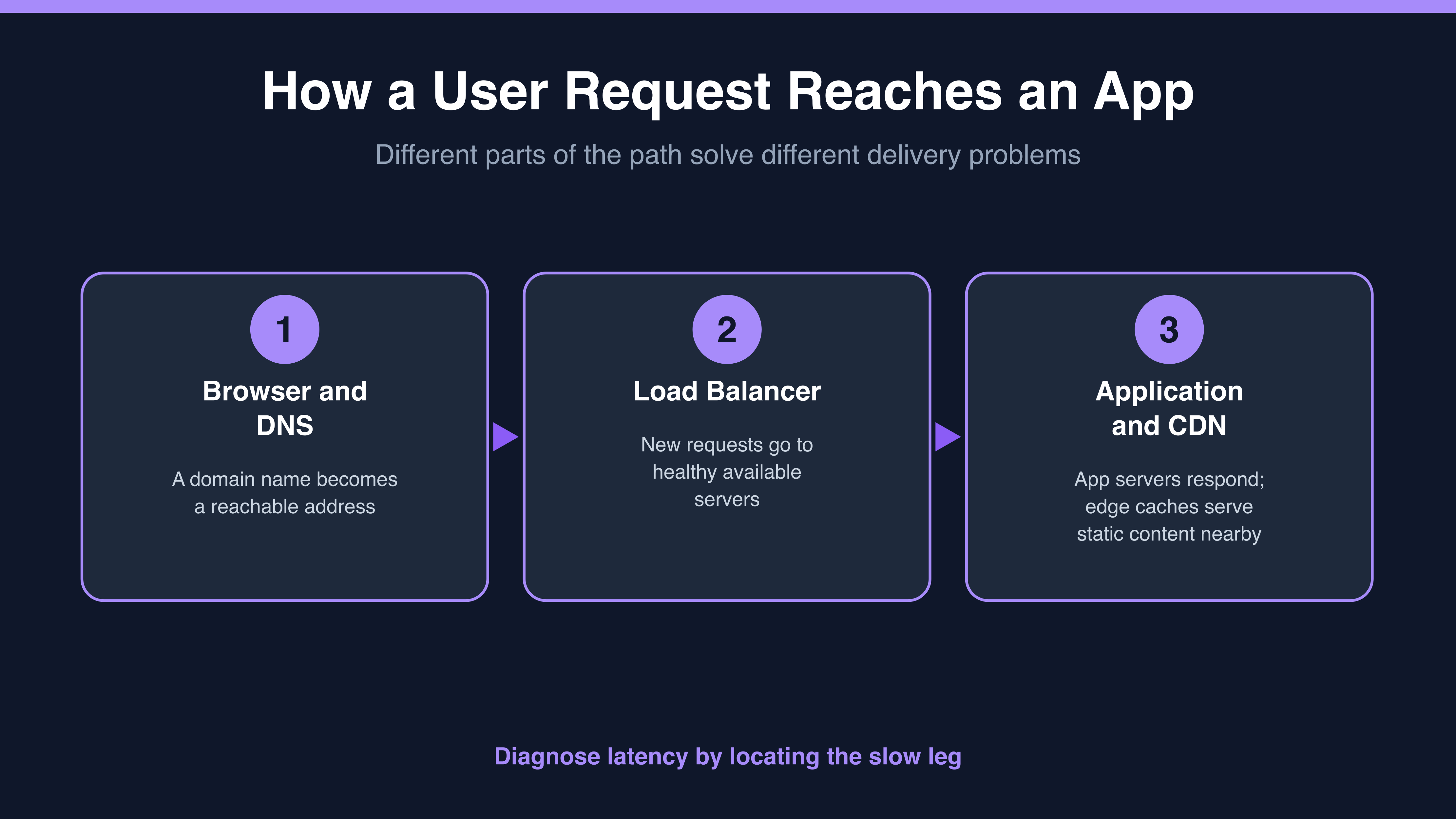
In a troubleshooting discussion, Jessica asks Natalie to help separate the possible sources of a "slow site" report.
- Jessica: So when someone says the site is slow, which of those three is the culprit?
- Natalie: Depends where the delay is. If the name lookup is slow, the browser sits there before anything happens at all.
- Jessica: And if the load balancer is fine?
- Natalie: Then the request reaches a healthy server and the page gets built. But the images still have to travel back, and if the user is on the other side of the world, that trip takes real time no matter how fast our servers are.
- Jessica: So "slow" isn't one problem. It's a question of which leg of the journey.
That last line is the habit worth borrowing. Naming the leg of the journey turns a vague complaint into something you can actually fix.
