Share Decisions with Clarity
Share Decisions with Clarity
You've learned how to communicate concrete next steps—but even the best action plan falls flat if people don't understand the decision behind it. This unit focuses on sharing decisions in a way that reduces confusion, builds confidence, and helps others quickly grasp what's happening and why. When decisions are communicated poorly, people fill in the gaps with assumptions, rumors, or worry. When decisions are shared clearly, people can focus their energy on moving forward instead of decoding mixed messages.
Throughout this unit, you'll learn a simple framework for structuring any decision announcement, discover how to reduce anxiety by explicitly stating what's changing and what isn't, and explore techniques for summarizing complex decisions so they're easy to absorb. By the end, you'll have practical tools to make every decision you share feel transparent, logical, and actionable. Clear communication isn't just a nice-to-have—it's what transforms a good decision into one that actually gets understood and embraced.
Use a Simple "What–Why–How" Framework
One of the fastest ways to improve how you communicate decisions is to follow a consistent structure. The What–Why–How framework gives your audience exactly what they need in a logical sequence:
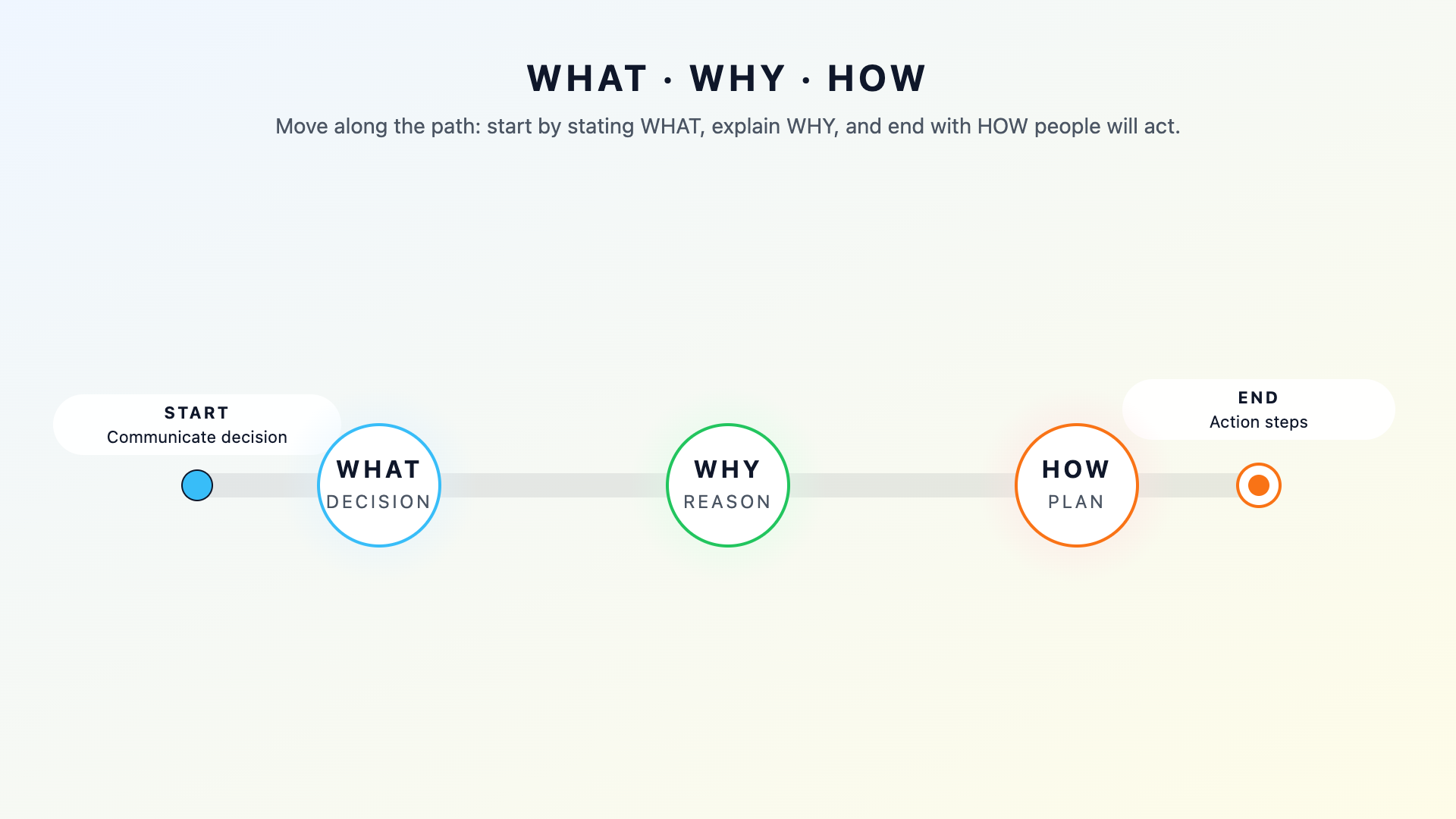
What states the decision itself, Why explains the reasoning behind it, and How describes what happens next. This order matters because people want to know what's changing before they can process why, and they need to understand the rationale before the implementation details make sense.
Start with a clear, direct statement of the decision. Avoid burying the lead or softening the message with excessive preamble. People appreciate knowing the bottom line before wading through context. Once you've stated the decision, explain why it makes sense. Connect it to a problem being solved, a goal being pursued, or information that informed the choice.
Here's an example of how this framework might sound in a real conversation:
- Natalie: I wanted to let you know—starting next month, we're moving our neighborhood updates from email to a shared online bulletin board.
- Ryan: Oh, that's a big shift. What prompted that?
- Natalie: We've been losing track of updates buried in email threads, and two community events were missed last quarter because of it. The bulletin board will keep everything visible in one place.
- Ryan: That makes sense. So how will this actually work?
- Natalie: I'll set up the bulletin board this week and send a quick tutorial. You'll just post your weekly updates there instead of emailing them. Everything else—our meeting schedule, your volunteer assignments—stays the same.
- Ryan: Got it. So it's really just where I post updates that's changing.
Notice how Natalie leads with the decision, explains the reasoning when Ryan asks, and then describes the implementation. She also preemptively addresses what's staying the same, which helps Ryan quickly understand the scope of the change and feel reassured that the disruption is minimal.
Highlight What Changes and What Stays the Same
When people hear about a decision, their minds often race to worst-case scenarios. They wonder if their role is affected, if their workload will double, or if something they valued is disappearing. You can ease this anxiety by explicitly stating not just what's changing, but also what's staying the same. This dual focus provides clarity and reassurance in equal measure, helping your audience process the news more calmly.
Think of it as drawing a clear boundary around the change. If you announce "We're restructuring how community feedback is collected," people might assume everything about their current process is up in the air. However, adding "You'll still coordinate your usual activities. What's changing is how we gather feedback for our monthly reports" contains the scope of the change. People can now focus their attention on what's actually different instead of worrying about phantom disruptions that exist only in their imagination.
Being explicit about stability also builds trust because it signals that you've thought carefully about impact and aren't making changes carelessly. A helpful pattern is to follow your "what's changing" statement with a "what's not changing" statement. For instance, you might say "What's changing: We'll use a new online tool for organizing events starting in April. What's not changing: Your current volunteer roles, event dates, and group structure remain exactly as they are." This simple addition takes seconds to say or write but dramatically reduces the mental load on your audience. When people know what to hold onto, they're far more willing to embrace what's new.
Offer Visual or Written Summaries for Complex Decisions
Some decisions are straightforward enough to explain in a few sentences, while others involve multiple moving parts, affect different groups in different ways, or unfold over time. For these complex decisions, a verbal explanation alone often isn't enough. People forget details, misremember sequences, or miss nuances when information comes at them quickly. A written or visual summary gives them something to reference, share, and revisit as needed.
A strong summary distills the essential information into a scannable format. Consider organizing it with clear labels such as Decision, Rationale, What's Changing, What's Not Changing, Timeline, and Who to Contact. Each section should be brief—a sentence or two is often enough. The goal isn't to recreate every detail of the discussion that led to the decision; it's to give people the key facts they need to understand and act.
For example, a summary might read "Decision: Combining two neighborhood committees into one. Rationale: Reducing duplication and improving communication. What's Changing: Meeting schedule and reporting structure. What's Not Changing: Individual volunteer roles and ongoing projects. Timeline: Effective June 1. Questions: Reach out to [name]." This format lets someone grasp the essentials in under a minute.
Visual elements can also help when the decision involves sequences, comparisons, or hierarchies. A simple before-and-after diagram, a short timeline graphic, or a side-by-side comparison can communicate in seconds what paragraphs of text might obscure. You don't need design skills—a basic table or a few labeled boxes can do the job effectively. The key is to ask yourself what format would make this easiest to understand at a glance, then create something that matches.
Now that you've explored the What–Why–How framework, the power of clarifying what stays the same, and techniques for summarizing complex decisions, you'll have the opportunity to practice these skills in an upcoming role-play session. You'll work through a scenario where you announce a process change to a fellow community member, using structure and clarity to reduce confusion and build confidence. This hands-on practice will help you turn these concepts into habits you can apply every time you share a decision.
