Generating an image from scratch is one workflow. The other, often more common, is taking an image you already have and changing one specific thing about it. That's editing, and it's where AI tools save the most time at work: a team photo that needs one person removed, a hero image with the wrong background, a screenshot with a stray sticky note in the corner. But editing also concentrates the risk. The closer an edited image looks to a real photograph, the more carefully you need to handle what it says, what it implies, and how you ship it.
Before you write any instruction, it helps to know what's on the menu, because the right vocabulary gets you a faster, cleaner result. Here's a table to help understand the different edit types AI can help with:
Most workplace edits are some combination of these. A "fix the team photo" request is usually object removal plus a background change plus a light color match. Naming the edit type in your head first makes the instructions you write next much sharper, because each type has its own failure modes (warped hands in inpainting, ghosted edges in object removal, seams in outpainting) that you'll want to call out as things to avoid.
Free-form editing requests like "remove Sarah and update the background" are how good photos get ruined. The model has no idea what you consider untouchable, so it'll happily redraw a face or shift a shoulder line in a way nobody approved. The fix is the Image Edit Brief, a four-part instruction:
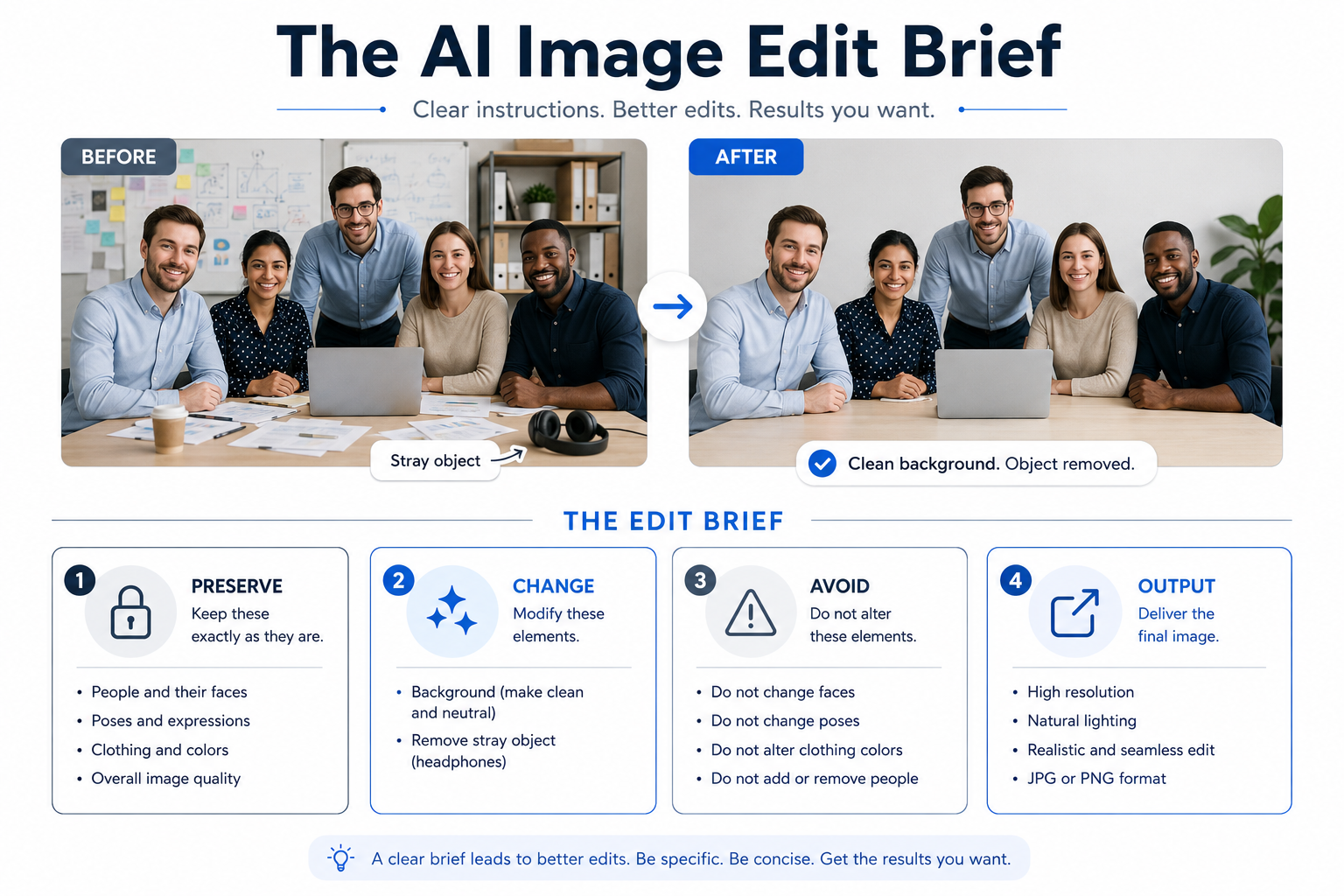
- Preserve: what must remain exactly as-is.
- Change: the specific edit, described concretely.
- Avoid: artifacts, drift, or unintended modifications.
- Output: final format, dimensions, and where it's going.
Preserve is the part people skip. You have to explicitly name the faces, the poses, the lighting direction, the framing, anything you're not willing to lose. Change should be one or two surgical edits, not a wish list. Avoid catches the predictable failure modes: warped hands, regenerated faces, mismatched lighting between subject and new background. Output ties the edit to its real use: a 1200x630 LinkedIn banner has different demands than a print poster.
Let's look at what a conversation in the workplace might look like:
- Ryan: What's the edit?
- Jessica: Take Sarah out of the team photo and freshen up the background.
- Ryan: That'll come back with three people who look slightly different than they did this morning. What are you preserving?
- Jessica: Faces, poses, shoulder lines, lighting direction. Everyone else stays pixel-for-pixel.
- Ryan: Good. And Avoid?
- Jessica: No regenerated faces, no smoothed skin, no seam where Sarah used to be.
Notice Ryan's pressure: name what stays before you name what changes. That order is the whole brief.
A clean edit doesn't automatically mean a shippable asset. Before any AI-generated or AI-edited image leaves your team, run it through five checks:
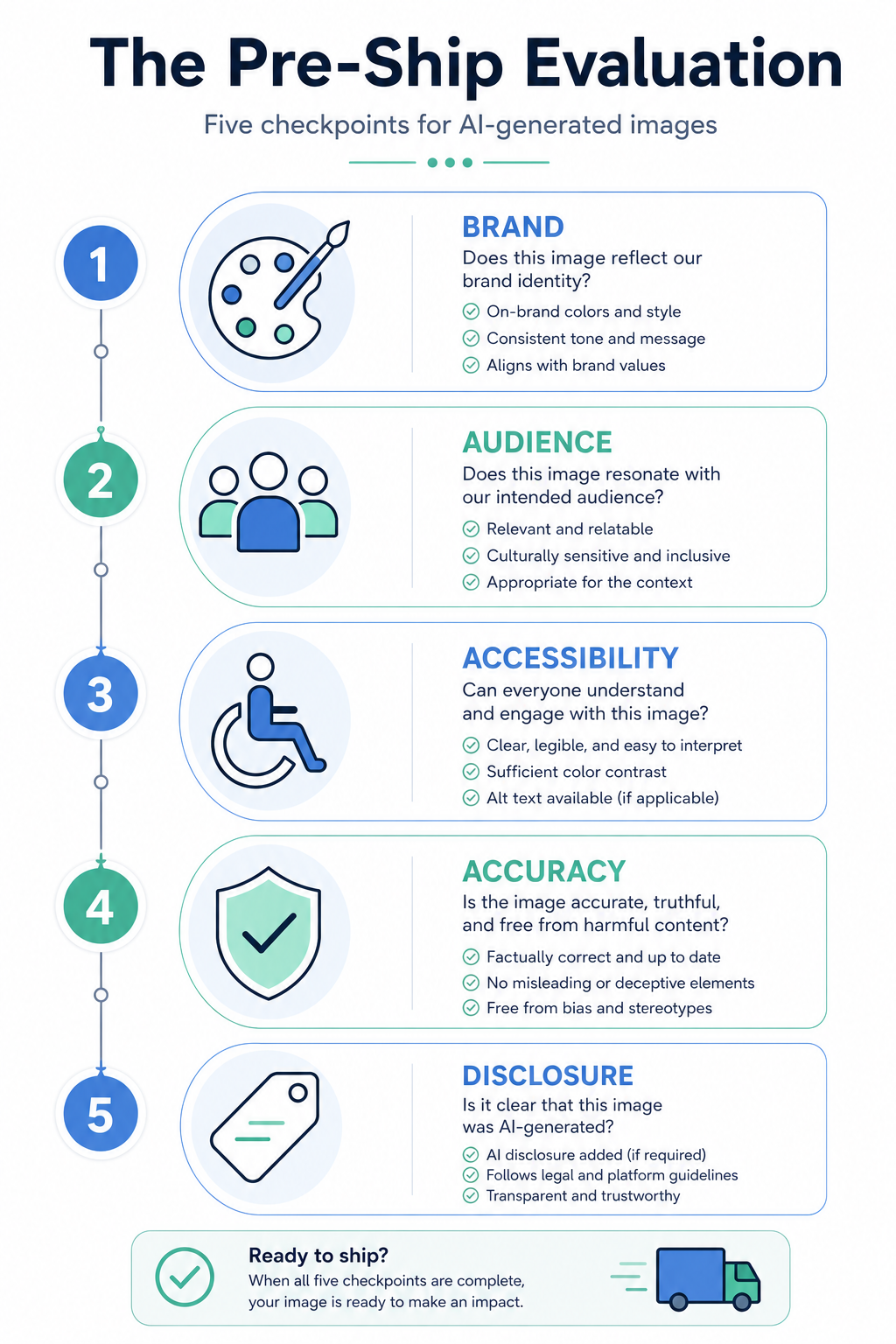
- Brand: does it match the visual system, or does it read as generic stock?
- Audience: will the people seeing it interpret it the way you intend?
- Accessibility: does it need alt text, and is the contrast high enough where text overlays it?
- Accuracy: does the image imply something that isn't true, like a real customer, a real event, or a product feature that doesn't exist?
- Disclosure: if the image is AI-generated or substantially AI-edited, do your platform's norms or your audience's expectations call for labeling it as such?
The accuracy and disclosure checks are where most teams get burned. An AI image of "customers using our product" placed without context on social reads as a testimonial, even if you never used that word. A retouched team photo that quietly removes someone can become a story if anyone notices. The move when a risk surfaces is not always to scrap the asset: sometimes you revise the prompt, sometimes you change the caption or placement, sometimes you add a disclosure line, sometimes you walk away. The judgment call is yours, but it has to be a call, not a default.
The throughline of this unit: edits and AI images need a stated intent (the brief) and a stated standard (the five checks), or you'll ship something nobody actually approved. Before this becomes real, you'll get on a call with a brand lead who wants to ship an AI image tomorrow and isn't sure the risk is worth a delay. Your job in that conversation is to name the specific concerns, propose options, and land on a defensible call together: revise the prompt, change the usage plan, or kill the asset. Bring specifics. Vague risk talk loses to a publish deadline every time.
This unit explains how to professionally modify existing images using AI tools while maintaining brand standards and accuracy. You will learn to use the Image Edit Brief to give specific instructions on what to preserve and what to change, ensuring your team photos or hero images look natural. The lesson concludes with a checklist to evaluate your visuals for Brand, Audience, Accessibility, Accuracy, and Disclosure before they go live.
