Building Answers with Loops
Introduction: A Loop That Answers a Question
Welcome back to Writing Complex Python Functions! In the first unit, our functions chose one answer out of several by testing conditions. In this second unit, they will do something different: build an answer out of many pieces of data, one item at a time.
Our program includes two functions for this lesson. sum_to(limit) adds up a range of integers, and count_long_words(text, min_length=5) counts how many words in a sentence are long enough. Later, the standalone countdown_text(start) example will show that the same accumulator pattern can build a string instead of a number; it is not part of the two-function program below. Running the program prints exactly this:
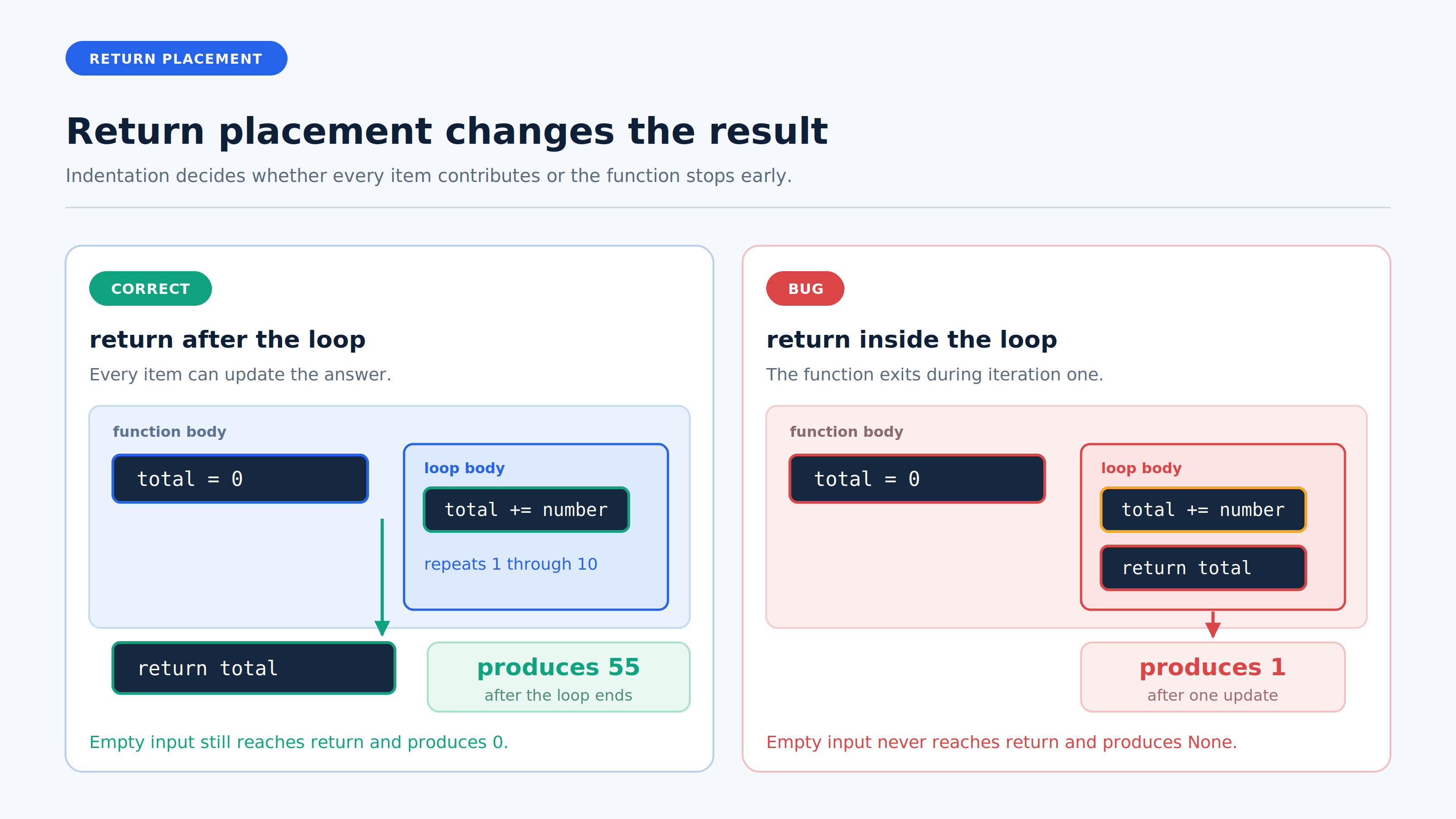
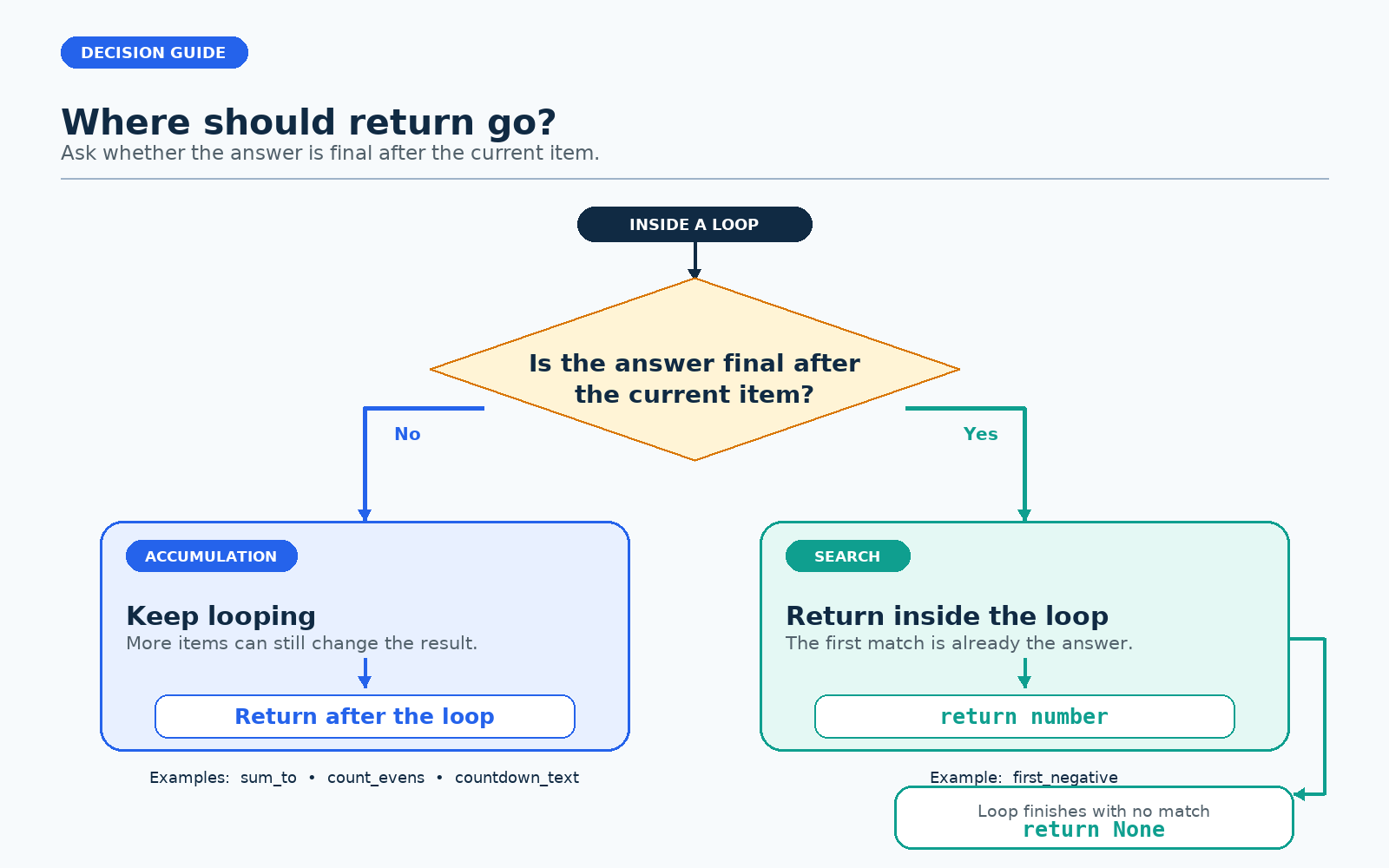
Everything in this lesson turns on one idea: when a loop lives inside a function, where we place return relative to that loop decides whether the function sees all the data or only the first item. We will meet the accumulator pattern, the post-loop return, and the deliberate early return.
The Accumulator Pattern: Initialize, Update, Return
Simple accumulator functions like the ones in this unit follow the same three-part shape. Searches, mutations, and side-effect loops can look different; here we focus on building one answer. Let's read sum_to with those three parts in mind.
total = 0initializes the accumulator before the loop, so a place to collect results already exists when the first iteration starts.total += numberupdates it inside the loop, once per item.return totalhands the finished value back after the loop.
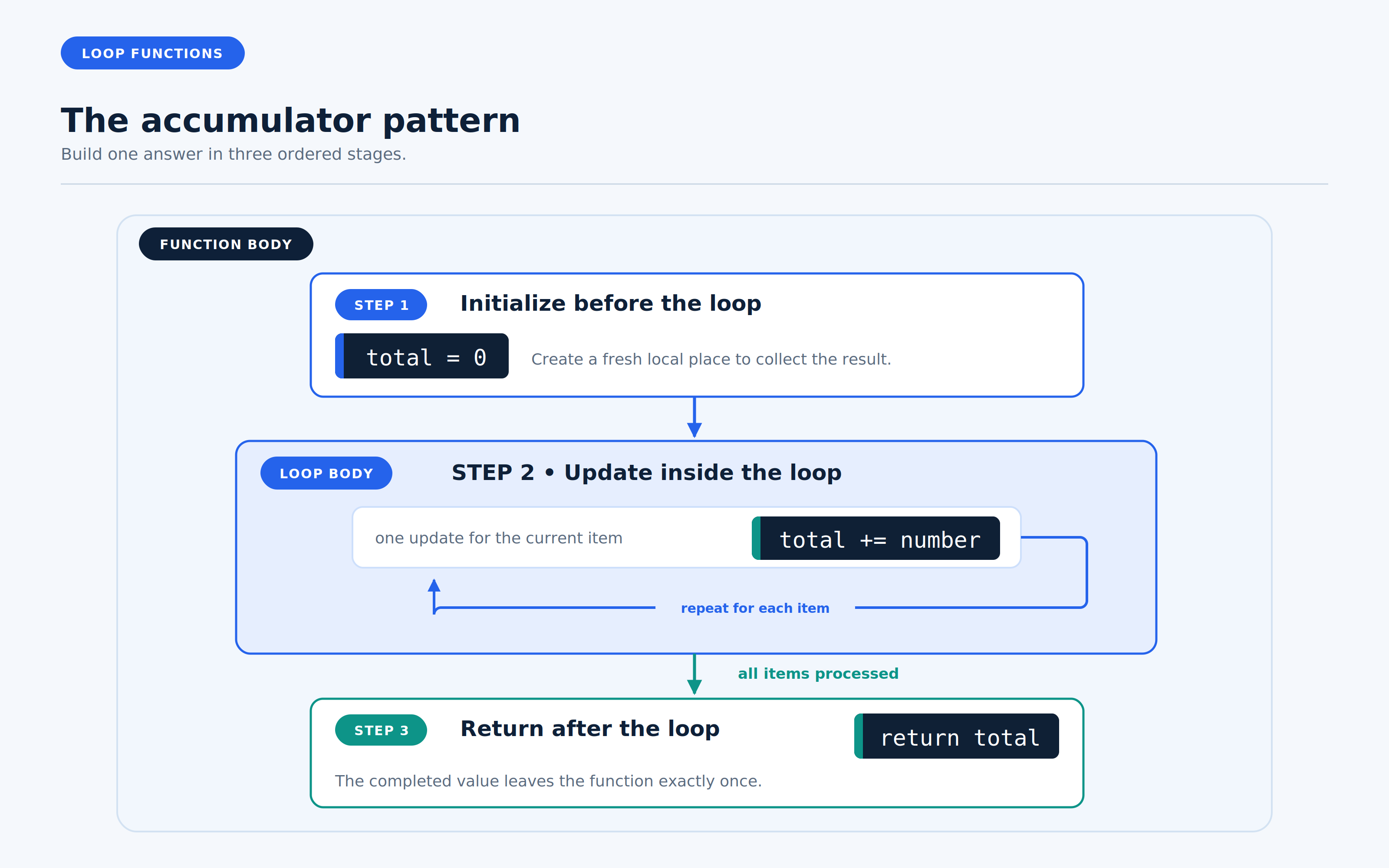
As we may recall from the previous course, total is a local variable: it is created fresh on every call and disappears when the call ends. Nothing outside the function can read it, so return is the only way its value escapes.