Combining Arrays Elementwise
Introduction
Welcome back to Vectorized Operations. We’re on Lesson 3 of 5, and now we’ll combine two arrays instead of combining an array with a single number. We’ll see how NumPy pairs values by position, what happens when two 1D arrays have different lengths, and how a slice can line them up. By the end, we’ll use subtraction and multiplication for real examples, then check how division affects the result’s dtype.
Combine Two Arrays Element by Element
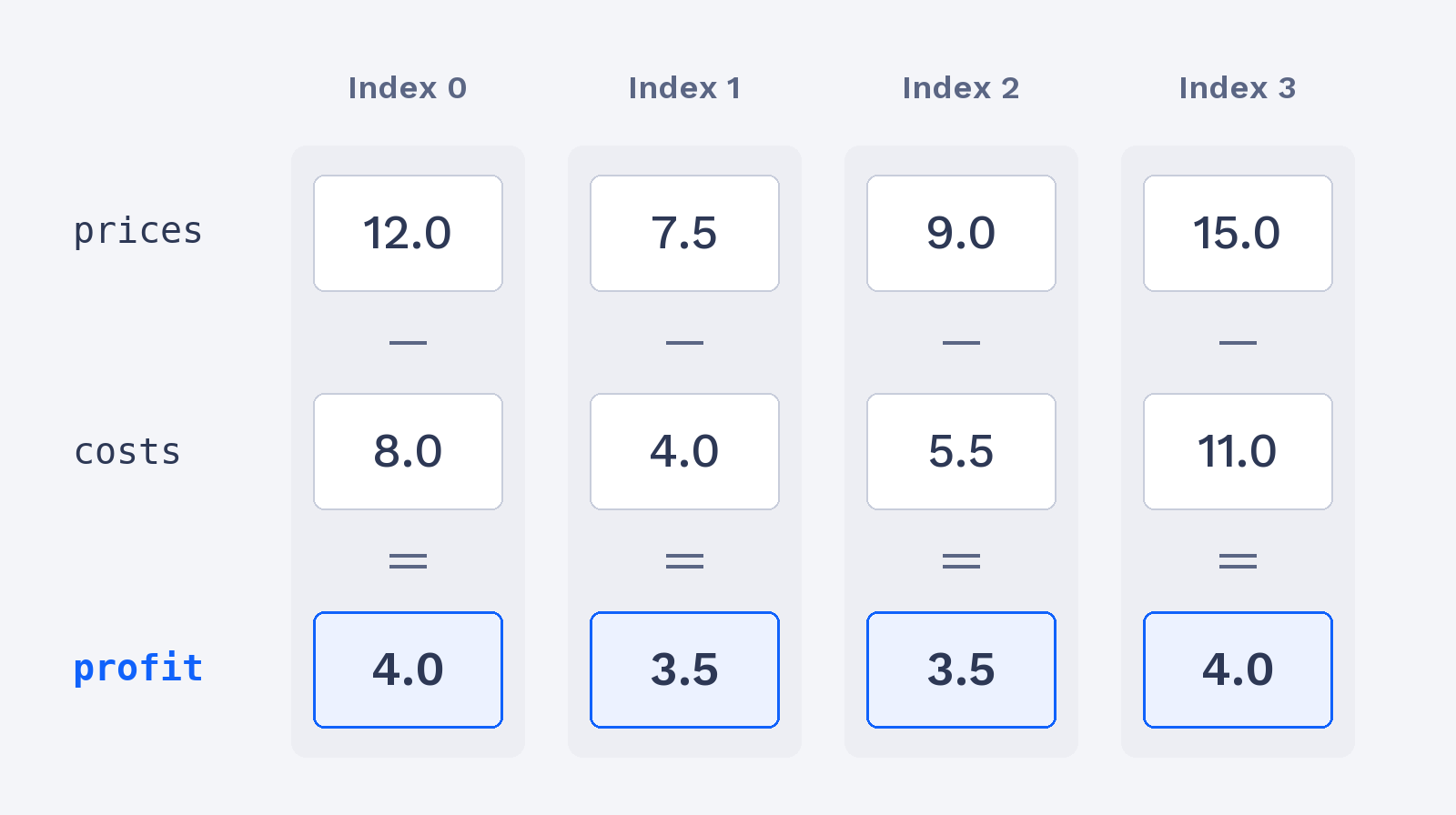
As you may recall from the earlier lessons, one arithmetic operator can act on every value in an array. With two same-length 1D arrays, NumPy pairs values by their positions: the first value in one array with the first in the other, the second with the second, and so on. Let’s subtract each item’s cost from its price to find the profit per item.
The aligned columns show how each price and cost contribute to one profit value.
As always, we import NumPy as np first; the later snippets in this lesson use the same import.
The subtraction creates a new array, leaving the original prices and costs unchanged. Each result is the profit for the matching item:
The same position-by-position rule applies to the arithmetic operators we’ve learned: +, -, *, /, **, //, and %.
Multiply Paired Values in a Real Scenario
Now let’s use multiplication to calculate revenue for each cinema showing. The prices array holds the ticket price for each showing, and units holds the number of tickets sold at that same showing. Because both arrays have four values in the same order, each price is multiplied by its matching ticket count.
The multiplication returns one revenue value per showing. For instance, the first price is multiplied by the first ticket count, and the second price by the second count:
Keeping related values in the same order is important: NumPy matches positions, not labels or meanings.
