Working with Parameters and Literal Segments in ASP.NET Core
Introduction
Welcome to this course on Routing in ASP.NET Core. Previously, you have learned how to create a minimal API with multiple endpoints and return different responses with various status codes using the Results helper class. This course will allow you to dive deeper into routing—specifically, how the framework selects a specific endpoint from all the handlers defined. We'll explore the route template syntax in detail along with optional parameters, default parameters, and constraints. This lesson specifically focuses on understanding routing and what powers it—the Endpoint Routing Middleware.
What is Routing?
Routing in ASP.NET Core is the process of selecting a specific handler for an incoming HTTP request. In minimal APIs, the handler is the endpoint handler associated with a route. This means when your application receives an incoming HTTP request, routing determines which endpoint should handle that request based on the URL and registered routes.
Understanding Endpoint Routing Middleware
Routing in ASP.NET Core is powered by the EndpointRoutingMiddleware. This middleware selects an endpoint based on the request URL and the application's route templates. Consider the placement of this middleware in the request pipeline:
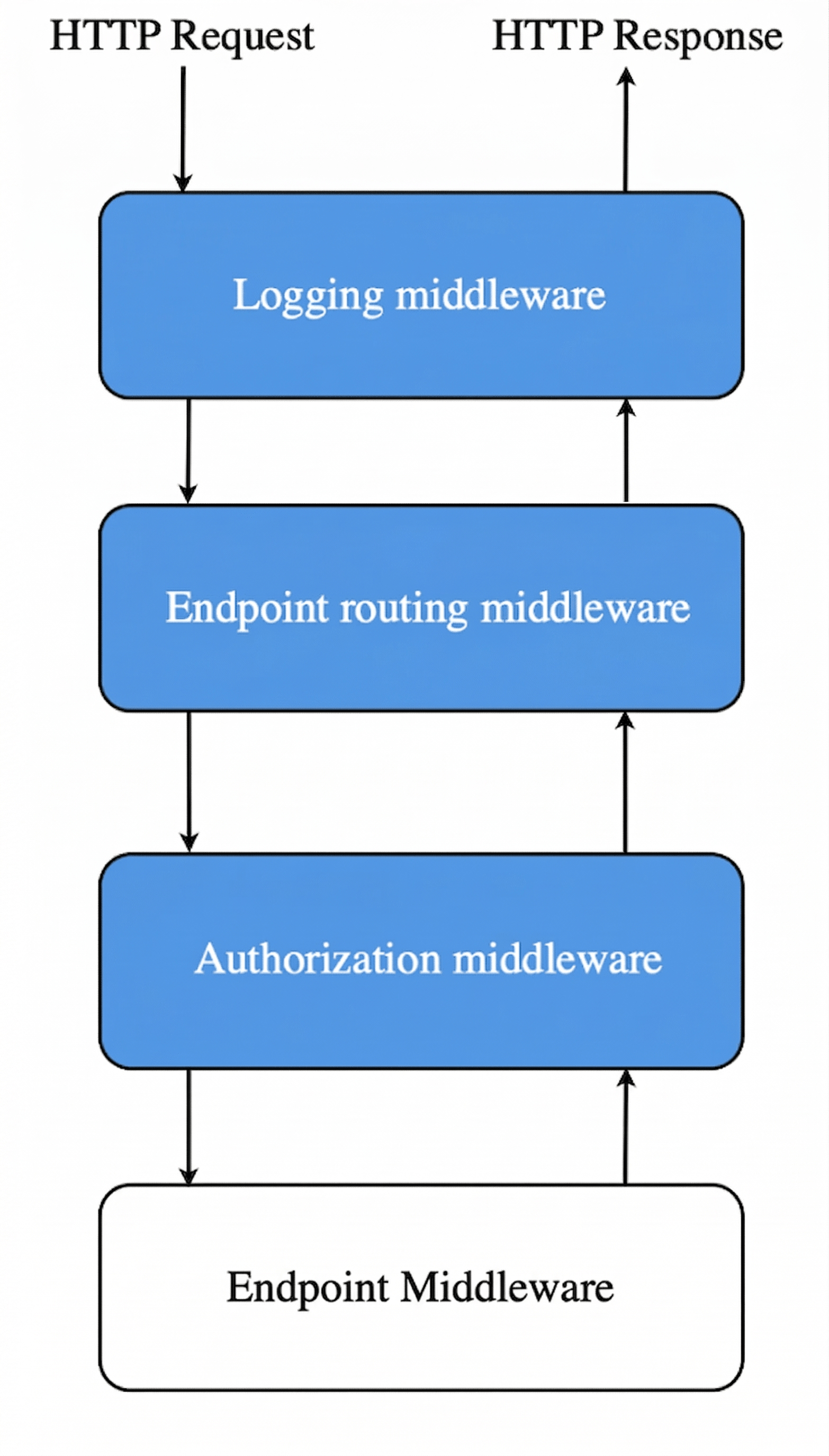
- Logging Middleware: Logs the request but doesn't know which endpoint will handle it.
- EndpointRoutingMiddleware: Selects the appropriate endpoint based on the request URL.
- Authorization Middleware: Checks authorization and now knows which endpoint will handle the request because it's positioned after the
EndpointRoutingMiddleware. - Endpoint Middleware: Invokes the selected endpoint.
This sequence ensures that routing decisions are made before authorization checks and endpoint execution, enabling a well-structured request processing pipeline.
Route Template Syntax: Parameters and Literal Segments
In ASP.NET Core, route templates are composed of literal segments and parameters:
- Literal Segments: Static path segments like
/usersor/users/me. - Parameters: Dynamic placeholders in the path like
{userId}or{todoId}.
Example routes:
ASP.NET Core's routing system accurately matches routes using templates and constraints, even if more general routes are defined before specific ones. For example, the framework will still correctly resolve /users/me even if /users/{userId} is defined first. However, it is good practice to define more specific routes before more general ones to improve readability and maintainability of the codebase.
