From Files to Flowing Data
Introduction: From Files to Flowing Data
In the last few lessons, you used cat, wc -l, and head as separate tools — run a command, read what it printed, and then maybe type a second command based on what you saw. That works, but you were doing the connecting work yourself: reading output with your eyes and retyping it as input.
This lesson introduces the pipe (|), a symbol that connects one command's output directly to the next command's input, with no copying and no waiting. Before that makes sense, though, you need to understand the three streams every command uses to send and receive data. Once you know exactly what a pipe touches, you'll read multi-command pipelines like a sentence — and know how to fix them when something looks wrong.
The Three Standard Streams
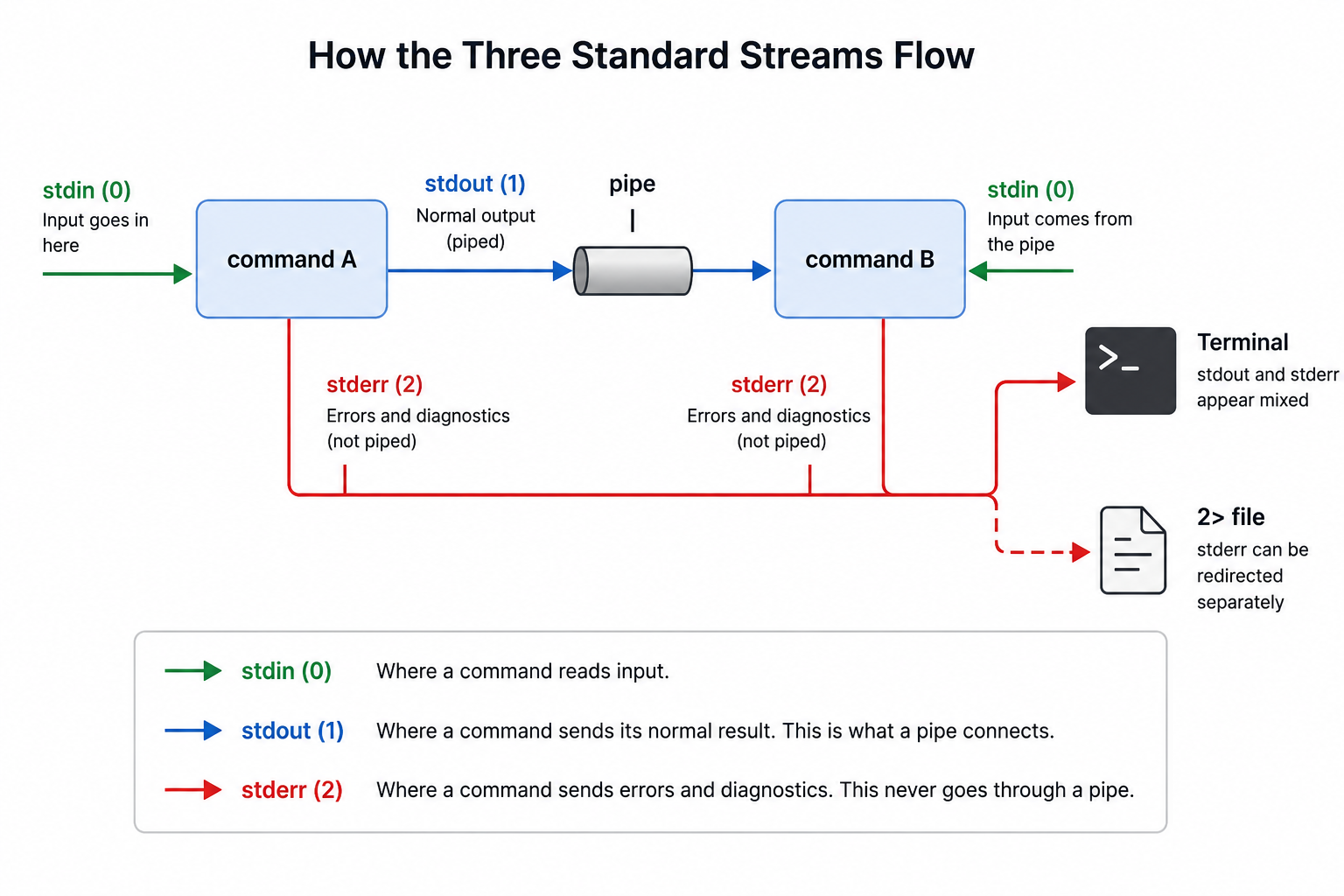
Commands normally start with three communication channels supplied by their execution environment, called the standard streams. Standard input (stdin) is where a command looks for incoming data if it needs any. Standard output (stdout) is where a command sends its normal, expected result. Standard error (stderr) is a separate channel reserved for diagnostics, warnings, and error messages. The shell normally connects these channels to the terminal, files, or pipes before running the command. We have been reading stdout since Lesson 1 without naming it.
| Stream | Name | Number | Purpose |
|---|---|---|---|
| stdin | Standard Input | 0 | Where a command reads incoming data |
| stdout | Standard Output | 1 | Where a command sends its normal result |
| stderr | Standard Error | 2 | Where a command sends diagnostics and errors |
This distinction matters because your terminal displays stdout and stderr in the same window, mixed together, so it's easy to assume there's only one channel. In reality, two separate streams are landing on your screen side by side, and that separation is exactly what lets you redirect one without touching the other — for example, saving only the error messages to a file while normal output keeps printing. It's also why a pipe, which you'll meet shortly, can carry stdout to another command without dragging error messages along with it. Keeping these three streams straight is the foundation for the rest of this lesson.
A small practice folder has already been prepared for you at ~/Desktop/Projects/pipes, holding two short log files:
monday.log— three linestuesday.log— four lines
Let's move into that folder:
Now let's watch stdout in action with a plain printf:
printf sent its text to stdout — the "normal result" channel. This is the exact same channel that cat, ls, and wc have been using in every command you've run so far, even though nobody called it "stdout" until now.