Organizing Data with Dictionaries
Introduction
Welcome to Organizing Data with Dictionaries in Python! This is the first unit of the course, so we are starting fresh with a brand-new kind of collection.
So far in this learning path, we have worked with strings and lists. Both are ordered: every character or item sits at a numbered position, and we reach it with an index. That works beautifully when order is what matters, such as with a ranked leaderboard or the letters of a word. But plenty of real data is not really about order at all. Think of a user profile: a name, an age, and a city. Those pieces are not "first" or "third"; they are labeled.
That is exactly what a dictionary gives us: a collection where each value is stored under a name we choose. In this lesson, we will:
- Build dictionaries using the literal syntax;
- Read values by key with square brackets;
- Handle keys that might be missing without crashing;
- Check whether a key exists at all.
Everything we write will build toward one small, practical example: a user profile. Let us begin by seeing why labels beat positions for this kind of data.
Why Dictionaries: Labels Instead of Positions
Imagine storing a user's details in a list, as we learned to do in the previous course. It works, but notice how much we have to remember:
With the list, user_list[1] is silent about its meaning; if someone inserts a middle name later, every index shifts, and our code quietly breaks. The dictionary version asks for "age" directly, so nothing depends on position.
We could also try a list of pairs, such as [["name", "Ada"], ["age", 36], ["city", "London"]]. That fixes the labels, but to find the age we would still have to walk the list until we hit the pair that starts with "age". A dictionary skips the walk: we hand it the key and it hands back the value. That direct lookup, not just the labeling, is what makes it a different tool.
This introduces the vocabulary we will use throughout the course:
- A key is the label we look up, such as
"age". - A value is the data stored under that label, such as
36. - Together, they form a key-value pair, and a dictionary is a mapping from keys to values.
The mapping can be pictured as each key pointing directly to its corresponding value:
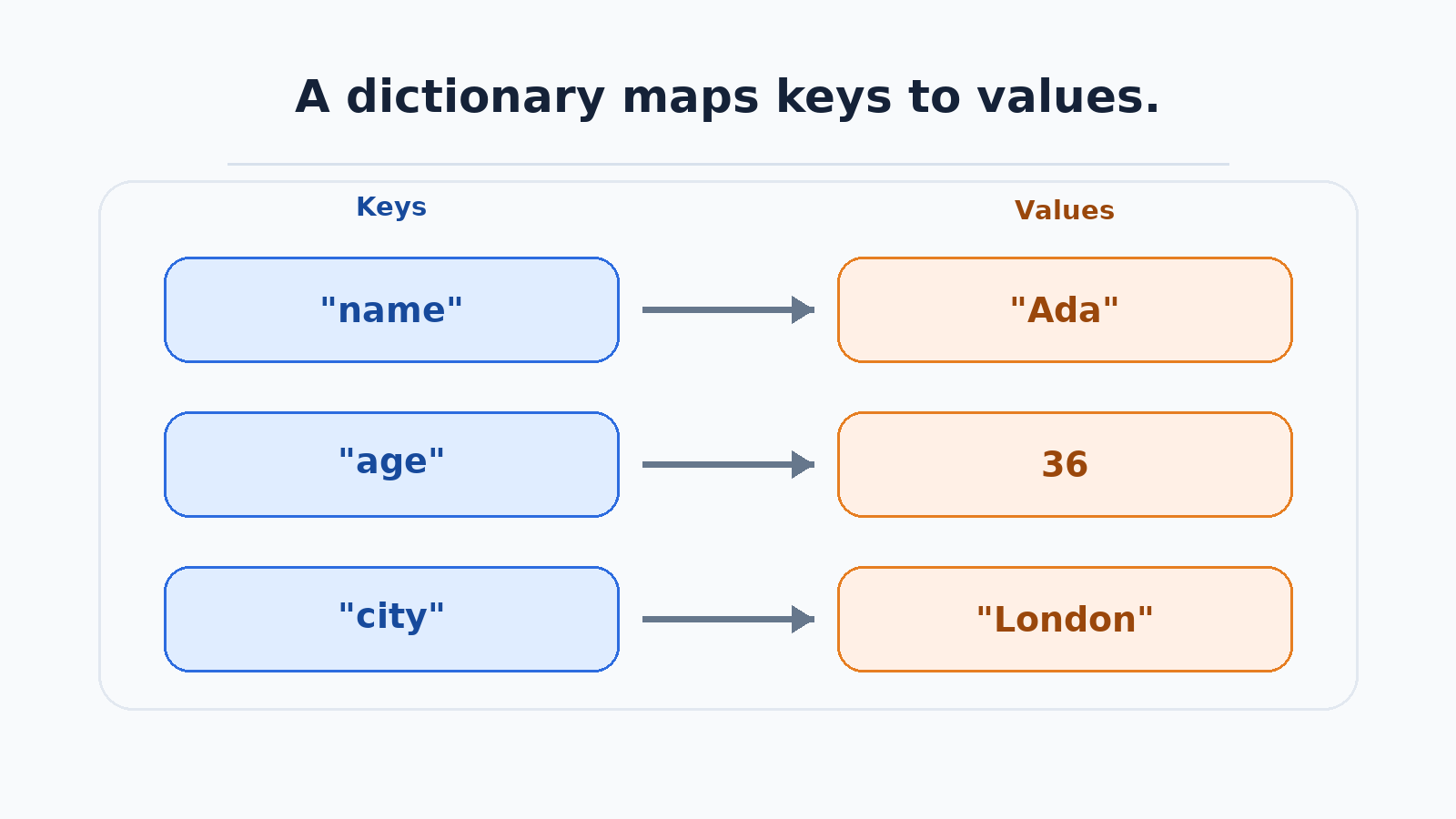
The headline idea: dictionaries are looked up by key, never by position.
Creating a Dictionary with a Literal
The most direct way to create a dictionary is with a literal: curly braces wrapping key: value pairs, separated by commas. When a dictionary has more than a couple of entries, we usually spread it across multiple lines for readability.
A few details are worth noticing in this snippet:
- Each pair uses a colon between the key and its value, and a comma separates one pair from the next.
- That comma after the last pair is a trailing comma. Python allows it, and it makes adding a new line later a one-line change.
- Values can be any type; this example includes strings for
"Ada"and"London"and an integer for36. - Keys are often strings, but they can be any hashable value—one Python can use as a stable label—such as an integer or a tuple of hashable values. Keys must be unique; lists and dictionaries are not hashable and cannot be keys.
Printing the whole dictionary shows all pairs in the order in which we wrote them. Python guarantees this: since version 3.7, a dictionary remembers the order its pairs were added, so we can rely on it rather than treat it as luck:
If we ever need a dictionary with no entries yet, we write {} and fill it in later.
Looking Up Values with Square Brackets
Reading a single value uses the same square brackets we used with strings and lists, but with an important twist: the brackets now hold a key instead of a numeric index.
Python finds the pair whose key is "name" and hands back its value, so the output is:
The key must match exactly. Dictionary keys are case-sensitive and whitespace-sensitive, so user["Name"] and user["name "] are not the same as user["name"]. When we ask for a key that the dictionary does not contain, Python raises a KeyError:
A KeyError is not a warning we can ignore; it is an error that stops the program right there, so any code after it never runs. That is helpful when a missing key really means something is broken, but risky when the key is simply optional.
Safer Lookups with get()
For optional data, dictionaries offer the get() method. Instead of raising an error, get() returns None when the key is absent, and we can pass a second argument to choose our own fallback value.
The first call finds no "email" key and quietly returns None, which prints as the word None. The second call finds no "email" key either, so it returns our fallback string instead:
Here is how we choose between the two lookup styles:
| Situation | Use | Missing key result |
|---|---|---|
| The key must be there | user["name"] | Raises KeyError |
| The key is optional | user.get("email") | Returns None |
| We want a fallback | user.get("email", "not provided") | Returns "not provided" |
When the key is present, get() simply returns the stored value, exactly like brackets. And importantly, get() never modifies the dictionary: a fallback is returned to us, not saved as a new entry.
Checking Whether a Key Exists with in
Sometimes we do not want a value at all; we just want to know whether a key is there. The in operator, which we used for membership testing on lists and strings, works here, too, and returns a Boolean.
Our user dictionary has an "age" pair but no "phone" pair, which gives us:
The critical detail: for dictionaries, in inspects keys only, not values. So "Ada" in user would be False, even though "Ada" is stored in the dictionary as a value. The not in form works the same way, reporting True when a key is absent. This makes in a natural guard before bracket access:
Putting It All Together
Let us assemble every piece into one complete script so we can see how creation, bracket lookup, get(), and in cooperate on a single user profile.
Each printed line traces back to one technique: bracket access for a key we know exists, get() for an optional key with and without a default, and in for two membership checks.
Two reminders as we finish: keys must match exactly, and we reach for brackets when a key is guaranteed and get() when it is not.
Conclusion and Next Steps
Nicely done: we have covered the whole foundation of dictionaries in Python. We now know how to build a dictionary with a literal using curly braces and key: value pairs, read a value with square brackets around a key, fall back gracefully with get() (either accepting None or supplying our own default), and test for a key's presence with in and not in. Along the way, we saw why labels are safer than positions and why a KeyError demands our attention.
The practices ahead put these tools straight into your hands: you will create a user dictionary of your own, read a key that does not exist, soften that result with a sensible default, and run membership checks on two different keys. In the next unit, we will make dictionaries feel truly alive by adding, updating, and removing entries. For now, open the editor and start mapping some data of your own!
