Choosing Where AI Helps at Work
Choosing Where AI Helps at Work 🧭
Now that you can tell the AI capabilities apart, the next move is harder and more useful: deciding which of your actual selling tasks belong in an AI workflow and which ones absolutely don't. Choosing the right starting point matters. A use case that looks exciting but is difficult to verify—like AI-drafted contract and pricing terms—can drain time and create real exposure, while overlooking practical everyday tasks can leave value untapped. This unit gives you a simple lens to sort your week and choose a first win you can defend.
By the end, you'll be able to:
- Sort recurring sales work into communication, research, planning, and analysis tasks.
- Evaluate AI candidates using Value, Risk, Repeatability, and Human Review.
- Select a low-risk pilot with a clear success criterion.
Mapping Your Work Into AI-Assistable Categories 🪣
Start by looking at a normal week and asking: what kind of selling work keeps showing up? Most AI-assistable tasks fall into four practical buckets.
| Bucket | What It Means | Common Sales Examples |
|---|---|---|
| Communication | Writing or shaping information for other humans | First-touch prospecting emails, follow-up emails, call-recap summaries, talking points, FAQ entries |
| Research | Gathering and digesting information | Scanning a prospect's annual report, summarizing discovery-call notes, pulling background on an account's industry or competitors |
| Planning | Structuring work before it happens | Drafting discovery agendas, breaking an account plan into milestones, building a pipeline-review update template |
| Analysis | Making sense of inputs | Tagging themes in deal-stage feedback, comparing opportunities against close criteria, sanity-checking a forecast narrative |
Why bother sorting? Because each bucket has a different risk profile and a different verification cost. A draft follow-up email may only need a quick tone check. A pricing claim in a proposal may need Deal Desk sign-off. If you don't separate these task types, you may treat every AI output the same way, which is exactly how confident-but-wrong text slips into a prospect-facing email or a proposal deck.
Try This: Take ten minutes this week and list five recurring selling tasks under each bucket. That list becomes the candidate pool for everything that follows.
The AI Task Fit Screen 🤖
Once you have candidates, run each one through the AI Task Fit Screen, four quick checks that tell you whether a task is a fit, a maybe, or a hard no.
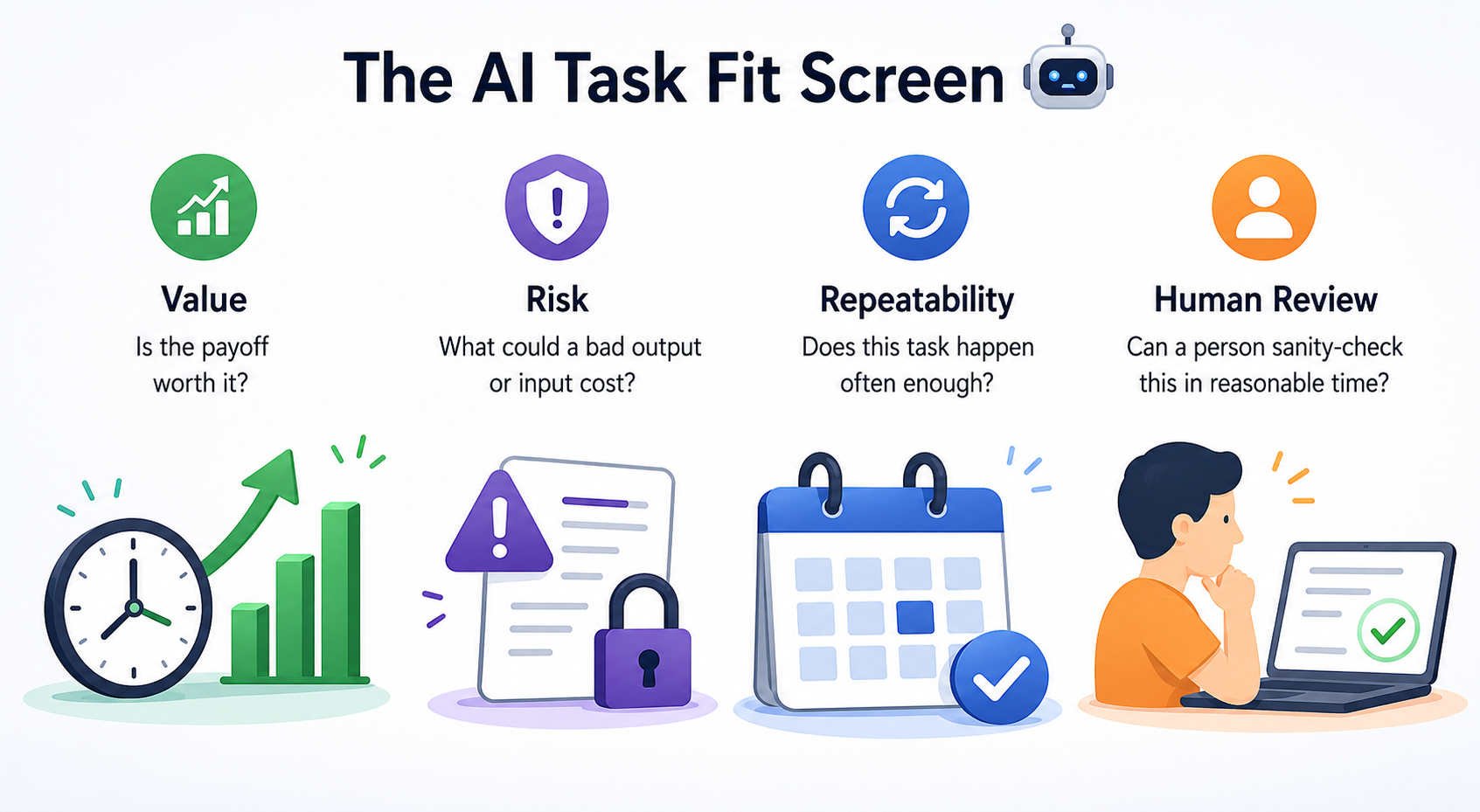
Value asks whether the payoff is worth it. Look for tasks where AI can meaningfully reduce time, improve consistency, or help you get unstuck. If AI shaves three minutes off something you do twice a year, the math doesn't work.
Risk asks what a bad output could cost—and what a careless input could expose. A typo in an internal pipeline update is recoverable; an invented statistic in a proposal deck, an unapproved pricing commitment, or a fabricated contract term is not. Risk also runs in the other direction: never paste real CRM records, prospect personally identifiable information (PII), live pricing data, or anything under NDA into an AI tool unless it's been explicitly approved for that use, since anything you submit may be stored or used to train the model.
Repeatability asks whether the task happens often enough to justify the setup. Recurring work is usually a stronger candidate because you can reuse the prompt, refine the workflow, and compare results over time.
Human Review asks whether a person can actually sanity-check the output in reasonable time. If you can't tell whether the answer is right, you can't use the tool safely, no matter how good the answer sounds.
The trap most people fall into is anchoring on Value and ignoring the other three. High value plus high risk plus weak human review is not a pilot, it's a future incident report.
Here's what that sounds like in practice.
- Natalie: I want our first AI pilot to be drafting our contract and pricing terms for RFP responses. Huge time save for Deal Desk and Legal.
- Chris: Value's real, agreed. But run it through the screen with me. What's the cost if it gets a pricing term wrong?
- Natalie: Could be an unapproved discount or a contract dispute. Not great.
- Chris: And can someone without Deal Desk or Legal sign-off review the output and catch that?
- Natalie: Honestly, no. We'd still need them to read every line.
- Chris: So Value's high, Risk's high, Human Review's weak. Worth keeping on the list, but not as our first one.
Notice Chris didn't kill the idea, he named the framework, walked the checks, and let the score speak. That's the move when someone anchors on a flashy candidate.
Picking Your First Pilot 🚦
Your first AI workflow should be deliberately boring: a task that scores well on all four checks, with low risk if it goes sideways. Recurring internal communication is a classic fit (weekly pipeline and forecast updates, discovery-call note summaries, follow-up email templates) because the value is real, the risk is contained, the task repeats weekly, and you can eyeball the output in under a minute.
Then commit to a success criterion before you start, not after. Something concrete you can measure, like "cuts my pipeline-update drafting time in half across three consecutive uses with no factual corrections needed." Vague criteria like "saves time" let you talk yourself into a pilot that didn't actually work.
The takeaway for this unit: pick the task, not the tool, and let the AI Task Fit Screen tell you which task earns the pilot slot. The next step is a live conversation where you'll pressure-test five candidate selling tasks against the Screen with a sales manager who's anchored on the flashiest option. Bring the framework by name and walk the checks out loud, that's where the skill actually gets tested.
