Handling Multivariate Time Series with RNNs Using PyTorch
Introduction to Multivariate Time Series
Welcome to the first lesson of the course "Handling Multivariate Time Series with RNNs." In this lesson, we will lay the groundwork for understanding and preprocessing multivariate time series data. A multivariate time series consists of multiple variables recorded over time, which is crucial for forecasting as it considers interactions between different variables for more accurate predictions.
Introduction to the Air Quality Dataset
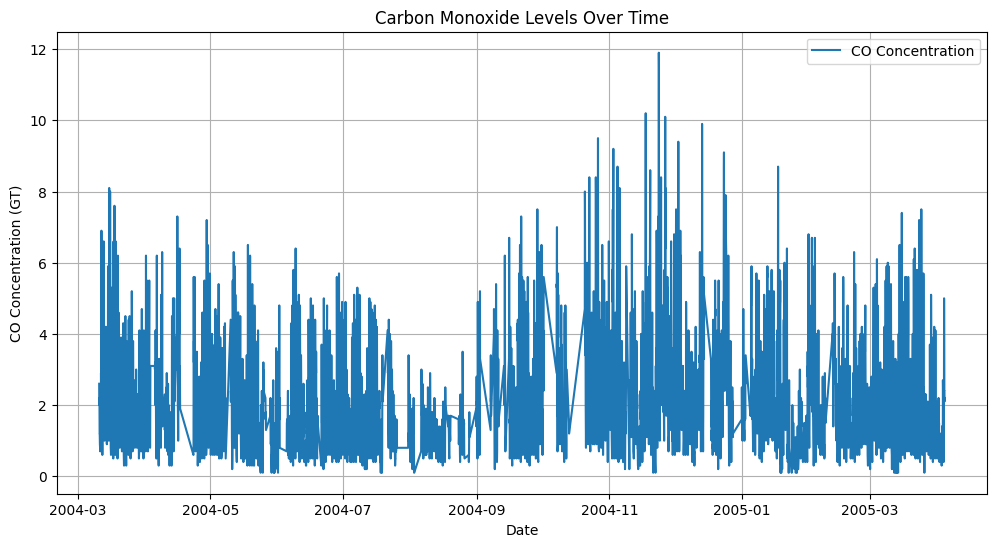
We will be working with the Air Quality dataset from the UCI Machine Learning Repository, accessible here. This dataset contains 9,358 instances of hourly averaged responses from a gas multisensor device deployed in an Italian city. It includes 15 features, such as concentrations of air pollutants (e.g., CO, NOx, C6H6) and meteorological data (e.g., temperature, humidity). The data was recorded from March 2004 to February 2005. The dataset uses -200 to represent missing values, which we will replace with NaN during preprocessing to ensure accurate data handling. Our goal is to perform multivariate time series analysis, which involves handling missing values to ensure accurate modeling and predictions.
Loading the Dataset
To begin, we need to load the Air Quality dataset into our environment. We will use the pandas library, which is a powerful tool for data manipulation and analysis in Python. The dataset is hosted on an AWS S3 URL, and we can load it directly from there. It's important to handle missing values during the loading process to ensure the integrity of our data.
Here's how you can load the dataset:
In this code, we use pd.read_csv() to read the CSV file from the specified URL. The sep=';' parameter indicates that the data is separated by semicolons, and decimal=',' specifies that commas are used as decimal points. We also replace -200 with NaN to correctly identify missing values. This step is crucial for correctly interpreting the numerical data.