Passing Objects to Functions
Introduction: Objects Are Just Values
Welcome back to Getting Started with Classes in Python! In the first unit, we built rex and bella from a single Dog blueprint and read their data with dot notation. That worked, but notice what it cost us: We typed the same f-string twice, once per dog. With ten dogs, we would type it ten times, and fixing a typo would mean ten edits.
The fix is the key idea of this unit: an object is just a value. It can be stored in a variable, and it can be handed to a function exactly like a number or a string. In this lesson, we will write three plain functions that receive dogs and do something useful with them. Everything builds on this shared setup:
Passing an Object as an Argument
Let's move the formatting logic into a function that accepts a dog:
A few details deserve attention:
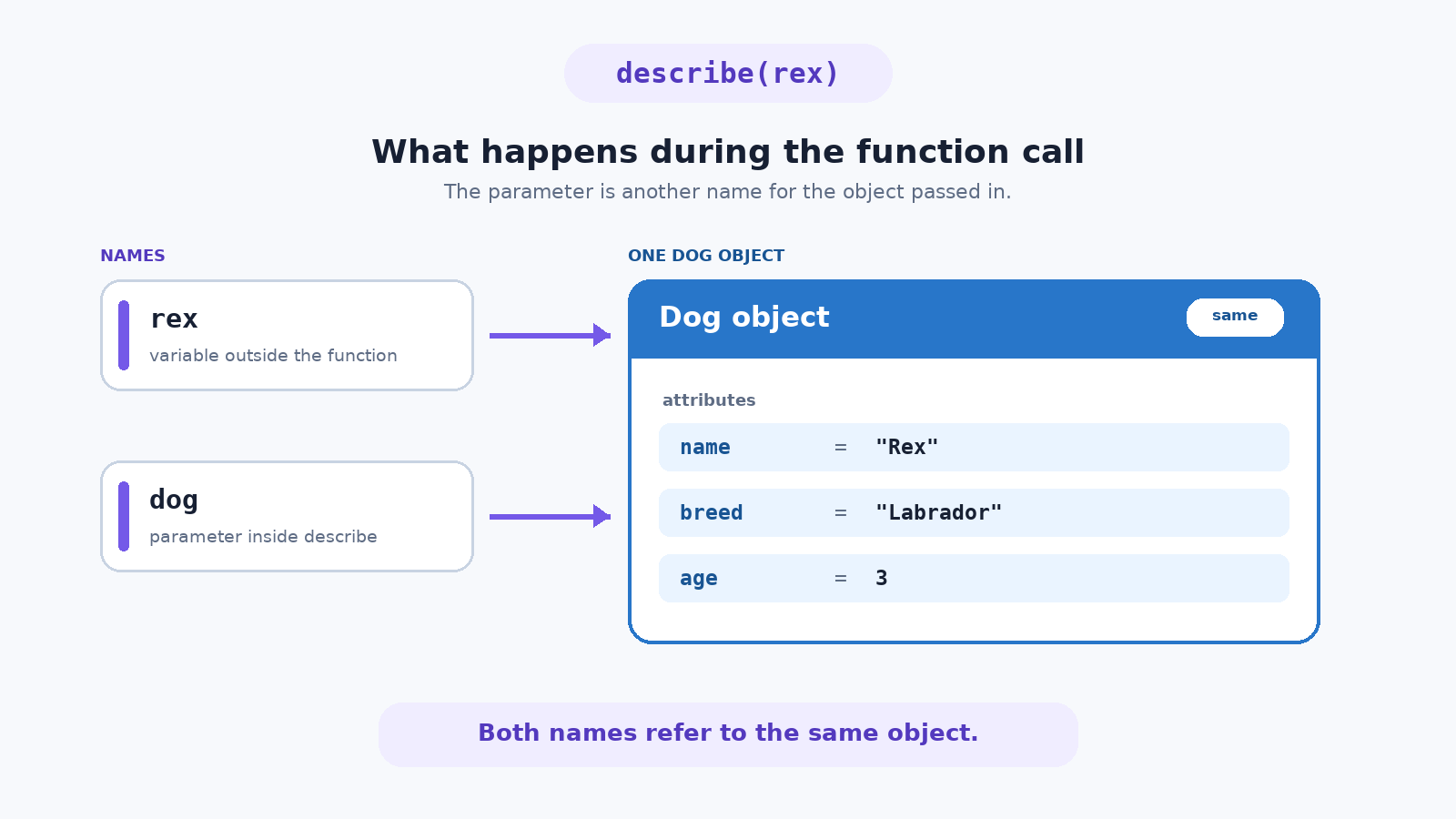
dogis an ordinary parameter name. Nothing about it is special, and nothing connects it to theDogclass; we could have called itdorpet.- When we call
describe(rex), Python binds the parameterdogto the same object thatrexpoints at. So, inside the body,dog.namelooks up exactly whatrex.namelooked up before. - The
defsits at the top level of the file, at the same indentation asrex = Dog(), not indented inside the class. This is a plain function, not a method.
One Function, Many Objects
Now comes the payoff. We wrote the formatting rule once; we can reuse it for any dog:
The function body never changes. On the first call, dog refers to rex, so the attribute lookups return "Rex", 3, and "Labrador". On the second call, dog refers to bella, so the very same three lookups return different values, producing a different line of text.
Worth noticing: describe has no idea which dog it received, and it does not care. It only requires that whatever arrives has name, age, and breed attributes.
