Options API Overview
Introduction And Lesson Context
Welcome back! You have already learned how to build Vue components using the Composition API, how to pass data and events between components, and how to use slots for flexible layouts. In this lesson, I want to introduce you to another important part of Vue’s history: the Options API.
The Options API is the original way of writing Vue components. For many years, it was the standard approach, and you will still find it in many existing Vue projects, open-source libraries, and tutorials. Even though the Composition API is now the recommended way for new projects, understanding the Options API is still valuable. It will help you read, maintain, and even refactor legacy codebases. It also gives you a deeper appreciation for how Vue has evolved and why certain patterns exist.
In this lesson, I will show you the basics of the Options API, walk you through a real example, and compare it with the Composition API you have already learned. By the end, you will feel comfortable working with both styles and be ready to handle any Vue code you encounter.
Basics Of The Options API
The Options API organizes your component’s logic into separate options: data, computed, and methods. Each option is a property on the component’s default export object. This structure makes it easy to see what your component’s state, computed values, and functions are at a glance.
Let’s look at a simple example. Here is a basic Vue component using the Options API:
In this example, the data function returns an object with a count property. The computed property defines a doubled value that always reflects twice the current count. The methods property contains an increment function that increases the count when the button is clicked.
When you use this component, the output will look like this:
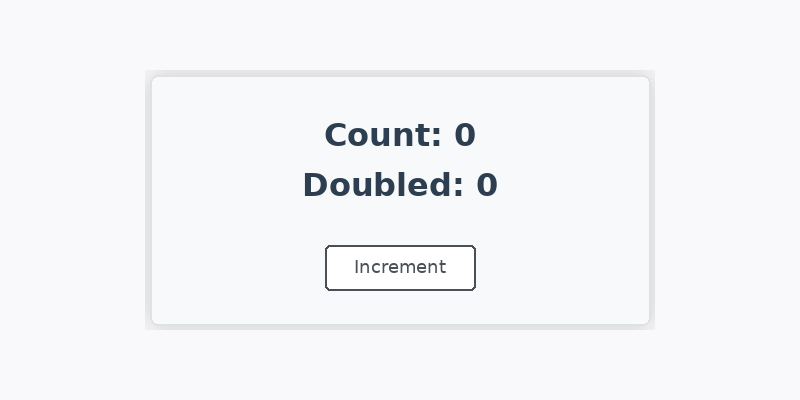
Clicking the button increases the count and updates both displayed values. Notice how this is used to access data and methods inside the component.
Detailed Walkthrough Of The UserGreeting Component
Now, let’s look at a real-world example from your project: the UserGreeting.vue component. This component uses the Options API to manage a user’s name and display a greeting.
Here is the code:
Let’s break down how this works. The data function returns an object with a single property, userName, set to 'Legacy Learner'. This value is reactive, so when it changes, the template updates automatically. The computed property, greetingMessage, returns a string that greets the user by name. This is similar to a computed property in the Composition API, but here it is grouped under the computed option. The methods object contains a changeUser function, which updates the userName when the button is clicked.
When you use this component, the output will look like this:

If you click the button, the greeting updates.
This example shows how the Options API keeps your state, computed values, and methods organized in separate sections, making it easy to see what each part of your component does.
Comparing Options API With Composition API
You have already learned the Composition API, which uses ref, reactive, and computed inside a <script setup> block. The Options API, as you have just seen, uses an object with data, computed, and methods properties.
Let’s compare the two styles using a simple counter example. Here is the Options API version:
And here is the same logic using the Composition API:
Both approaches achieve the same result, but the structure is different. The Options API groups logic by type (data, computed, methods), while the Composition API groups logic by feature (all related logic together). The Composition API is more flexible for larger components, but the Options API is still clear and easy to read, especially for smaller components.
You might encounter the Options API in older projects, tutorials, or when working with teams that prefer its style. It is also helpful for beginners because of its clear separation of concerns.
Best Practices For Working With Legacy Vue Code
When you work with legacy Vue code that uses the Options API, there are a few best practices to keep in mind. First, take advantage of the clear structure: look for data, computed, and methods to quickly understand what the component does. If you need to update or fix something, make changes in the appropriate section.
If you are maintaining or refactoring legacy code, try to keep the organization clean. Avoid mixing too much logic in one method or computed property. If a component grows too large, consider breaking it into smaller components.
If you want to migrate a component from the Options API to the Composition API, you can do it gradually. Start by moving some logic into setup() or <script setup>, and test as you go. Vue supports both APIs in the same project, so you do not have to rewrite everything at once.
Finally, always document your changes and keep your code easy to read. This will help you and your teammates work with both old and new Vue codebases.
Summary And Next Steps
In this lesson, you learned what the Options API is, why it is still important, and how it compares to the Composition API you have already used. You saw how to organize state, computed values, and methods in the Options API, and you walked through a real example with the UserGreeting component. You also learned some best practices for working with legacy Vue code and how to approach refactoring or migrating to the Composition API.
Now, you are ready to practice what you have learned. In the next exercises, you will work with both Options API and Composition API components, giving you hands-on experience with both styles. This will make you a more versatile Vue developer, ready to handle any codebase you encounter.
