NumPy Array Indexing Basics
Introduction
Welcome to Accessing Elements the NumPy Way, the first lesson in this course. We’ll start with bracket skills that are familiar from Python lists, then see one important difference: when we slice a NumPy array, the result is another array. By the end, we’ll be able to read a single value or select a contiguous or spaced-out group of values from a one-dimensional array.
Setting Up the Lesson Array
We’ll use one small example throughout: daily temperatures stored in a one-dimensional NumPy array. As you may recall from working with lists, each value has a position, starting at index 0. We’ll use those positions to select readings in the next sections. The main function holds the example, and the final check runs it when the script is executed.
np.array turns the list of readings into a NumPy array, which we store in temps. The import gives us access to NumPy under the short name np. For cleaner formatting, code snippets in this lesson are shown without leading indentation, but these statements should be placed inside the main() function when running your script.
Single Positive and Negative Indices
We can use a single index in brackets to retrieve one reading. A positive index counts from the start, so index 0 is the first value. A negative index counts backward from the end, so -1 is the last value. This works just as it does with a list: each expression selects one value rather than a group of values.
The first line prints the reading at the beginning of the array, and the second prints the reading at the end. Here is the output in the same order:
Slicing a Contiguous Range with start:stop
To select several neighboring readings, we use a slice with the form start:stop. The start position is included, but the stop position is not. So temps[1:4] selects positions 1, 2, and 3. This familiar list-style rule makes it easy to choose a range without counting the stop position as part of the result.
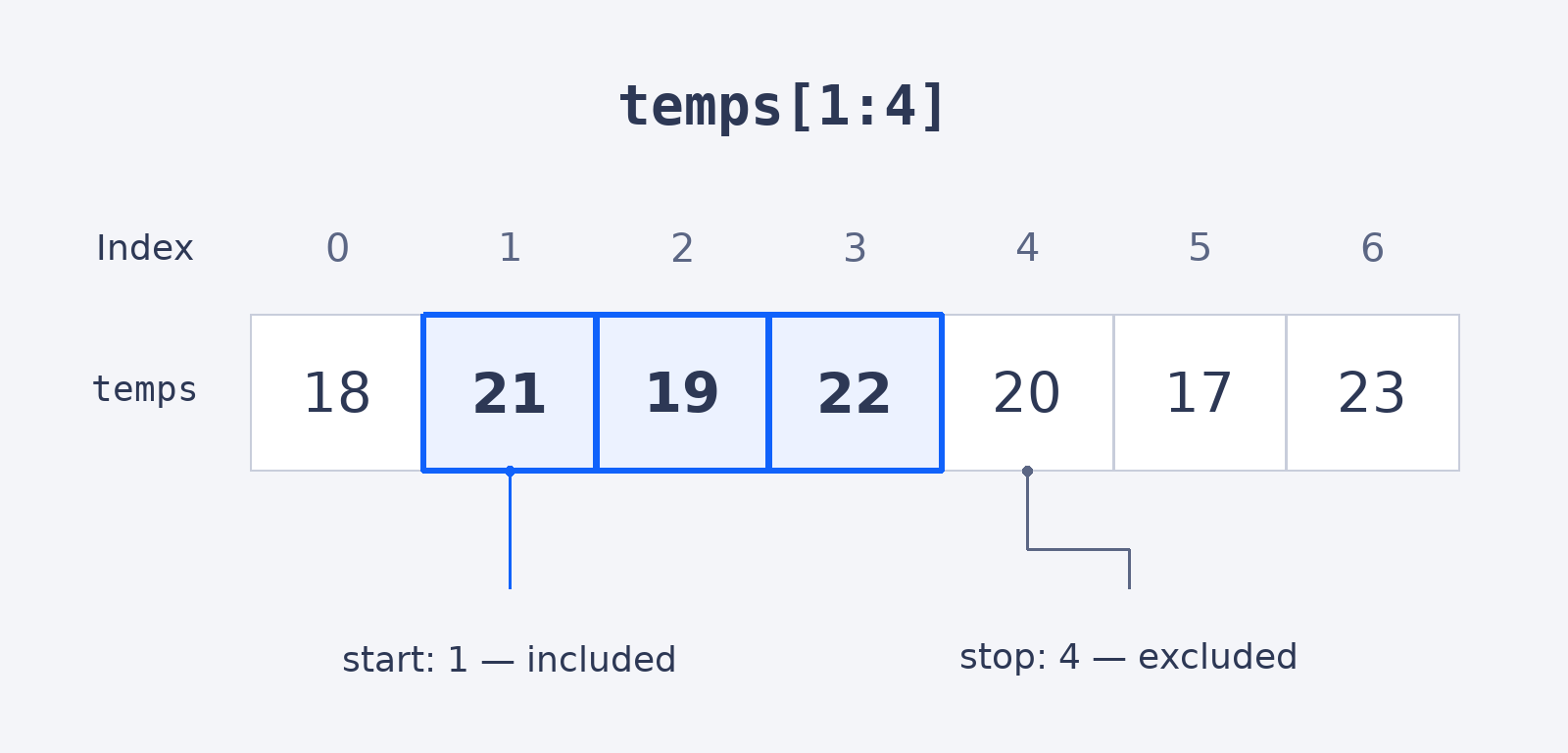
The highlighted positions are the readings stored in middle by this slice:
The slice selects the three readings after the first one and stores them in middle. Printing a NumPy array displays its values with spaces rather than commas, as shown here:
Strided Slices with a Step
A slice can also include a step: start:stop:step. The step tells Python how many positions to move between selected values. In temps[::2], both the start and stop are omitted, so the slice covers the whole array; a step of 2 selects every other value, beginning with the first one. Omitting these parts uses the start and end of the array by default.
This prints the values at positions 0, 2, 4, and 6. Notice that the last value is included because the slice continues to the end of the array:
The One New Idea: A Slice Is an Array
The bracket patterns so far match the list patterns we already know. Here is the new detail: slicing a NumPy array produces another NumPy array, not a list. We can check the type of middle, the slice created earlier, with Python’s type() function. This matters because the selected values remain in the array world as we continue working with them.
The output names the type of the slice. numpy.ndarray is NumPy’s array type, confirming that middle is still an array:
Conclusion and Next Steps
We used temps[0] and temps[-1] to select the first and last readings, temps[1:4] to select a contiguous range, and temps[::2] to select every other reading. The key new idea is that slicing an array gives us another array. In the upcoming practice, we’ll use these bracket patterns with temperature data ourselves; you’re ready to give them a try.
